
In this post, we will list some of the best free Driver Updater software for Windows 11/10 PCs. Having proper device drivers for your devices is very important for the proper functioning of a computer system as well as the attached hardware devices. Device Drivers are a key component of a computer system, but we often overlook them which may create various performance issues in the long run.
Keeping drivers updated to the latest version helps you achieve the best performance from your hardware. However, indeed, most of us do not update drivers unless Windows Update offers them.
Free Driver Updater Software for Windows 11/10
Here is a list of the ten best free software to update your drivers and keep your Windows 11/10 PC running smoothly. These software let you update the device drivers easily without any difficulty, and are especially helpful for those who don’t want to visit the manufacturer’s website to download the driver or manually check for driver updates.
- WinZip Driver Updater Free
- Intel Driver Update Utility
- AMD Driver Autodetect
- Dell Update utility
- Lenovo System Update
- HP Support Assistant
- MyASUS app
- CCleaner Driver Updater
- IObit Driver Booster Free
- Double Driver
- Snappy Driver Installer
- Device Doctor
- Driver Easy
- Driver Identifier
- DriverHub
- DUMo Update Monitor
- DriversCloud.
1] WinZip Driver Updater
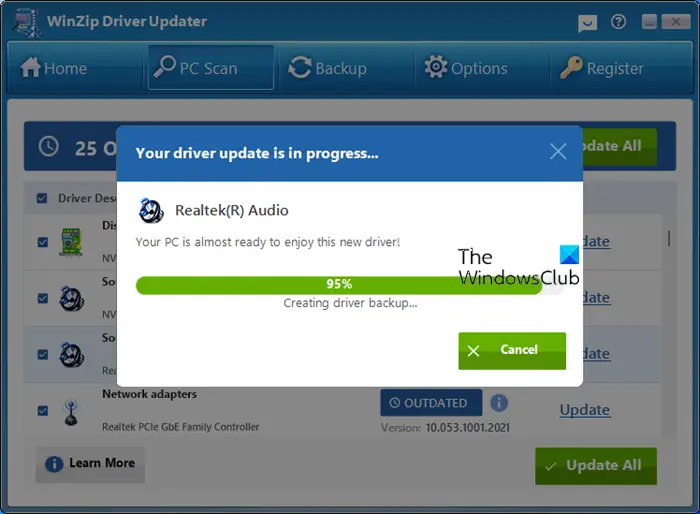
WinZip Driver Updater is a free software to update device drivers on your Windows 11/10 PC. The tool not only downloads the device driver but also creates a system restore point and backs up the existing driver before proceeding to install the new version. You can use the free version without registering it. The only limitation of the free version is that you have to click on the Update button manually for each driver and that is not a bad thing in my opinion.
2] Intel Driver Update Utility
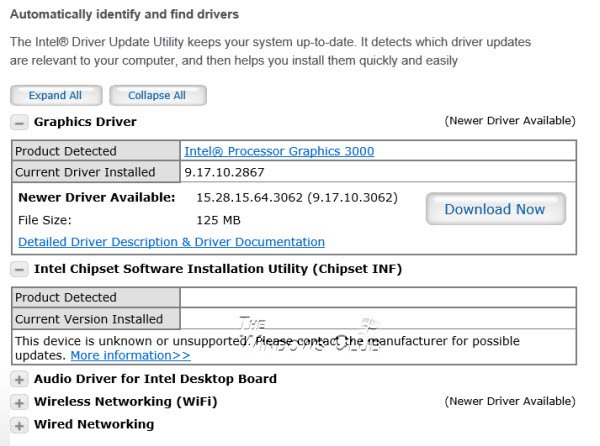
The Intel Driver Update Utility automatically identifies, finds, and installs updated drivers for your computer system, keeping your system up-to-date. The software thoroughly checks the systems, suggests the required driver updates for your PC, and downloads them only after obtaining your permission. It collects no personal information and can be easily installed. The simple and user-friendly interface makes it worth being added to the list of free driver update software for Windows machines.
3] AMD Driver Autodetect
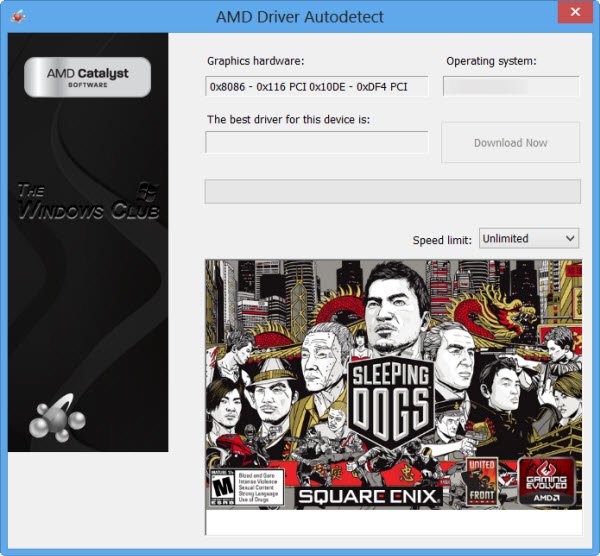
AMD Driver Autodetect scans the entire operating system as well as the graphics card of your Windows machine and sees if any update is available. The software also allows you to download the official update with a single click. The major features of the AMD Driver Autodetect tool include easy installation and an auto-detect tool.
4] Dell Update utility
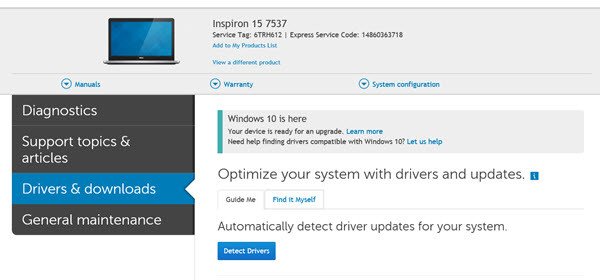
Dell Update utility will help you download or update Dell Drivers. Dell automates the whole process. It will detect the model and make of your device and components and see which drivers are required for it. To do this, you will have to visit the Dell website and install Dell System Detect.
5] Lenovo System Update
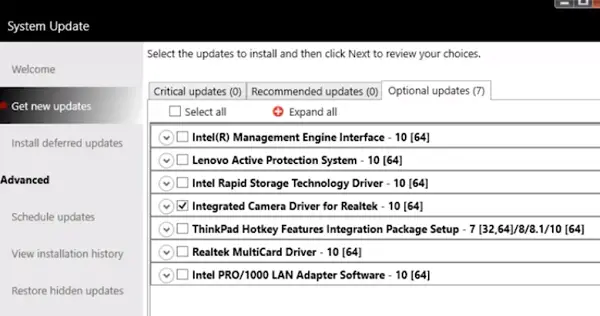
Lenovo offers two types of solutions to keep the system up to date. One is called Lenovo Companion, while the other is a lighter, compact version called Lenovo System Update. Once downloaded from Lenovo’s website, the local user can use it without requiring specific user knowledge of where the package is located or if the target system needs it. It can also be used by the System Admin IT administrators to distribute updates for software, drivers, and BIOS in a managed environment from a local server.
6] HP Support Assistant
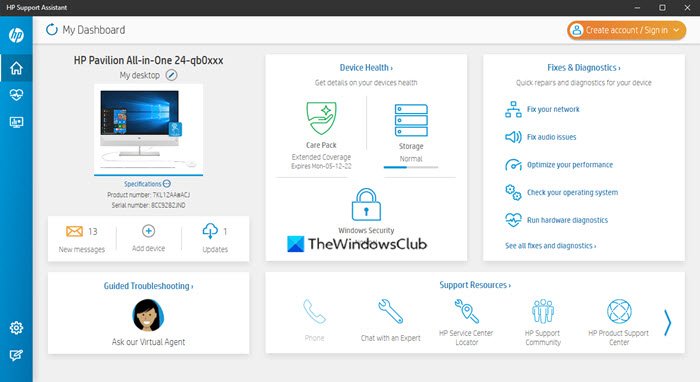
HP Support Assistant, as the name implies, is software from HP that helps users update and install drivers and firmware on their HP laptops and computer systems. Apart from this, it also provides users with troubleshooting tools and helps them keep their Windows up to date and secure.
7] MyASUS app
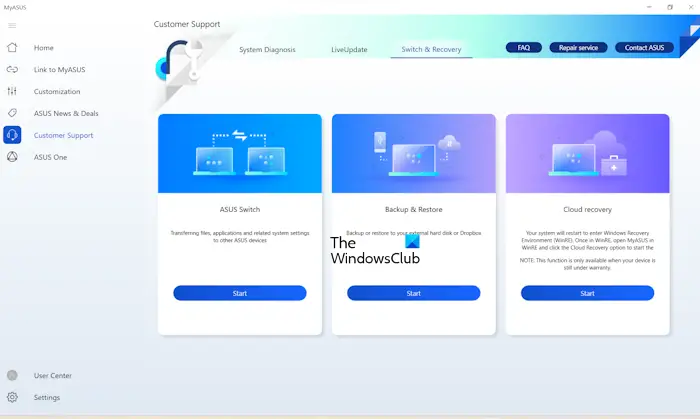
MyASUS is an app available for ASUS desktop computers and laptops. It is a very useful app that helps users keep their systems up to date. Additionally, it offers several additional features to help you manage your ASUS computer.
8] CCleaner Driver Updater
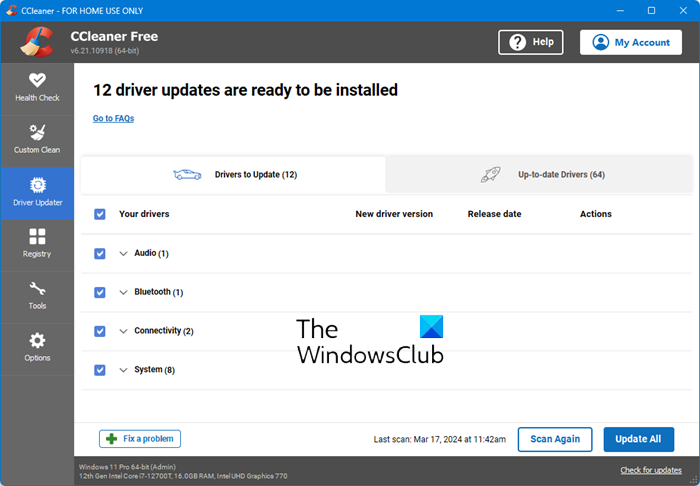
CCleaner also offers a good, safe Driver Updater module.
9] IObit Driver Booster Free
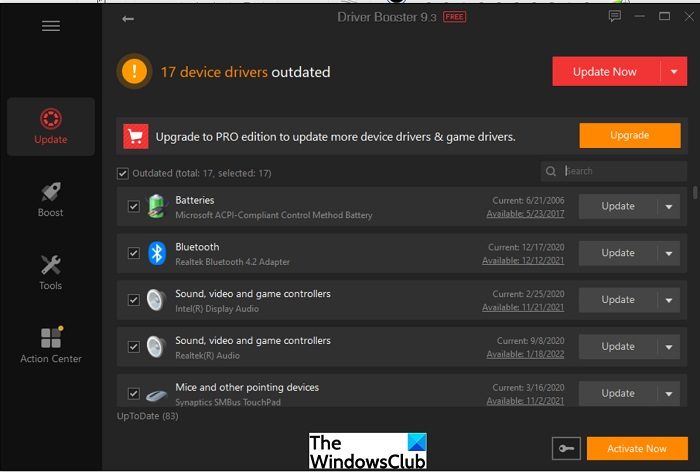
IObit Driver Booster Free is another good free Device Driver updater for Windows PC.
The free version offers the following features:
- Automatically Scan & Identify Outdated, Missing & Faulty Drivers
- Download and Update Outdated Drivers with One-Click
- Smaller Driver Package with New Driver Compression Algorithm
- Safer Updating with Qualified WHQL Drivers ONLY.
The program helps you identify and update missing, outdated, or incorrect drivers on your Windows PC, and also fixes them further.
10] Double Driver
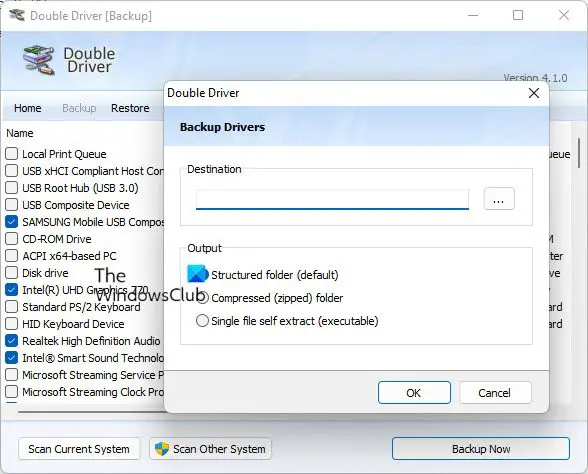
Double Driver is a freeware to backup Windows Drivers. Some drivers are not easily available online, and there are times when we don’t have the Driver CD and want to back up some important installed drivers. This is where Double Driver helps you. It is a very simple and useful tool that not only lets you check detailed information about the drivers installed on your PC, but also helps you take backups, restore, and save the chosen drivers easily.
11] Snappy Driver Installer
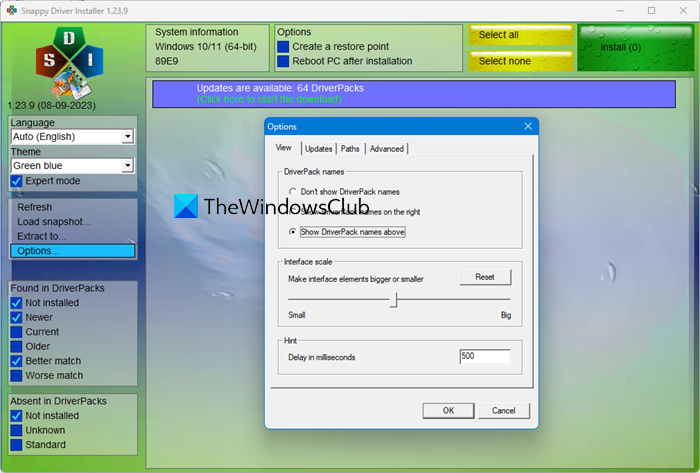
Snappy Driver Installer is a handy tool that lets you install and update the drivers on your Windows PC. It is the best application to use if you have recently formatted your PC or updated the OS, as it can work offline and does not require an internet connection to function. If selected the option, this software also lets users know whenever an update is available.
12] Device Doctor
Device Doctor is a free software for Windows PC which scans the computer hard disk and checks if there are some new updates available for the drivers. The software is best known for its detailed scan, as it can locate unidentified drivers that are usually not detected by the default Windows Device Manager. The Device Doctor database includes almost all major hardware device manufacturers and currently supports drivers for over 15 million devices and PCs.
Read: Ashampoo Driver Updater
13] Driver Easy FREE
Driver Easy FREE is a driver update tool that automatically identifies and downloads all the necessary drivers, so all you have to do is install them. The free version allows you to download drivers one at a time, and it is available here at – drivereasy.com/download-free-version.
14] Driver Identifier
Driver Identifier does not appear to have been updated for a while, but it works well on the latest Windows versions, too.Download and install the application, start scanning, and download your drivers.
15] DriverHub
DriverHub is another freeware that you can take a look at. It offers official drivers from official websites, such as HP, Acer, and Dell, among others.
16] DUMo Update Monitor
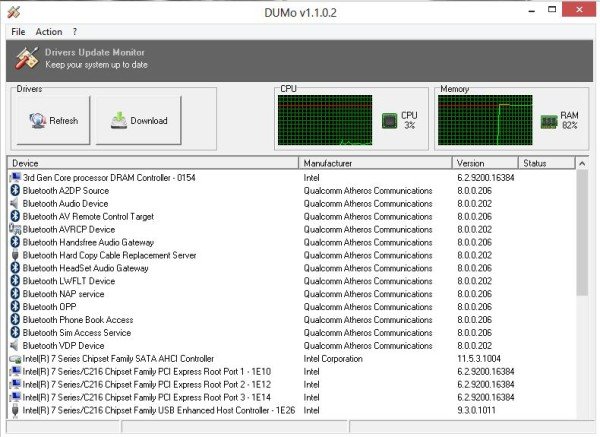
DUMo Update Monitor is a Windows freeware that automatically checks if the most recent versions of drivers are installed on your system and helps you keep your PC up-to-date & safe. With Dumo installed on your PC, you do not need to check for updates manually; the tool sends you a notification whenever an update is available for the drivers on your PC.
17] DriversCloud
DriversCloud is a free web-based service that scans your PC for available driver updates. To start, you need to click on the Start Detection button. Then, open the Detection agent > Advanced Detection> Online Detection> Launch Detection. Once the scan is complete, select ‘Detect all my drivers’ and then ‘See my latest drivers’. Here you will see the Recommended Downloads for your system.
Do remember to create a system restore point first before you update your device drivers.
I hope this helps.
A Windows machine needs to have updated drivers, regardless of whether you have upgraded to a newer version of the operating system or not. Updating the drivers regularly helps you achieve the best performance from your PC and other attached hardware devices.
If you feel the need, you can refer to this post to identify computer hardware problems. Go here if you need to Troubleshoot & fix Device Driver Problems.
How do I update my Windows 11 drivers for free?
There are many ways by which you can update Windows 11/10 drivers for free. You can update your drivers via Windows Optional Update. Another way to update drivers is to download the update from the manufacturer’s official website. Moreover, official apps, such as HP Support Assistant, Dell SupportAssist, Intel Driver & Support Assistant, etc., are also available to keep your drivers up to date.
How do I fix Windows 11 drivers?
All the installed drivers are listed in the Device Manager. When a driver malfunctions, the respective device stops working. In such a case, you will see a warning sign along with the error message for the particular device in the Device Manager. This error code and error message will help you fix the driver issues on your computer.
