
Windows 10 Taskbar in many ways, is the same when compared to other versions of Windows, but there are a few new things Microsoft brought to the table to make it unique. While we are in love with the default look of the Windows 10 taskbar, there might be some folks who would prefer to give it a different look. That’s why we’ll show you how to customize the Windows 10 taskbar to fit your needs.
How to customize Windows 10 Taskbar
The Taskbar is one feature you can’t live without on any OS. On Windows 10 it offers almost everything you want to do on your PC. Right from adding folders, apps to Task Manager displays notification icons on the top right, and so on. This is what the taskbar looks like. You have the Start button, Search box, Multi-Desktop, Area where you can add icons, people app, and lastly, the system tray, which shows important icons and notification count.

Here’s the thing, there’s no need for the use of third-party tools when customizing the Windows 10 taskbar, so we’re not going to travel down that route. Also, the tips we’re about the share are basic and no doubt most tech-savvy users will have already known about them. But not everyone who reads The Windows Club is tech-savvy, so bear that in mind.
Now, let’s go to the Taskbar section in Windows 10 Settings > Personalization. Here you get the following options:
On this page, it’s possible to change many basic options, which I will recommend you to use:
- Automatically hide the taskbar in desktop mode which is useful if you want to get a full view of anything which is working on or reading.
- Use small taskbar buttons, if you don’t have a huge monitor, use small taskbar buttons. Saves you a lot of space, and you can add more App icons and Folders.
- Show badges on taskbar buttons which is useful for apps like Email, where you need to see if you have a new email.
- The taskbar can be used in Multiple Displays as well. You don’t need any extra software to do this. See how you can set up multiple monitors.
- There is a People Bar in the Taskbar. This post talks about using the Peoples Bar.
Notification Area
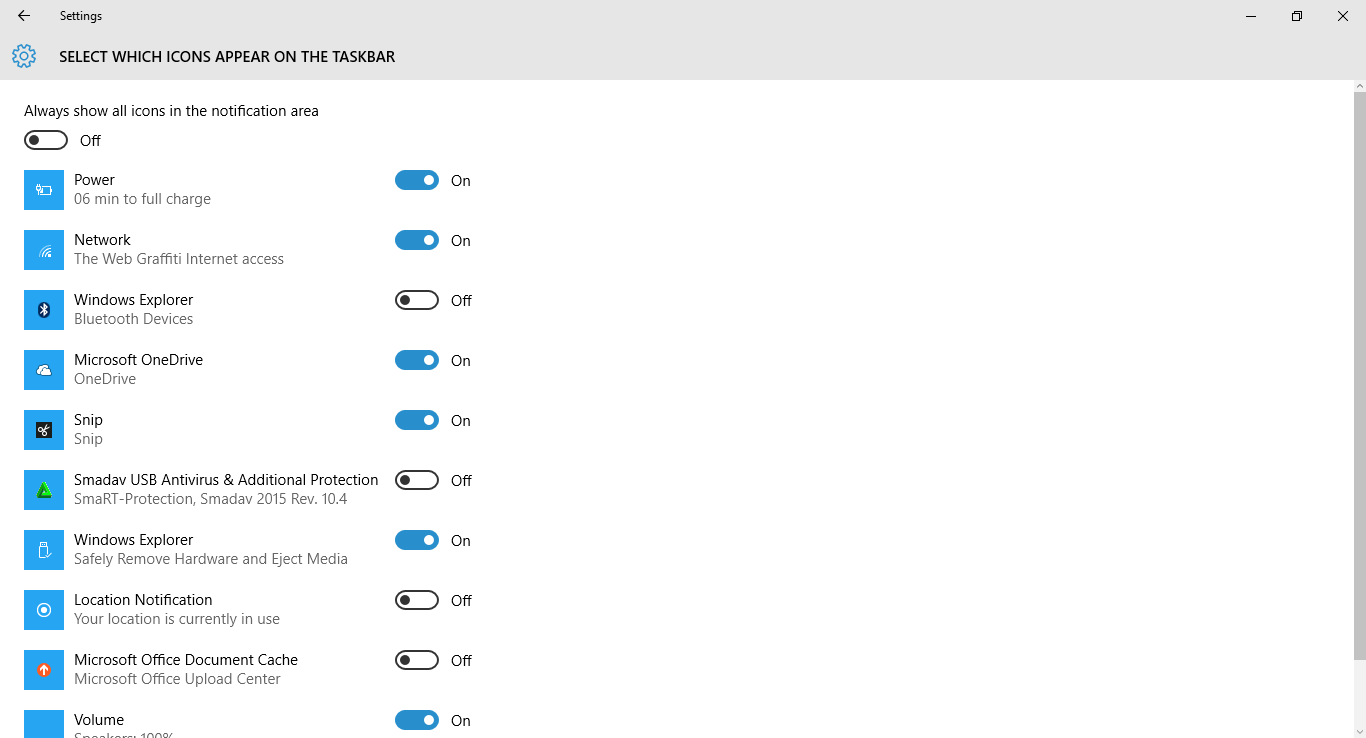
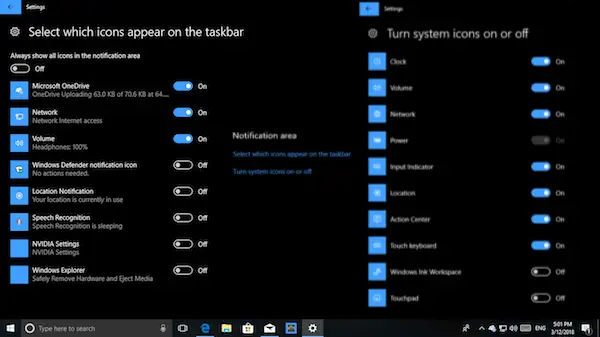
Apart from the fly-in, you get any new notification, the Notification & Action Center on the Taskbar is responsible for showing how many unread notifications are there and also displays icons from important Apps. For example, I have a OneDrive icon always on my system tray, which displays status like syncing and so on. If you feel they are too much, you can control to show less of them or add the ones which are important to you.
- Select which icons appear on the taskbar.
- Turn system icons on or off.
You get to see more options for Taskbar when you right-click. You would know if you have been using Windows 10 even recently. However, there are a few things you should take a look at:
- You can enable Windows Ink Workspace Button.
- You can choose to Hide Cortana or Cortana Icon or the Search box.
- Launch Task Manager from here.
Here are some more ways to customize the Windows 10 taskbar.
Hide System Icons
System icons are placed on the taskbar to make them readily available to users. In Windows 10, the default ones are Action Center, battery indicator, Network indicator, the clock, and volume icon. If you want these icons removed, this is how to do it.
First off, you’ll need to venture into Settings by pressing WIN+I. Go to Systems > Notifications & actions. After that, click on the link that says, “Turn system icons on or off” and it should open a window that allows for turning off or on any system icon on the taskbar.
TIP: This post will help you if you can’t change Windows Taskbar Color.
Hide Software Icons
Some users might realize that several software icons populate the System Tray on the taskbar. That’s a regular occurrence, but what if you want to have it removed? Well, follow the same instructions as above, but instead of clicking on “Turn system icons on or off,” click on “Select which icons appear on the taskbar.”
Read: How to customize Windows 10 Start Menu
Make Icons Smaller
Some folks may have a plethora of software icons on their Windows 10 taskbar. Now, some folks might believe that removing the icons is the only way to solve the issue, but that may not be true. While you can always Pin or Unpin icons to add or remove them, making them smaller will make more space available on the taskbar.
To do this, right-click on the taskbar, go to Properties > Use small taskbar buttons.
Relocate The Taskbar
Did you know moving the taskbar from the bottom of the desktop is possible? Yes, you can. It is possible to move it to the top, to the left or even to the right. Just Right-Click on the taskbar, uncheck the Lock taskbar item and then drag and drop the taskbar to any side you want.
Need some more?
- Add custom color for Windows taskbar
- Display your Name in Windows Taskbar
- Add a day of the week to the taskbar clock
- Disable Search Box
- Disable Show Badges on Taskbar buttons
- Remove the Task View button.
These are not the only ways to customize the Windows 10 taskbar, but these are the ones you’ll likely want to do. Have more ideas, do share in the comments.
Read next: How to customize Windows 11 Taskbar.
