
If you are a gamer, you must have faced this problem for sure. Over time, our Windows 11/10 PCs accumulate many items on the hard disk, and the games won’t run like they used to especially if your games are complex and more resource-intensive. Thankfully, we have a solution for the same. You can use some good free software to boost gaming performance
When we say poor gaming performance, the major aspects we mean include gaming lag, low FPS, intermittent playback, choppy gameplay, distorted audio, or video quality. Below is a list of free game booster software that can speed up your Windows PC and boost your gaming performance.
Game Booster Software to boost gaming performance
Before you take a look at the freeware, you might want to take a look at how to improve gaming performance on Windows 11/10. The post offers some general tips to improve PC gaming.
1] GBoost
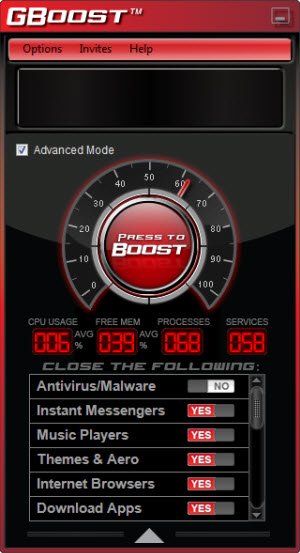
When we turn our PC or start a game on our PC, many other programs start simultaneously in the background, which obviously will make the system run slow. This is where this free Windows game booster software helps you. GBoost temporarily closes all the other running apps and allows only the ones that are essentially required for gaming. It is a simple program with no tricky interface; just click on the Boost button, and it will make the required changes. The changes, however, are not permanent, and thus, your PC and its configurations are safe.
Read: Test Computer Monitor for Gaming & Motion Handling
2] Toolwiz GameBoost
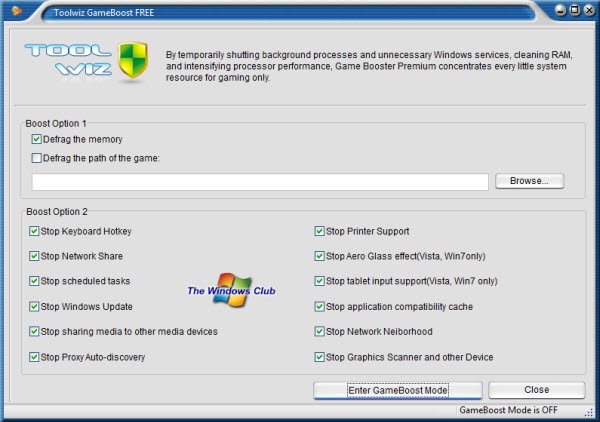
As the name suggests, this tool is designed specifically to boost up your gaming experience. The tool speeds up your PC’s gaming performance by making some small tweaks. For example, it disables the scheduled Windows Updates while gaming, which certainly helps to improve the speed. Toolwiz GameBoost also stops the proxy auto-discovery or the keyboard hotkeys since they slow down your PC and affect the gaming speed. Toolwiz Gameboost also makes temporary changes that are easily reversible.
3] Fusion Utility
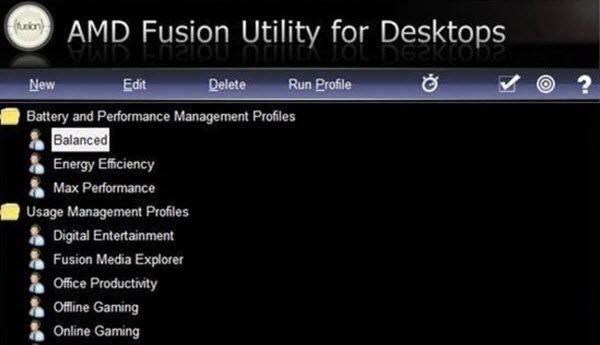
Designed especially for your PC optimization, Fusion Utility makes your AMD system more responsive and faster. With just a single click, the program shuts down the other processes running in the background. The changes made are temporary and are reversible. So, Fusion Utility uses advanced acceleration technologies such as Hard Drive Acceleration and Auto-Tuning, which makes your Windows PC work lighter, thereby improving your gaming experience. Furthermore, this program also lets you customize your user profiles for a personalized, optimized experience.
4] GameFire
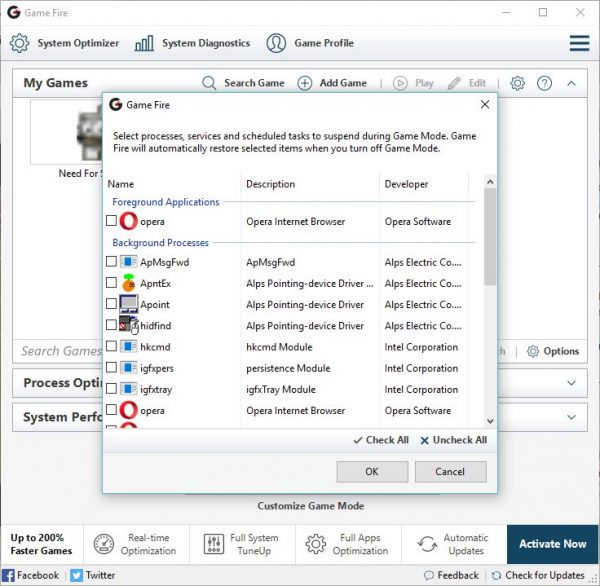
This is, again a must-have program for Windows PC gamers. It is available in both free and paid versions. While the free version brings all the necessary tools, the paid version certainly has some extra features. Install this program on your PC and click on the button Turn On Game Mode. The program then makes the required changes, ensuring a hassle-free and uninterrupted gaming experience. With Game Fire, you can adjust the settings and add your favorite games to a list, allowing you to launch the games directly. The program also has a System Diagnostics option, which gives you a detailed report of your PC’s status.
5] Wise Game Booster
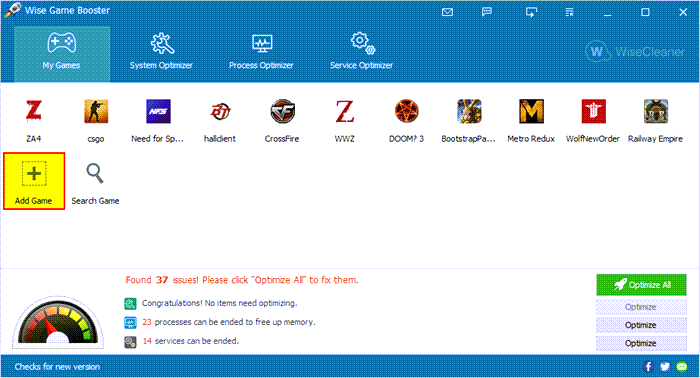
Wise Game Booster is specifically designed to enhance the gaming experience of Windows PC users. It makes the system resources focus only on the game running and closes all other unnecessary programs. It includes four basic functions: your games list, your PC optimization, System Optimization, and Service Optimization. The games list helps you search the local games and launch them directly; System Optimizer optimizes the relevant settings on the PC, and Process Optimizer stops the unwanted programs running in the background, thereby speeding up your PC.
Must read:
6] Razer Cortex Game Booster
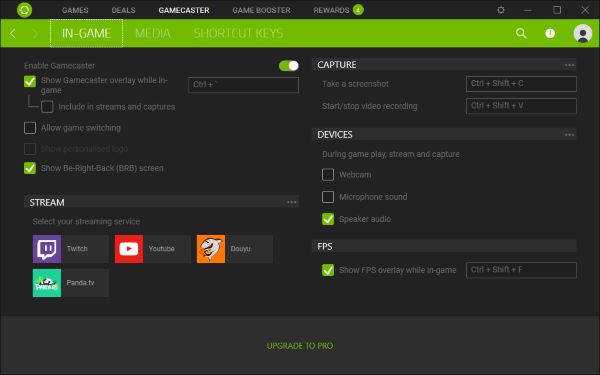
The major features of this tool include maximizing the resources to your game, killing unnecessary running tasks, and making your PC run smoothly. Also, this program provides you with the statistics of your PC after you complete the gaming session. Like the other such tools, the changes made by Razer Cortex Game Booster are also temporary plus it reverts the changes automatically. This means it brings your PC to its original settings when you end the gaming sessions. To use this tool, you need to install it on your PC and create an account with them. After registering and verifying your account, you can start optimizing your PC.
7] Intel Application Optimization app
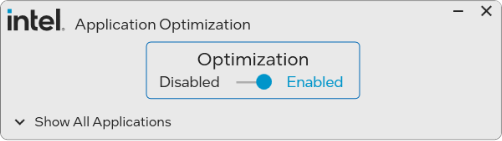
You can boost Game performance with Intel Application Optimization app. It is available in the Microsoft Store and can help boost the frame rates of PC games running the 14th-Gen Core chips.
Says Intel – The Intel Application Optimization determines and directs application resources in real-time. This policy optimizes thread scheduling and application threading for selected software titles and may improve performance for supported applications. System responsiveness may vary based on configuration and graphics card capabilities. Users can disable Intel Application Optimization through this software for all applications or on a per-application basis if results are not as expected.
Apart from these optimizers, some other tools may also help you get an improved gaming experience on your Windows PC. Some such tools include Game Protector, which helps you password-protect all your games, and the Game Manager, which organizes, updates, and manages your favorite games. GameSave will help you backup and restore saved games.
Games loading slow on Windows PC? Worry not; here are ways to fix them.
