
Windows 10/8/7 lets you choose whom to share your files and folders with. If you do not want to share one of your folders and want to make it Private, or if you want to share it with only select people, you can do so as follows:
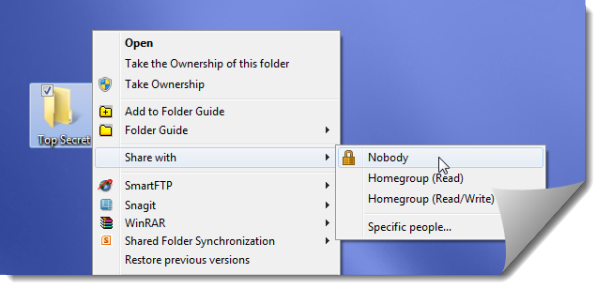
Make a file or folder Private in Windows 10
To make a file or folder Private in Windows computer, follow these steps:
- Right-click on the folder, select Share with and then choose Nobody.
- To choose select people, select the Specific people option.
- From the File Sharing box which opens, you can choose the users.
- Windows 7 will offer the Homegroup option, whereas you will not see it in Windows 10/8.
- Once you make the file or folder private, a padlock overlay icon will appear.
Hope that helps!
Windows 11 user? Read these posts:
- How to share Files and Folders using File Explorer on Windows 11
- Share or Transfer files between User Accounts on Windows 11
- How to share files between computers using LAN in Windows 11
Here is a list of links to posts that will show you how to password-protect documents, files, folders, programs, etc in Windows.
Related: How to Lock a File or Folder in Windows.

