
If you find that the Printer icon is not showing in your Desktop, Control Panel, Devices and Printers, then you may have to tweak the Windows Registry. You will have to follow the same procedure as you did to list the Printers using the same printer driver separately.
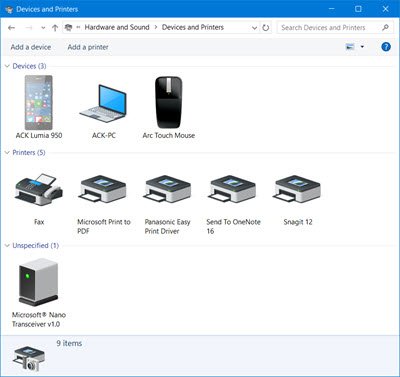
Printer icon not showing in Windows 11/10
Before you begin either back up the Registry or create a System Restore Point.
1] Check Registry key
Having done this, type regedit in Start Search and hit Enter to open the Registry Editor.
Now navigate to the following key:
HKEY_LOCAL_MACHINE\SOFTWARE\Microsoft\Windows\CurrentVersion\Explorer\Desktop\NameSpace
Right click on NameSpace > New Key.
Name the key as:
{2227a280-3aea-1069-a2de-08002b30309d}
This is the CLSID for the Printers folder.
Now in the right pane, edit the value of ‘Default’ to ‘Printers’.
Exit Regedit, restart your computer, and see if it has helped.
2] Run Printer Troubleshooter
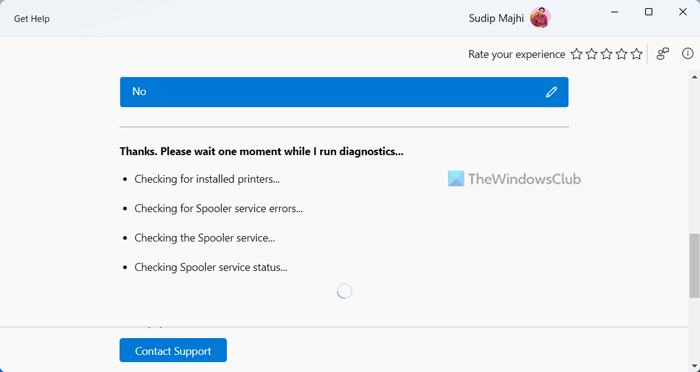
Run the Get Help app based Printer Troubleshooter and see if it helps you.
Alternatively, type the following in Start Search and hit Enter to open the classic Printer Troubleshooter :
msdt.exe /id PrinterDiagnostic
3] Reinstall Printer driver
Uninstall and reinstall the Printer using the Devices Manager.
4] Update Printer Drivers and Firmware via OEM website
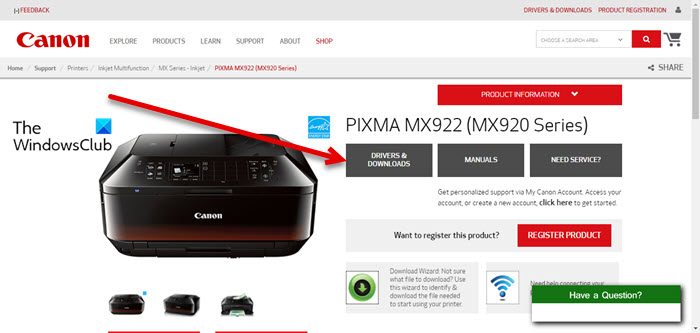
Update Printer Drivers and see if it helps you.
5] Check Services status
Run services.msc to open the Windows Services Manager and ensure that the following device-related Services have the following Statup types:
- Device Management Enrollment Service – Manual
- Device Association Service – Manual (Trigger Start)
- Device Install Service – Manual (Trigger Start)
- Device Setup Manager – Manual (Trigger Start)
- DevQuery Background Discovery Broker – Manual (Trigger Start).
This is the default Windows setting.
Hope something helps!
Other posts that will help you fix printer-related issues:
