
In this article, we will discuss the issue of your Windows laptop battery draining after shutdown. According to reports, the battery level drains to 30% or less when users turn on their laptops after shutting them down. In some cases, the battery level drains to 0%. If you are in such a situation, use the solutions provided in this article.
Laptop Battery drains after shutdown
If your Windows laptop battery drains after shutdown, use the following fixes:
- Disable Hibernate mode
- Turn off Fast Startup
- Disable USB Power-off Charging
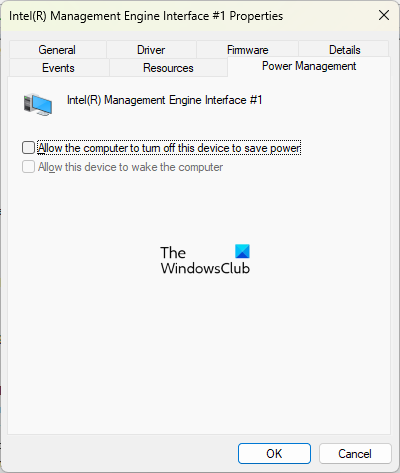
- Change the Intel Management Engine Interface Properties
- Run battery health check
Let’s see all these fixes in detail.
Why is the battery draining while my laptop is shut down in Windows 11?
1] Disable Hibernate mode
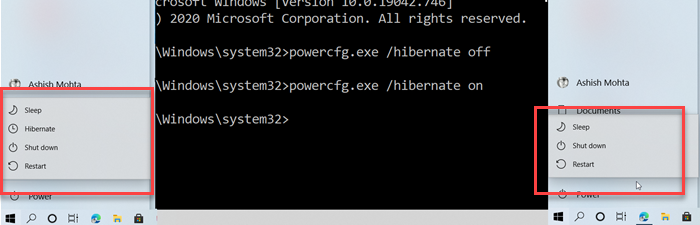
Hibernate mode is designed for laptops and might not be available for all PCs. Hibernate mode saves your opened documents and programs to your hard drive and then turns off your laptop. Although Hibernate mode is power-efficient and consumes less power than sleep mode, it can still cause this issue. You can check this by disabling the Hibernate Mode on your laptop.
2] Turn off Fast Startup
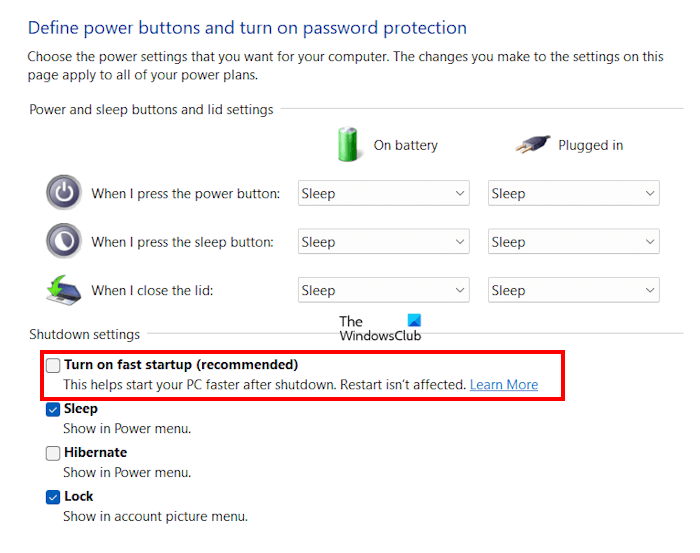
A lot of users reported that the issue was occurring due to Fast Startup. Fast Startup is a feature in Windows 11/10 that allows your computer to turn on faster after shutting down. Sometimes Fast Startup can cause issues on a Windows computer. We suggest you disable Fast Startup and see if it brings any changes.
3] Disable USB Power-off Charging
Some laptops have a Power-off Charging feature. This feature is enabled by default. It can be a useful feature because it allows users to charge their USB devices by connecting them to their laptop’s USB port, even when the laptop is turned off. If your laptop supports this feature and is enabled on your laptop, this can be the cause of the battery draining issue after shutdown.
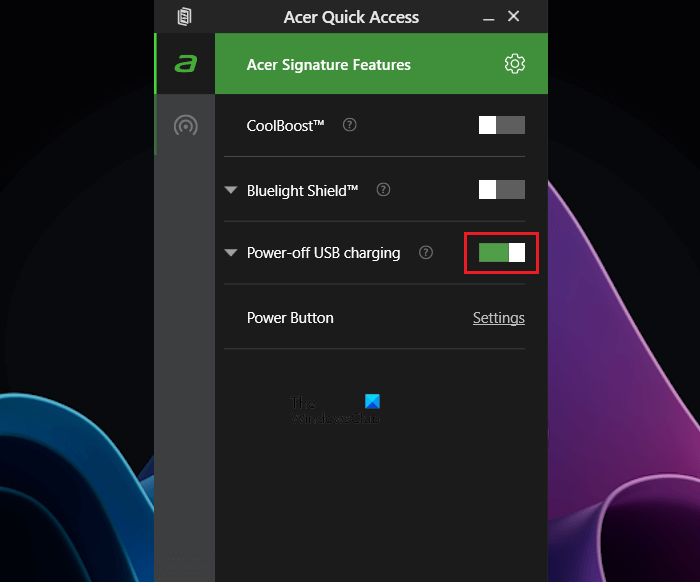
You can check this feature in your system BIOS or UEFI. Refer to your manufacturer’s support website to see whether your laptop model supports this feature and how to turn it off. Some laptops, like Acer models, have this feature available in the Quick Access menu, where you can turn it on and off.
4] Change the Intel Management Engine Interface Properties
Many users reported that the issue was fixed after changing the properties of the Intel Management Engine Interface driver. If your system has an Intel processor, you can try this fix. Maybe it will work for you too. Follow the instructions provided below:
- Open the Device Manager.
- Scroll down and expand the System devices branch.
- Look for the Intel Management Engine Interface.
- Once you find it, right-click on it and select Properties.
- Go to the Power Management tab.
- Uncheck the Allow the computer to turn off this device to save power checkbox.
- Click OK to save the changes.
Read: Windows Laptop Battery drains in Sleep Mode.
5] Run battery health check
If the problem persists, it may be related to your laptop battery. You should run a battery health check. Windows 11/10 has a built-in tool called Powercfg that can help you generate a battery health report.
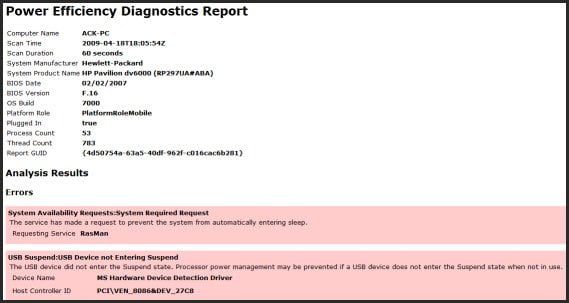
This battery health report will help you know whether your laptop battery is working fine or not. Powercfg is a command-line utility. Therefore, you have to launch the Command Prompt as an administrator to run this tool.
If you do not want to use the command-line utility, install third-party laptop battery test software and diagnostic tools on your system.
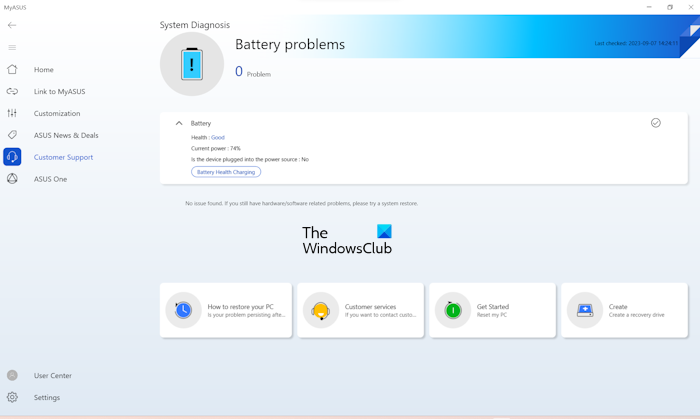
Many computer manufacturing brands have developed dedicated software. These tools or software help users keep their systems healthy by installing the required updates. You can also install these tools or software to test your battery’s health or run a battery health checkup. Some of these tools are:
- HP Support Assistant for HP laptops,
- MyASUS app for ASUS laptops,
- Dell SupportAssist for Dell laptops, etc.
That’s it. I hope this helps.
Read: Laptop battery stuck at 0, 50, 99% charging.
Why is my laptop battery draining after I shut it down?
There can be many reasons your laptop battery drains after you shut it down. If your laptop supports the USB Power-off Charging feature, it may be enabled. Or the issue might be with your laptop’s battery. Run a battery health check to see if your battery is healthy.
How do you fix a battery drain?
To fix laptop battery drain issues, first of all, turn on Battery Saver Mode. Also, check the battery usage by apps on your system. Windows Sleep Study Tool helps you know what is draining the battery on your system.
Read next: HP laptop won’t turn on or charge.
