
Do you see a $WinREAgent folder on your C drive? And maybe wondering what it is there for. Well, such folders with the ‘Dollar’ $ sign indicate that the folder is hidden, and they are used to create during the installation phase and continue for only a limited period of time. In this post, we will talk about $WinREAgent folder available on the C drive on Windows 11 and Windows 10.
What is $WinREAgent folder in Windows 11/10
$WinREAgent folder is usually created during an upgrade or update, and it is used in case a rollback is required.
It is created by the Windows Recovery Environment that works as a solution when the system fails to start. WinRE can repair the common issues that prevent the Windows operating system from booting successfully. Once its use is over, most of its content gets deleted.
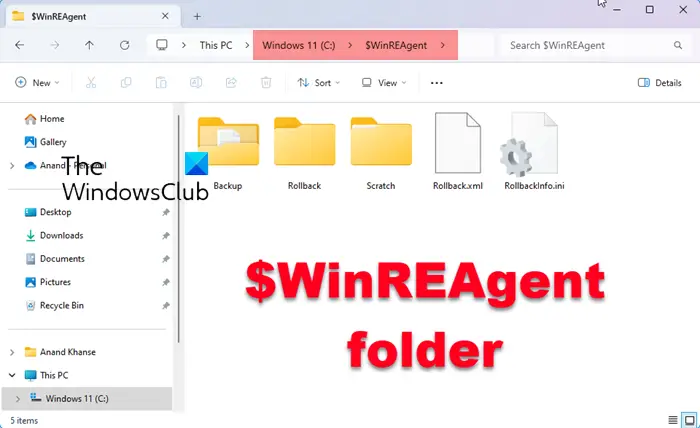
It is a hidden folder and to see it, you have to make Windows show hidden files and folders.
If you check the folder on a healthy system, you will see it may contain another empty subfolder named Scratch.
You will not find more details in the $WinREAgent folder except for the size, which shows only 0 bytes.
If you decide to delete it, you can go ahead and do so.
If you are facing issues while updating your system, deleting the WinREAgent folder could help you install the updates.
Some users have noticed that the $WinREAgent folder gets removed after they uninstalled the Windows Update Assistant.
Should I be deleting any system folder in the Programs or Windows folder?
A lot of people are curious about these folders because they find them odd or because they have a lot of files inside. To be straightforward, they should be left as they should be, and not touched. While some folders are automatically recreated, if you forcefully delete a folder, then you may break a lot of things in Windows OS. If at all you want to clear some space, it is best to look at the Storage Sense feature that makes sure.
Read: What is $GetCurrent folder and is it safe to delete it?
Can I delete Windows.old Folder?
It is a backup folder that is created by the Windows Upgrade Assistant. It can be used in two cases; when Windows upgrade fails or when users choose to roll back within the stipulated time. This folder can be deleted manually but make sure you do not want to roll back and everything is working fine with the current upgrade.
Want to learn more about the following folders?
$SysReset folder | $Windows.~BT & $Windows.~WS folders | WinSxS folder | SoftwareDistribution folder | Catroot & Catroot2 folders | REMPL folder | ProgramData folder | Windows.old folder | System32 and SysWOW64 folders.
