
At times you may see a Blue Screen error when resuming from Sleep or Hibernate mode, or a Shutdown or Restart. If the error code on the BSOD is DRIVER POWER STATE FAILURE, then it’s probably because of some issue with the driver state.
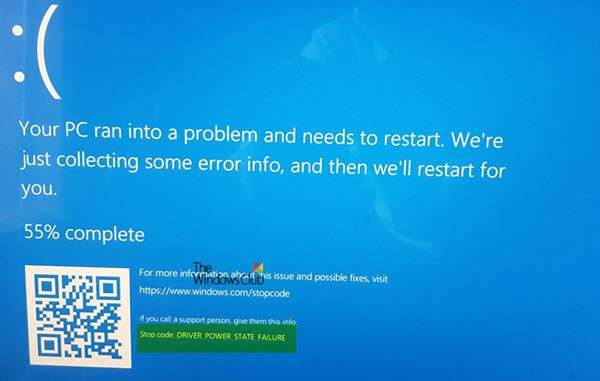
What does DRIVER_POWER_STATE_FAILURE mean?
This Stop error indicates that a driver is in an inconsistent or invalid power state. This Stop error typically occurs during events that involve power state transitions, such as shutting down, or moving in or out of standby or hibernate mode.
STOP error code 0x0000009F, DRIVER_POWER_STATE_FAILURE
This bug check 0x0000009F indicates that the driver is in an inconsistent or invalid power state.
Fix DRIVER POWER STATE FAILURE BSOD on Windows 11
DRIVER POWER STATE FAILURE is usually followed by an error code, and they all point to the fact that the drivers do not handle power state transitions properly because of incompatibility. Before you begin, make sure your drivers (network, display, mouse, keyboard, etc.) are compatible with the current version of Windows.
1] Start in Safe Mode & Update Device Driver
Reboot your computer into Safe Mode with networking support, and then see if there is an update pending which relates with your Device Drivers. If you do not see any update, manually download the driver from the OEM website on another PC, and then install it on the PC while in Safe Mode.
2] Run Blue Screen Troubleshooter
For your convenience, Microsoft has shipped a Blue Screen Troubleshooter for your specific issues directly in Windows Settings. On the Settings page, select Blue Screen under Find and fix other problems. Apply the fix that is recommended and then, Close the troubleshooter.
3] Remove External Hardware
If you have plugged in new hardware, try removing it from the PC and then check whether the problem persists. If the problem is resolved, you may want to update the driver for that hardware. If you have more than one, make sure to check them one by one.
4] Use Driver Verifier
Next, you should run Driver Verifier program on your PC. It will help to troubleshoot, identify & resolve common device driver problems. This program is built to find the list of unsigned drivers in the system that cause the BSOD.
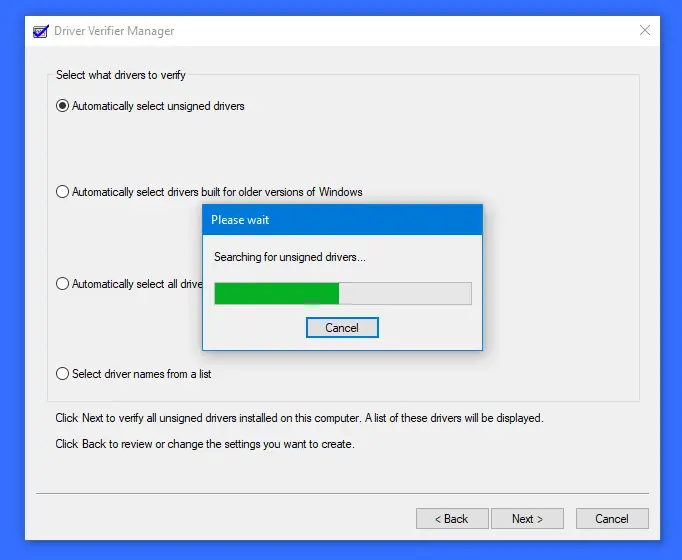
After this, you can troubleshoot the devices from the list by downloading a new version, removing it from the system, and let Windows fix it for you. You can also choose to Rollback, Update, Disable or Uninstall the particular Driver.
5] Restore or Reset
If nothing else you will need to use a restore point to roll back to the previous working condition. You may also choose to restore Windows to factory defaults without losing any files.
More suggestions here to troubleshoot Windows Stop Errors or Blue Screen of Death.
How do I fix Stop Code Driver Power State Failure?
To fix DRIVER POWER STATE FAILURE Blue Screen on a Windows computer, your first step should be to update your drivers or roll back the driver that you may have recently updated. Other suggestions have been mentioned above in this post.
