
Are you experiencing problems connecting to EA servers while playing Battlefield 2042? Here is a full guide to fix the error. Battlefield 2042 is a recent first-person shooter game that is already popular amongst millions of gaming enthusiasts. It is loved by gamers, however, it has its share of errors and issues which put a halt in the game. One such error is 1:468822970:1502l:-403319830:0B which basically occurs when trying to connect to online services. It is a network connection error that prevents you from connecting to EA servers.
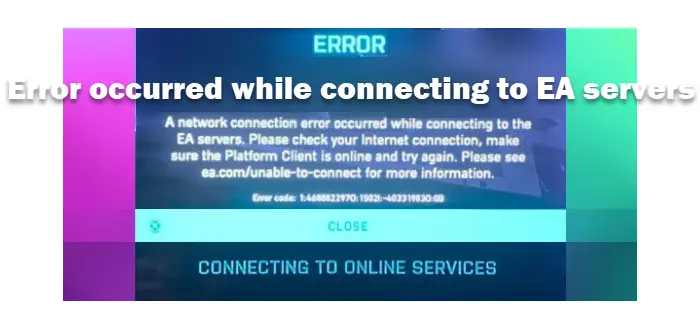
When triggered, you will receive the following error message:
ERROR Connecting to online services
A network connection error occurred while connecting to the EA servers. Please check your internet connection, make sure the Platform Client is online and try again. Please see ea.com/unable-to-connect for more information.
Error code: 1:468822970:1502l:-403319830:0B
Now, if you are also experiencing the same error, you can follow this guide. Here, we will discuss multiple fixes to help you resolve the error.
What causes this error while connecting to the EA servers in Battlefield 2042?
Here are the potential causes that might trigger the error code 1:468822970:1502l:-403319830:0B in Battlefield 2042:
- This error code may be due to an ongoing server issue. So, ensure that there is no server outage or any other server issues from the end of Battlefield.
- It can also be very well facilitated due to internet connection issues. If the scenario applies, check your internet connection and make sure it is optimized and stable.
- The corrupted cache on your console can also be a reason that you are getting this error. Hence, you can try performing a power cycle on your console to resolve the error.
- This error might also be triggered if you are dealing with corrupted or missing game files of Battlefield 2042. So, PC users can try verifying the integrity of the game files in their respective game launchers to resolve the error.
- It can also be caused by DNS server inconsistency. Hence, if the scenario applies, change your default DNS server to the Google equivalent to fix the error.
Based on the above scenario, you can try a suitable fix to fix this error on Battlefield 2042.
Network error occurred while connecting to the EA servers while playing Battlefield 2042
You can the following methods to fix the EA Network Connection error in Battlefield 2042:
- Make sure there is no server issue.
- Check your internet connection.
- Perform a power cycle on the console (if applicable).
- Verify the integrity of game files on Steam/Origin/Epic (for PC users).
- Switch to Google DNS.
Let us discuss these fixes in detail now!
1] Make sure there is no server issue
The error might be triggered by ongoing server issues at the end of Battlefield 2042. You might be experiencing the error in case there is a server outage or the servers are under maintenance. So, before you try any other fixes, make sure the current server status for Battlefield 2042 is running.
To check the server status of Battlefield 2042, you can use a free server-status detector tool. You can also contact the official Battlefield team on social media or via their website to query the current server status. If you find that the servers are currently down, you will have to wait until the issues are resolved on the server side.
However, if there is no ongoing server problem, you can try the next potential fix to resolve the error.
Read: How to Fix Battlefield 2042 Error Code 25?
2] Check your internet connection
This error can result from a weak internet connection. Hence, make sure you are connected to a high-speed, stable internet connection to avoid this error. Here are some tips that you can follow to troubleshoot internet issues:
- You can try troubleshooting the WiFi issues if there are any.
- Disconnect all other devices using the same internet to avoid bandwidth throttling.
- Check your internet speed and make sure it is good enough. If the speed is not good enough, you will have to upgrade your internet plan to optimize your gaming experience.
- You can also try using Ethernet to optimize your internet and enhance your overall gaming experience.
If you are sure that your internet is not the problem, you can move on to the next potential fix to resolve the error.
See: Battlefield 2042 keeps crashing or freezing on PC.
3] Perform a power cycle on the console (if applicable)
If you are experiencing the 1:468822970:1502l:-403319830:0B error in Battlefield 2042 on your console, try performing a power cycle to fix it. The error could very well be caused by a corrupted cache on your console. There is a chance that corrupted cache files produced by the game are preventing a connection to the game server. In that case, power cycling your console should help you resolve the error.
To power-cycle your Xbox One Console, you can try the steps below:
- Firstly, press and hold the power button on your Xbox console to switch it off.
- Next, unplug your console from the main switch and wait at least 30 seconds for it to fully power off.
- After that, plug in your console and switch it on normally.
- Finally, launch Battlefield 2042 and check if the error is fixed.
If you still receive the same error again, there might be some other underlying reason behind the error. So, try the next potential fix to resolve the error.
Read: Battlefield 2042 FPS Drops and Stuttering Issues on PC.
4] Verify the integrity of game files on Steam/ Origin/ Epic (for PC users)
PC users can try verifying the integrity of game files to fix the error. This error can result from corrupted or missing game files associated with Battlefield 2042. Depending on the game launcher you are using, the steps to repair the game files vary.
Here are the steps to verify the integrity of game files on Steam:
- Firstly, start the Steam client and go to LIBRARY.
- Now, right-click on the Battlefield 2042 game title and select the Properties option.
- Next, go to the Local files tab and press the Verify integrity of game files button.
- Wait for the verification process to end. When done, relaunch the game and check if the error is fixed.
You can repair game files of Battlefield 2042 on Origin:
- Firstly, start the Origins launcher and navigate to the My Game Library section.
- Now, locate Battlefield 2042 from your game lists and right-click on it.
- Next, click on the Repair option.
- After that, Origin will attempt to scan and repair your game files.
- Once the process is complete, relaunch the game and see if the error is resolved or not.
To verify the Battlefield 2042 game files on Epic launcher, here are the steps to follow:
- Firstly, launch the Epic launcher and go to the Library section.
- Now locate the Battlefield 2042 game, then click the Verify option associated with it.
- Next, let the verification process complete, then try relaunching the game. Hopefully, the error will now be fixed.
If this method doesn’t work for you, try the next solution.
See: Fix Battlefield 2042 Launch Error 0xC0020015.
5] Switch to Google DNS
Inconsistency with your default DNS server can be another reason for the error in question. If you are experiencing DNS server issues, you can try using a more reliable DNS server, such as Google DNS. Here is how to do that:
- Firstly, press Windows + R to open the Run dialog box, then enter ncpa.cpl to open the Network Connections window.
- Next, select your active internet connection and press the right-click on it.
- Then, from the context menu, select the Properties option.
- Now, in the Properties dialog window, click on the Internet Protocol Version 4 (TCP/IPv4) option and then tap on the Properties button.
- Then, select the Use the following DNS server addresses option and then enter the below addresses:
- Preferred DNS server: 8.8.8.8
- Alternate DNS server: 8.8.4.4
- Next, move back to the previous settings, choose the Internet Protocol Version 6 (TCP/IPV6) option, and hit the Properties button.
- After that, select the Use the following DNS server addresses option and use the following addresses:
- Preferred DNS server: 2001:4860:4860::8888
- Alternate DNS server: 2001:4860:4860::8844
- Finally, press the Apply > OK button to save changes.
After switching to Google DNS, try relaunching the game to see if the error is fixed.
That’s it!
Similar EA Connection Errors for Battlefield 2042:
- Error 4688822970, Make sure the Platform Client is online on Battlefield 2042
- Unable to connect to EA Servers; You lost connection to EA servers
Can’t connect to EA servers Battlefield 2042?
If you are having trouble connecting to EA servers in Battlefield 2042, make sure it is not a server error. Besides that, check your internet connection to ensure it’s stable and optimized. Other than that, you can also try the fixes we have mentioned in this article.
Related: Fix Warzone Stuck on Connecting to Online Services.
How do I run as admin in Battlefield 2042?
To run Battlefield 2042 as an administrator, right-click on the game executable. From the context menu, click on the Run as administrator option to run it with administrator privileges.
Now read: Battlefield 2042 Error 4C or 13C, Unable to load persistence data.
