
If you try to activate Windows 11/10, you receive an error message that Windows couldn’t be activated, then this post may help you. Maybe you upgraded to Windows 11/10, or maybe you did a clean install of Windows 11/10, or maybe your Windows 11/10 blocks the product key, even after upgrading first & then clean installing the OS.
Windows 11 product key not working
The way to go about this is to upgrade your Windows 7 or Windows 8.1 to Windows 10, or Windows 10 to Windows 11. Ensure it is activated, then, if you wish, perform a clean install of Windows 11/10 on the same device. If you install Windows 11/10 directly and then use your earlier key, it will not work.
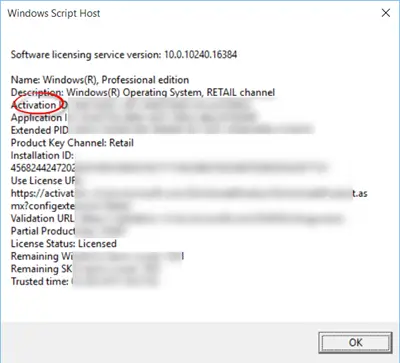
Cannot activate Windows 11
If you upgraded to Windows 11/10 for free and ended up with a non-activated Windows 11/10, try this:
Open Windows 11 Settings > System > Activation
OR
Open Windows 10 Settings app > Update & security > Activation.
Select Go to Store, and check if a valid license is available for your device. If a license isn’t available, you’ll need to buy Windows from the Store. This post will show you how to check Windows Activation status, activate it, or change the product key.
If your key is not accepted and activation fails, then in such scenarios, you may receive error messages like:
The activation server determined the specified key is blocked
Windows can’t activate right now. Try again later
We couldn’t activate Windows
Windows Activation failed
Here are some scenarios you may face.
Windows Activation fails
If you have tried to activate your copy of Windows over the Internet and failed, with perhaps any of the following error codes, like error code 0x80004005 or 0x8004FE33, you may want to follow this Windows Activation Fails tutorial.
Microsoft has also described a few scenarios. See which one applies to you and follow the suggestions made.
Error 0xC004F061 – You upgraded to Windows, but didn’t have a previous version, or the correct edition of Windows installed
If you see error 0xC004F061 when you try to activate Windows 11/10:
You’re using a product key to upgrade to Windows 11, but a previous version of Windows wasn’t installed on your PC. To upgrade to Windows 11, you need Windows 10 already installed.
If you formatted or replaced your hard drive, you won’t be able to use a product key to update to Windows 11/10. You’ll need to install Windows 10, and then install Windows 11.
Error 0xC004C008 – One copy of Windows might have been installed on multiple PCs
If you have a single copy of Windows installed on more than one PC, activation might not work because the product key has already been used on another PC, or it’s being used on more PCs than the Microsoft Software License Terms allow.
If your product key is being used on more PCs than the Microsoft Software License Terms allow, you’ll need to buy a new product key or a copy of Windows for each of your PCs in order to activate them.
A different version of Windows or the product key might have been used as part of a repair
If you took your PC to a repair shop or to someone who builds and fixes PCs, it’s possible that a different version of Windows was installed to complete a repair. Or, if a different product key was used for your PC during the repair, that key might be blocked if it was used on more PCs than the Microsoft Software License Terms allow.
If Windows was activated before your PC was repaired or rebuilt, then re-entering the product key that came with your PC or original copy of Windows might solve the problem. You can also try reinstalling your original version of Windows.
Activation after Hardware changes
If you made substantial hardware changes to your PC, such as replacing your motherboard, Windows would not be activated.
Counterfeit software
If you have a counterfeit copy of Windows that wasn’t published and licensed by Microsoft, activation won’t work because Microsoft won’t be able to match your PC’s hardware profile to your 25-character product key. Find out if your copy of Windows is counterfeit.
Used PC
If you bought a used PC with Windows already installed, it’s possible the product key is being used on more PCs than the Microsoft Software License Terms allow.
Windows 11 Product Key blocked
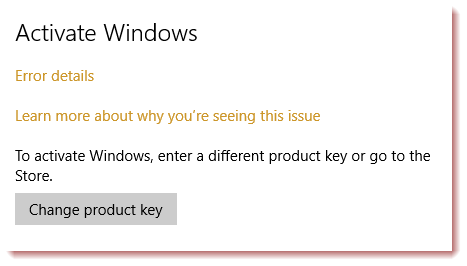
If Windows 11/10 blocks your product key, even after upgrading first & then clean installing, then we have a few suggestions to make:
- Uninstall the product key. Then enter the product key anew and try again. Use another key and see.
- Rebuild the Tokens.dat file. The Tokens.dat file on Windows is a digitally signed file that stores most of the Windows activation files. Sometimes the Tokens.dat file may become corrupted, as a result of which Windows Activation may not complete successfully.
- Open an elevated CMD and run
Dism /Online /Cleanup-Image /RestoreHealthto repair the system image. Then try again. - Activate Windows by Phone.
I hope something here helps you.
This list of Windows Activation errors and Windows Upgrade & Installation errors may help you further troubleshoot the issue.
Try the Windows Activation Troubleshooter and see if it helps you.
Advanced users may want to see how to troubleshoot Windows Activation states.
See this post if you receive The product key entered does not match any of the Windows images available for installation message during installation.
If nothing helps, you may want to use the built-in Contact Support app to contact Microsoft Support.
Now read about Digital Entitlement and Product Key Activation methods in Windows 11.
