
AI agents can perform multiple tasks, making our work easier. These tasks include answering questions, writing code, getting information from the web, creating images, and more. ChatGPT and Gemini are the most popular AI agents. These AI assistants process most requests using cloud-hosted models rather than running entirely on your local computer. But several open-source AI agents are also available that you can run locally on your system. This article lists the top 15 local AI agents for Windows 11.
Best Free Local AI Agents for Windows 11
Running an AI agent locally offers many advantages for users, such as offline access to AI models, better privacy, and control over data. However, your system should have enough resources to run AI agents locally. In this article, we have compiled a list of the top 15 AI agents for Windows 11.
- OpenWorker
- OpenWebUI
- Hermes Agent
- Goose
- OpenClaw
- AnythingLLM
- Khoj
- Open Interpreter
- Continue.dev
- Aider
- BrowserOS
- Devika AI
- Roo Code
- Agent Zero
- OpenHands
Let’s start.
1] OpenWorker
OpenWorker is a free and open-source AI agent that can run locally on your system. It is currently available for Mac, and its Windows client is coming soon. You can add multiple AI models to OpenWorker and use them locally. However, an API key for each AI model is required. The best part is that you do not need to set up an account to use OpenWorker. Everything works while signed out, using API keys and tokens you provide.
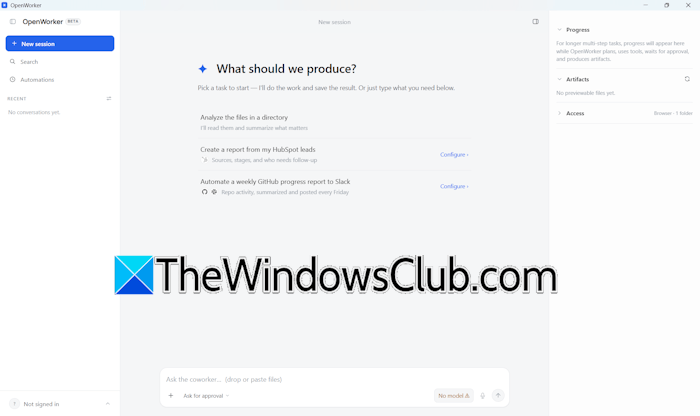
You can also connect OpenWorker with everyday tools, such as Slack, Outlook, Gmail, HubSpot, GitHub, Dropbox, Jira, and more. This is helpful; you can select the right tool, depending on the kind of work. For example, you can connect OpenWorker with HubSpot for sales and marketing. Support for Google Analytics 4 integration is also coming soon. Visit its official website for more information.
2] OpenWebUI
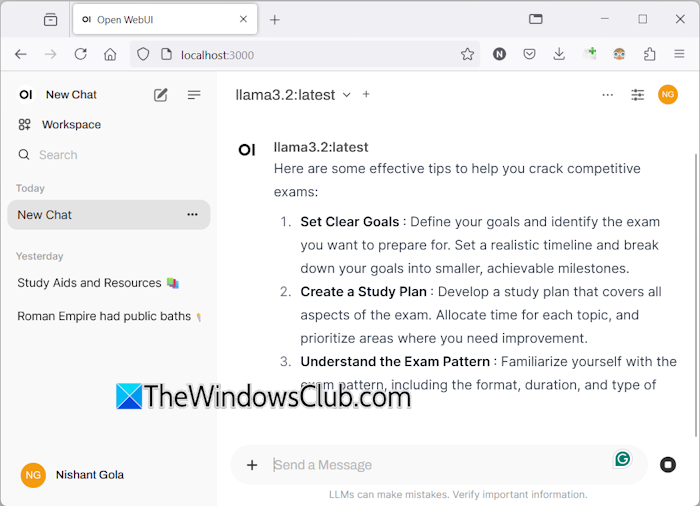
OpenWebUI is another free and open-source platform that allows you to use multiple AI models without the internet. To use an AI agent in OpenWebUI, you need Docker and Ollama. Docker and Ollama should be running in the background for OpenWebUI to work properly. The AI models you download and install through Ollama will automatically become accessible in OpenWebUI. It features a self-hosted web interface that runs on localhost, allowing you to access it directly from your browser, even without an active internet connection. The instructions to access OpenWebUI are available on GitHub’s official website.
3] Hermes Agent
Hermes Agent is another free and open-source AI agent developed by Nous Research. It has 40+ built-in tools for different tasks, including web search, task automation, and more. It also offers persistent memory and support for multiple AI models. Unlike other AI agents, its persistent memory feature lets it remember your preferences across multiple sessions. So you don’t need to explain the same thing from the beginning in a new chat. You can download it from its official website.
4] Goose
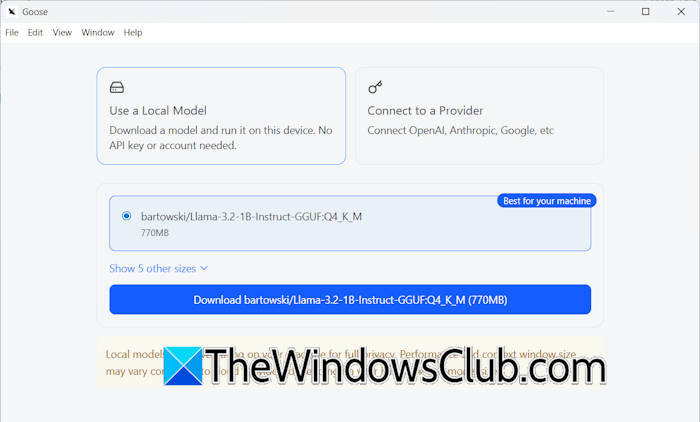
Goose is one of the best AI agents with MCP support, primarily designed for developer productivity and desktop automation. It is available as both a native desktop application and a CLI tool for Windows. Goose supports local and cloud AI models, including Ollama, OpenAI, Claude, and Gemini. MCP support, terminal access, and Git integration are key features. Moreover, 70+ extensions are also available to extend its capabilities. You can download its desktop application or CLI version from the official website.
During installation, it shows you two options: Use a Local Model and Connect to a Provider. If you select the first option, it will automatically download and install the compatible AI model on your system.
5] OpenClaw
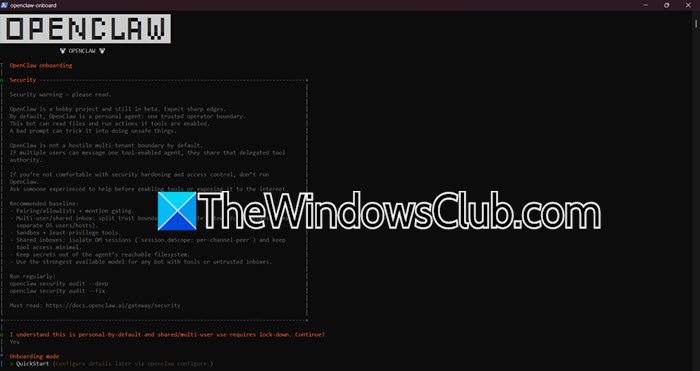
OpenClaw is a powerful open-source AI agent that can automate tasks on your local machine. You can use it to execute commands, manage files, and interact with other apps. Besides deploying it locally on your machine, you can also host it on a VPS or a cloud server, allowing you to access it through your web browser. You can connect OpenClaw to the chats, models, tools, and devices you already use. It supports 29 chat channels, 64 AI models and media providers, and over 142 official plugins. It supports integration with popular platforms such as Discord, Slack, Microsoft Teams, Telegram, and WhatsApp. You can also integrate it with model providers such as OpenAI, Anthropic, Google Gemini, xAI, Ollama, and LM Studio.
6] AnythingLLM
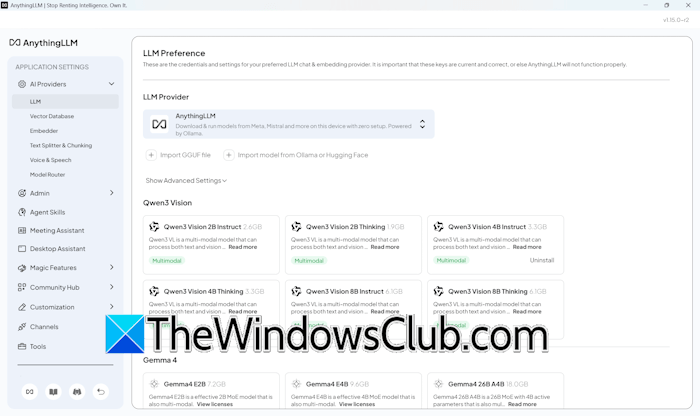
AnythingLLM is an open-source self-hosted AI workspace that supports both cloud and local AI agents for Windows 11. It lets you chat with your documents using RAG, create private knowledge bases, and use built-in AI agents for research and productivity. However, you need the required space on your disk to use the built-in models, as they will be downloaded to your hard disk. Multiple built-in AI agents that it supports include Qwen3 Vision, Gemma 4, Qwen 3.5, Liquid AI, and more. Its additional features include web scraping, web browsing, model routing, and more. You can download it from the official website.
7] Khoj
Khoj is one more free and open-source AI agent that supports both local and online LLMs. It supports search and private chat with your documents using RAG, helping you find information from PDFs, Word documents, Markdown files, and more. It also understands org-mode files and Notion pages. It is self-hosted and can be accessed through the desktop app, web browser, Emacs, Obsidian, and WhatsApp. For installation, visit github.com.
8] Open Interpreter
Open Interpreter is an excellent AI agent for automating Windows tasks through code. It is also a powerful AI agent for developing applications and games with no coding experience. In addition to executing commands, you can use it to edit files, analyze data, automate tasks, and more. It supports both local and cloud AI models and runs in a secure sandbox environment. To install Open Interpreter on your Windows PC, visit the GitHub repository github.com/openinterpreter.
9] Continue.dev
Continue.dev is a free and open source AI coding assistant for VS Code and JetBrains IDEs. Like other AI agents on this list, it also supports both local and cloud AI models, including Gemini, GPT-5, Qwen Coder, Qwen 3 Coder via Ollama, Qwen 2.5 Coder 7B through Ollama, and more. The installation guide is available on github.com/continuedev.
10] Aider
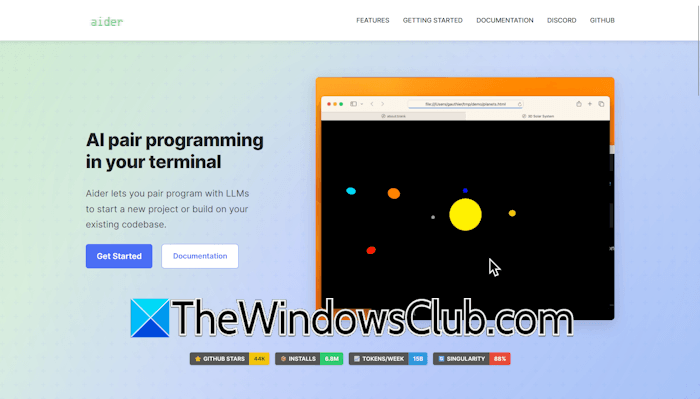
Aider is one of the best AI agents for programmers. It is an AI programming tool that lets you pair your program with LLMs to start a new project or build on your existing codebase. It supports more than 100 coding languages, including Python, JavaScript, Rust, Ruby, Go, C++, PHP, HTML, CSS, and more. It also supports both cloud and local LLMs and works best with Claude 3.7 Sonnet, DeepSeek R1 & Chat V3, OpenAI o1, o3-mini, and GPT-4o. However, you can connect it to almost any LLM, including local models. It also supports voice-to-code, allowing you to write and modify code using voice commands. Visit its official website for installation instructions.
11] BrowserOS
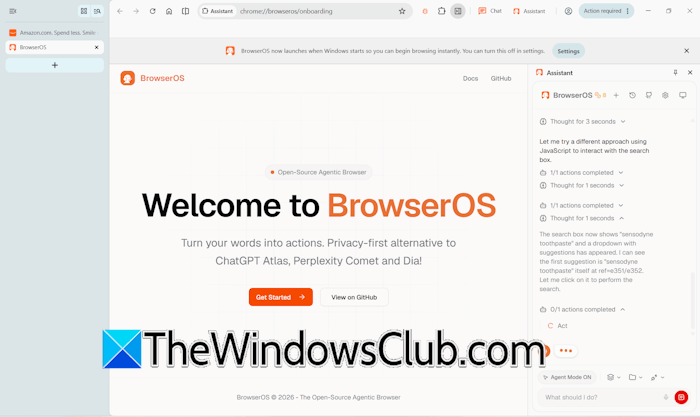
BrowserOS is an agentic AI web browser that helps you automate web tasks and chat with AI agents while web browsing. You can use different AI agents for chatting. These include ChatGPT, Claude, Grok AI, Gemini, and Perplexity. Web automation is the best feature of this web browser. You can give it a task, and it will execute it automatically. For example, if you want to order XYZ toothpaste from Amazon, type the following prompt:
Open amazon.com and order XYZ toothpaste.
You can download it from the official website, browseros.com.
12] Devika AI
Devika AI is a free and open-source AI software-engineering agent that can understand high-level instructions and break them down into tasks to generate code automatically. It supports cloud AI models, including Claude 3, GPT-4, Gemini, and Mistral, as well as local AI models via Ollama. Some of its key features include AI planning and reasoning capabilities, project management, code generation in multiple languages, and more. Its installation instructions are available on its GitHub page.
13] Roo Code
Roo Code is a free and open-source AI coding assistant. It is available as a Visual Studio Code extension and supports both cloud-based and local AI agents for Windows 11. Some of its key features include generating code from natural language descriptions, answering questions about your codebase, MCP support, and more. Roo Code has different modes for different types of tasks. For example, the Code Mode is for everyday coding and edits, the Architect Mode is for planning systems, and the Ask Mode is for fast answers, explanations, and docs. For more details, you can visit the official website.
14] Agent Zero
Agent Zero is a free and open-source AI agent framework for Windows 11 that provides a full Linux desktop. It can run code, install software, and search the web. Agent Zero can continuously learn and improve with every task you run. Some of its key features include multi-agent cooperation, persistent memory, and more than 100 community plugins. More details are available on its GitHub repository.
15] OpenHands
OpenHands is a free and open-source autonomous software engineering agent. It can run AI agents locally in Docker, on Virtual Machines, and on cloud servers. You can switch between local, remote, and cloud agents easily without losing focus. You can use it with any LLM. Since it is an autonomous agent, you can automate and create workflows that integrate with Slack, GitHub, Linear, and more. For more details, visit its GitHub repository.
That’s it. I hope this helps.
Which AI is the best for Windows 11?
The best AI for Windows 11 depends on your needs. For normal usage, you can use Microsoft Copilot. You can chat with it, upload files to analyze them, and create images. Copilot Vision is a useful feature that allows you to share your screen with Copilot and get help on what is displayed. If you need an AI agent for coding or animation, Copilot is not the right choice.
What AI is better than ChatGPT?
The best option depends on your requirements. I usually use Copilot for information and creating images. Although Gemini and ChatGPT can also do the same, I prefer Copilot because of the high quality of information and accuracy of its image generation. Gemini is useful for Google ecosystem integration, while Claude is known for better reasoning and research. For coding, GitHub Copilot and Cursor are more suitable.
Read next: Best AI tools for productivity.
