
OpenAI is a non-profit organization focused on machine learning and artificial intelligence, releasing great tools for the world to use. The latest of their inventions is ChatGPT. Ever since its release, it is breaking the internet and everyone is talking about it. Microsoft also implemented it on its Azure services. In this guide, we answer a few questions: what is ChatGPT, how to use ChatGPT, and share some ChatGPT Tips and Tricks.
ChatGPT Tips and Tricks
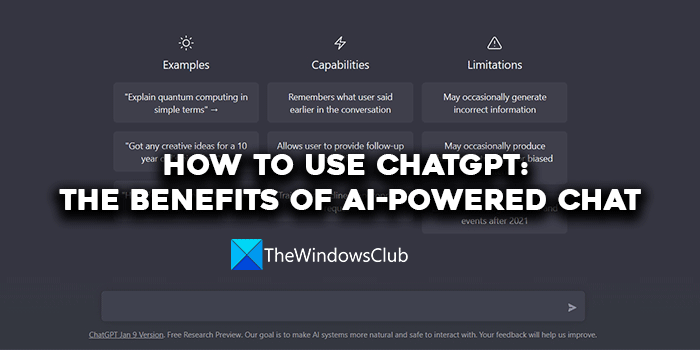
What is ChatGPT
ChatGPT is a large language model developed and released by OpenAI. It can understand and respond to our queries and questions. It can help you with many things and explain them in an easy way.
ChatGPT is trained with a lot of information that makes it able to answer any question you ask, write stories, make jokes, translate languages, or even write code to carry out automation tasks, etc.
It is an advanced language model that gets better every day with regular improvements. It understands every input a human gives and becomes better day by day. The only thing it can’t do is browse web pages in real time. It is only a text-based tool where you input text, and ChatGPT replies to you in text form.
Already, many companies are figuring out its usage on their services and implementing it to benefit their user base. One such company to jump on the bandwagon of ChatGPT is Microsoft.
What are the benefits of ChatGPT?
ChatGPT has so many benefits. They are:
- Personalized answers: When you use ChatGPT to get answers to your questions, you get answers based on your input. Your input determines how ChatGPT behaves and provides you with an answer. If you are unsatisfied with an answer, you can ask for more information until you get what you want.
- Automation: You can use ChatGPT to write code to automate repetitive tasks that you do every day. This can be helpful to marketers, customer support, etc. They can utilize ChatGPT or its API to generate marketing content or respond to customer queries through the bot. You can create social media posts and a code to schedule them automatically or post them manually. Though it takes some time to understand, it is worth the try.
- Data Analysis: ChatGPT can analyse your input and give you output based on that. If you don’t understand something, you can just input it on ChatGPT and get it analyzed and simplified for you. You can input the data in any language, and ChatGPT can process it and summarize it.
These are the major benefits of ChatGPT that can help everyone.
Read: Things you can do with ChatGPT.
How to use ChatGPT
Using ChatGPT is a no-brainer. Follow the steps below to use ChatGPT.
- Go to the OpenAI website on a web browser
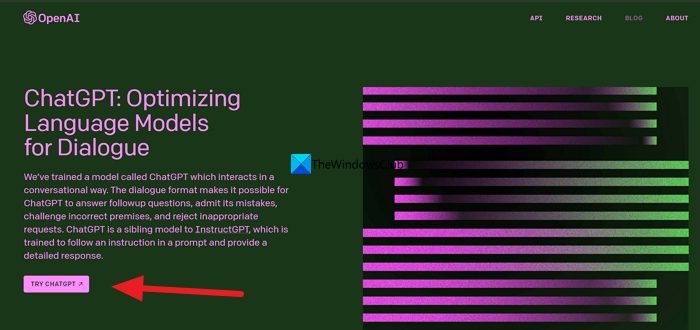
- Scroll down and click ChatGPT
- Click on TRY CHATGPT
- Now, click on Sign Up or Login with your credentials
Let’s get into the details of the process.
To get started, open a web browser and go to chat.openai.com.
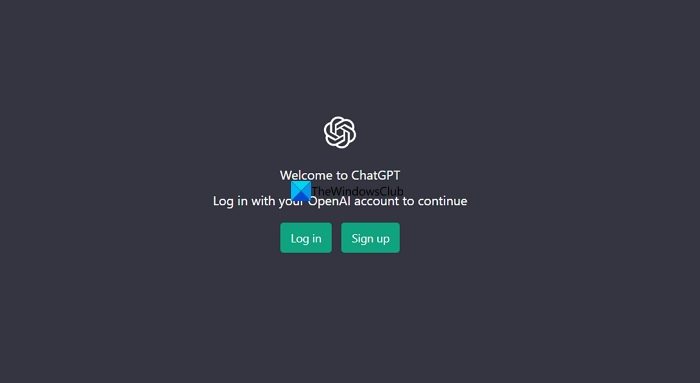
Once you are on the ChatGPT page, you need to Log in or Sign up. If you have already used OpenAI services earlier, you can click on Log in and use your credentials to access ChatGPT. If you are new to OpenAI services you can click on Sign up.
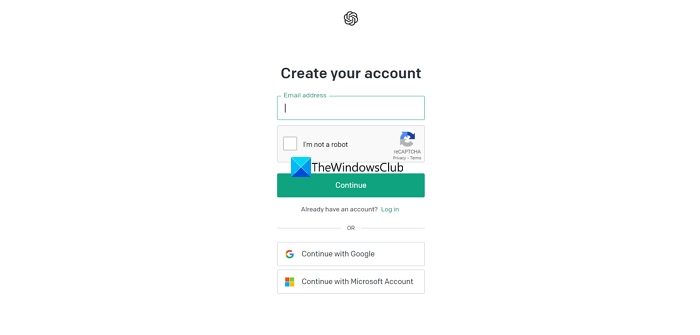
You need to create an account using your email id, or just use your Google (Gmail) account or Microsoft Account to complete Sign up on OpenAI to use ChatGPT.
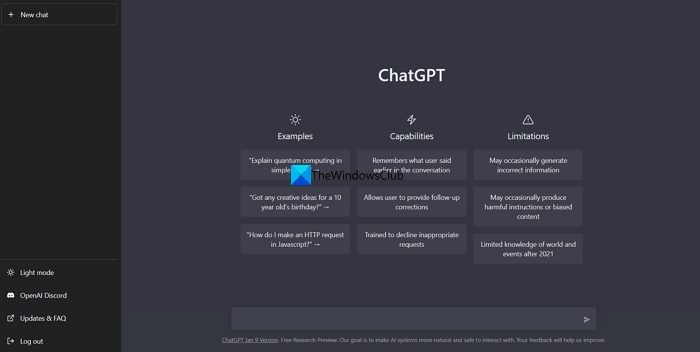
Once you are done with Signing up and logging in, it will take you to the ChatGPT page. You can type your questions or queries in the text box at the bottom of ChatGPT and press Enter. The bot will answer your questions.
Read: How to use Chat PT on Google Search
This post will help you if you receive ChatGPT is at capacity right now message.
ChatGPT Tips
- Craft Marketing Videos with Sora: OpenAI’s Sora transforms text prompts into polished, one-minute videos. It is ideal for marketing teams, as it converts detailed descriptions into visually coherent footage.
- Design Logos and Mockups Using DALL·E: DALL·E lets you create custom brand logos – whether you need a letter mark, mascot, or emblem. Provide company details and preferred style, then refine prompts for optimal results. You can tweak spacing, colors, and text to perfect your design.
- Automate Workflows with Plugin Integration: Connect ChatGPT to over 1,000 apps via Zapier to automate tasks like lead tracking, content creation, and data handling. Try use Power Automate to build and run cloud flows directly from your chat.
- Generate Reports with Deep Research: Leverage Deep Research to scan hundreds of sources and compile detailed reports in a few minutes. Select “deep research” in the message composer, enter your query, and receive well-documented insights complete with citations.
- Summarize Lengthy Documents via File Upload: Upload PDFs directly to ChatGPT to get concise summaries of articles, research papers, or books. For documents exceeding the token limit, split them into ~3,000-token chunks. Summaries from earlier sections maintain continuity across the document.
- Code Smarter with ChatGPT Canvas: Canvas offers a dedicated space for coding. You can highlight specific sections for focused assistance, and use one-click tools to debug, comment, fix bugs, or translate code across languages.
- Understand Your Audience for Precision Targeting: Use ChatGPT to analyze customer data and uncover the topics, keywords, and messaging that resonate most. Build research plans to identify behavior patterns, pain points, and detailed buyer personas.
- Compare Products and Features: Create side-by-side comparison tables by asking, “Compare [Product 1] and [Product 2].” Deep Research delivers full product analyses in as little as 4 minutes.
- Build High-Impact Email Campaigns: Quickly generate compelling email templates tailored to your offer, CTA, and branding. Create multiple versions for A/B testing to boost engagement and conversion rates.
- Optimize Content with SEO Audits: ChatGPT can audit your content for SEO improvements. Discover keyword gaps, generate schema markup, and receive optimized meta titles, descriptions, and ranking suggestions.
How to clear ChatGPT History?
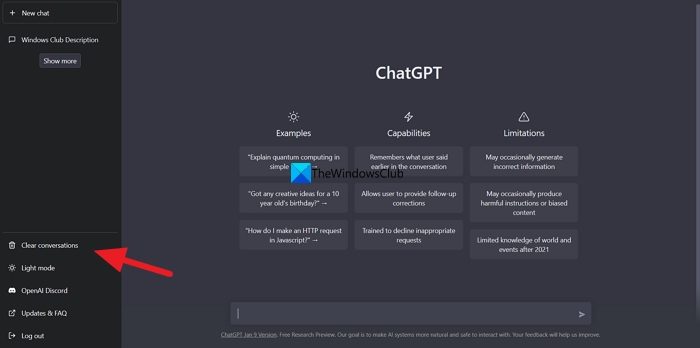
Clearing search history on ChatGPT is an easy task. If you want to clear the entire history, click on Clear conversations at the bottom left of the ChatGPT page. Then, it will ask you to Confirm clear conversations. Click on it.
If you want to clear only a conversation or search term instead of clearing the entire conversation, you can just click on the conversation you want to delete and click on the Bin icon. Then, click on the Tick✔️icon to confirm the deletion.
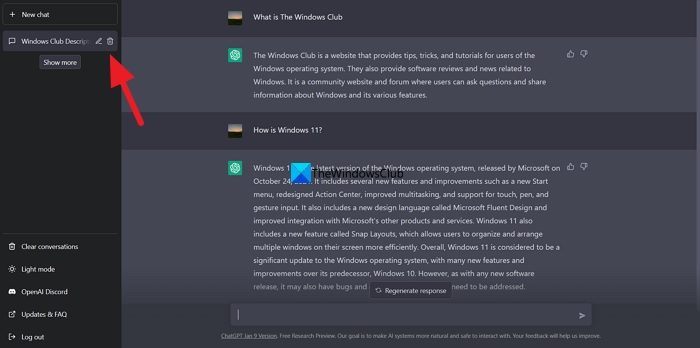
It will delete the single conversation you have selected.
Read: A Guide to OpenAI and its Products and Services
How to pin chats in ChatGPT?
To pin CHATGPT chats, open ChatGPT and go to your conversation list. Now hover over the chat you want to pin, click the three dots (⋮) menu next to it and select “Pin” from the dropdown options. You can also use a ChatGPT pinning browser extension like Pinnable ChatGPT or PinGPT.
How to use ChatGPT API
To use the ChatGPT API, go to the OpenAI website and click on the API option. Then, it will ask you to sign up or log in. Log in with your OpenAI account, or Google account, or Microsoft account. Then, you will see the list of APIs available for OpenAI products. Select ChatGPT, then follow the instructions to get an API key.
TIP: AI Text Classifier tool can detect ChatGPT-generated content
How to enable SUNO in Microsoft Copilot?
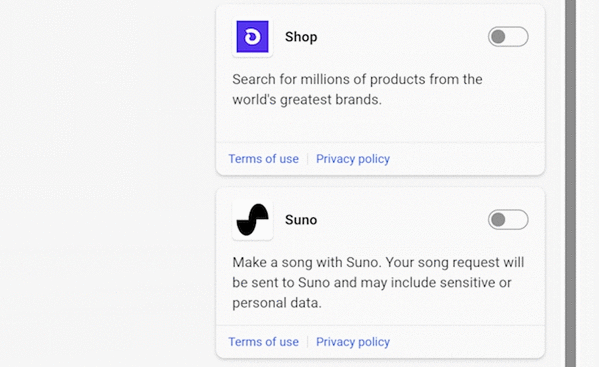
Suno means “listen” in Hindi. To enable Suno on Microsoft Copilot, sign in to your Microsoft account via copilot.microsoft.com, and then toggle on the Suno plugin or click on the Suno logo that says Make music with Suno. Then, ask Copilot to create a song for you.
How to use ChatGPT to Code
Using ChatGPT to code is an easy process. To access ChatGPT, log in to your OpenAI account and navigate to the ChatGPT page. In the text bar, provide instructions on the type of code you want and the desired outputs, then press Enter. ChatGPT will write the code for you. If you do not understand the code, you can ask ChatGPT to break it down and explain its usage to you.
Read: How to opt out of your Data Collection on ChatGPT
How to use ChatGPT without phone number?
You cannot use ChatGPT without a phone number. The phone number is used to verify your account and secure the platform and your account. If you want to use ChatGPT without giving your own phone number, you can use temporary number services online to verify and then use ChatGPT.
TIP: You might want to take a look at these free ChatGPT alternatives too.
