Maybe you are facing random computer freezes and reboots! In such cases, we have to first find out if it’s a hardware-specific problem or a software-specific problem. Because system instability can be caused due to both these reasons. This post covers computer reboots and freezes which may be caused due to your hardware and offer possible troubleshooting steps.
Computer freezes or reboots due to Hardware issues
You need to consider the following points.
1] RAM

To find out if it’s specific to hardware, download Memtest86+ ISO Image and burn it to a disk. Then boot from the disk and run Memory Diagnostic for 8 to 9 passes. It’s must be allowed to run up to 8 or 9 passes, to find out if it’s RAM that is causing the problem. Even a single error means there is something wrong with either RAM or DIMM slot.
So you have to run MemTest with individual slots with individual RAM. Check the Motherboard manual and see that the voltage and timings are set correctly in the BIOS. Also, check and ensure that the RAM is compatible with the board.
2] Hard drive
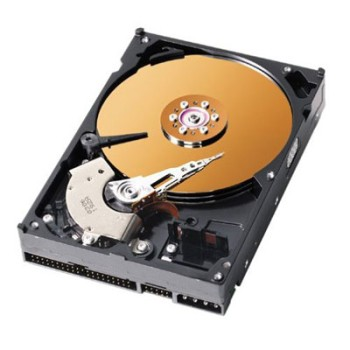
Next, we have to test the Hard Drive condition. Find out the manufacturer of your Hard Drive and go to the manufactures website. Most manufactures will have their own diagnostic tools. So run a complete diagnostic and check the stability of the Hard Drive.
If you find a lot of bad sectors or errors immediately start backing up your data. Then run chkdsk to see if that corrects the problem. If not, then if it is covered by warranty, send for RMA.
3] Overheating
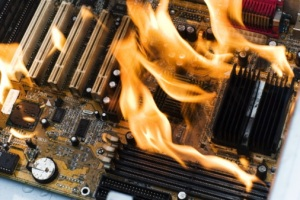
One of the most common issues that cause system instability is Overheating. To test that there are a lot of applications out there that would help you to monitor the temperatures. For example, SpeedFan, HWMonitor, Open Hardware Monitor, etc. are a few of them.
Once you find that the system instability is caused by overheating, then if it is a desktop remove the side panel and blow the dust out. Make sure you remove the CPU Fan and remove the dust as well. Also, replace the thermal paste. Make sure all the fans are working properly. If it’s a laptop then it’s best to take it to a local PC repair shop.
4] BIOS
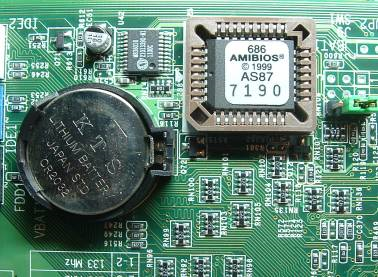
Sometimes changing the settings in BIOS, like Overclocking the RAM or processor, and cause instability for the system.
In such cases, reset the BIOS to default settings or reset it by removing CMOS for a minute and put it back. Make sure the BIOS firmware is up to date.
5] Power Supply
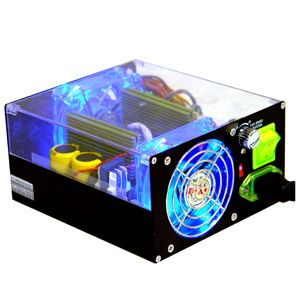
Sometimes you might have a great system with the latest board, processor, GPU, RAM, etc. but to handle those, your PSU may not be powerful enough. Make sure you get one that can handle your hardware.
Also, PSU failure can cause the system to act weird – unfortunately, there is no easy way to test it. But sometimes you can hear loud noises from SMPS that would help you figure out if it’s the PSU that’s causing the problem.
6] Graphics Card
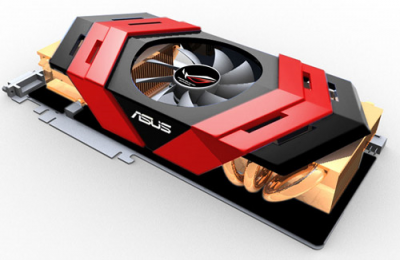
Sometimes a GPU can cause system instability. Maybe overheating or incorrect clock settings are the main causes. In such cases, there are a lot of stress test software, which you could run to check the stability of your GPU like FurMark, etc.
FurMark is a very intensive OpenGL benchmark that uses fur rendering algorithms to measure the performance of the graphics card. Fur rendering is specially adapted to overheat the GPU and that’s why FurMark is also a perfect stability and stress test tool (also called GPU burner) for the graphics card.
Also, a bad driver can also cause problems, so it might be a good idea to reinstall the drivers. Also, when you Overclock your GPU – check the manual.
7] External devices
Sometimes a faulty external device like a USB Camera, Mouse, Keyboard, Gaming control, etc. can cause random reboots. It’s best to disconnect all the USB devices and see if that fixes the problem. It’s best to see if you can borrow a keyboard and mouse and see if that makes any difference.
Also, you could check the Event Viewer to see any information or errors about a USB device is logged there.
How do I fix hardware problems in Windows?
To fix any hardware problem, you need to detect the issue first. For example, if you think that you have a RAM-related problem, you can run the MemTest on your computer. If it shows the kind of issue, you can take further steps. Similarly, if you think you have issues with your hard disk, you can test the hard drive condition.
Is computer freezing a hardware problem?
Yes and No. it entirely depends on the condition and situation you are in. Your computer might freeze at times due to a hardware-related issue. However, that is not true all the time. A software, incorrect setting, malware, adware, etc., can also cause the computer freezing problem. Therefore, you need to detect the root of the issue before trying various fixes.
How do you fix a PC that keeps rebooting and freezing?
There are lots of things that can be done if your PC keeps rebooting and freezing. The first step begins by recognizing the cause of the problem. If your PC started showing such problems after installing an update, you could uninstall the update. Similarly, if you recently installed an external device or a new RAM, hard drive, etc., you need to unplug it. A detailed guide is mentioned in this article, and you can follow it to fix all the common issues within moments.
If you think it may be a software issue that is causing your Windows computer to freeze or reboot randomly, you may want to check these links: