
We are all very accustomed to using Microsoft Office. It is the most prevalent office productivity software for personal as well as business. Maybe it is time to get out of the comfort zone and explore some free alternatives that could open a whole new world of options and ease of use.
Microsoft has officially launched a free version of Office for Windows, including Excel, PowerPoint and Word only. If you need the full suite, try the following free options.
Free Microsoft Office alternative software
Microsoft Office has a lot of alternatives. This post takes a look at some of the best office productivity software for Windows 11 and Windows 10 systems:
- LibreOffice
- Google Docs
- Zoho Office Suite
- Trio Office Suite
- Lotus Symphony
- Apache OpenOffice
- SoftMaker Free Office
- WPS Office
- TeamLab Office Personal
- Polaris Office
- ThinkFree Office
- Rizonesoft Office.
Here is a list of the most efficient Office Suites that do almost everything Microsoft Office does. The good thing is that they are all free!
1] LibreOffice
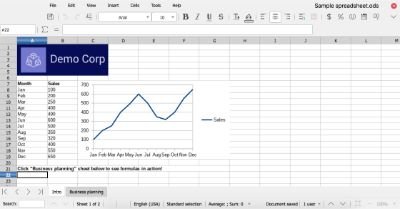
LibreOffice Suite is internationally popular. What users appreciate most about this free Suite is its smooth, clear interface. You can download this one for free and enjoy all its benefits. The Writer is the alternative to Word, the Calc is the alternative to MS Excel, and the Impress is the alternative to PowerPoint. There is Draw, Base, and Math to complete the package.
2] Google Docs

Google Docs has grown. It did not take this software long to become popular. Soon after its release, people started trying it out. Eventually, a considerable number of people switched from Microsoft Office to Google Docs. The main reason why people liked Google Docs better is it enabled easy sharing and access of files over multiple devices. Download this collaborative software and enjoy its magic in over 80 languages.
3] Zoho Office Suite

Zoho Office is another very popular suite that lets you create professional presentations and spreadsheets for free. You can use this software for core business presentations and documentation. You can also use this Suite to take notes, circulate HR policies, and export HTML directly. Check it out here. The features come in very handy.
4] Trio Office Suite

Trio Office offers perfectly compatible alternatives to Microsoft Word, Microsoft PowerPoint, and Microsoft Excel, the three most commonly used apps in the Microsoft Office Suite. It is also compatible with Microsoft Office, Open Office, Google Docs, and other major Windows Suites. Download this suite for free from the Microsoft Store. It can access and edit multiple types of files, regardless of the device or the original suite in which the file was created.
5] Lotus Symphony
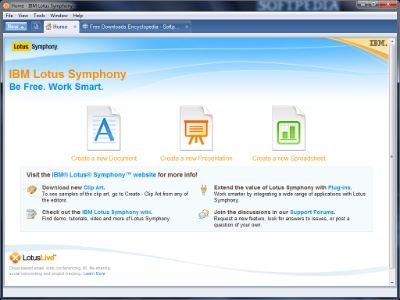
This Office Suite from IBM is free. It is free software that comes loaded with everything you might need. Download the software here and enjoy fast and efficient word processor, spreadsheets, and software for preparing presentations. The entire Microsoft Office suite is replaced by this Suite. Thanks to the Open Document Format, you can easily access all files and edit and save them with no hassle.
6] Apache OpenOffice
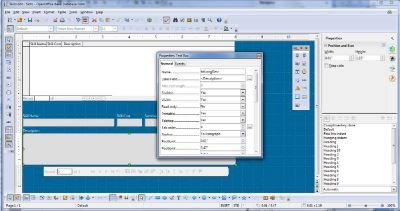
Apache OpenOffice Suite is totally free. This Office suite has been around for over a couple of decades now. The software is easy to use and very interactive. This suite is perfect for administration, educational, commercial, and private use. You can share unlimited documents for free via this app. It is good if everyone you collaborate with has this app.
Related: Free Microsoft Access alternatives for Mac.
7] Softmaker Free Office
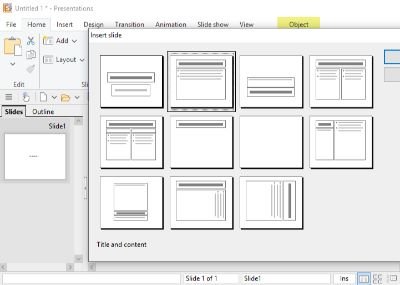
SoftMaker FreeOffice is cross-platform software that offers the Text Maker, Plan Maker, and Presentations for free. Share your email ID to get your free activation key. Download this software, choose your favorite skin, the Ribbon or the Classic, and get working. This software offers a wide range of configuration options to suit your needs.
8] WPS Office

WPS Office very useful Office Suite finally got its free version. It used to be known as Kingsoft Office so don’t get confused if the Kingsoft website redirects you to WPS office. The free version is not limited to a few features. You get to do everything you want with this Suite. Make professional yet creative edits to your documents, make amazing presentations, and keep all your spreadsheets well organized.
9] TeamLab Office Personal
TeamLab Office has a free version that covers everything you need for personal and business use. This software offers unique formatting features and Cloud-based storage as well. It also supports HTML5, thereby expanding its user base. If you want an Office Suite that lets you switch between file formats smoothly. Enjoy the Document Editor, Spreadsheet Editor, and the Presentation Editor, all for free.
10] Polaris Office
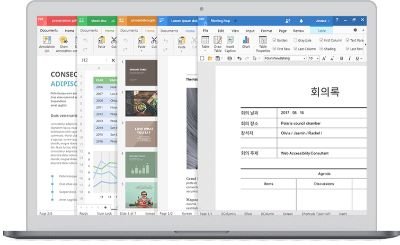
Download the free version of Polaris Office and enjoy managing all your different files and PDF files smoothly synchronized over multiple devices. Upload and share with multiple Cloud storage services, and choose from over 12 available languages.
11] ThinkFree Office
ThinkFree Office provides online applications for creating and working with documents, spreadsheets, and presentations. You need not install Microsoft Office or similar programs on your computer. It offers a multi-platform syncing tool called ThinkFree Power—similar to OneDrive Desktop — that lets you select and sync files between the ThinkFree cloud and your computer.
12] Rizonesoft Office
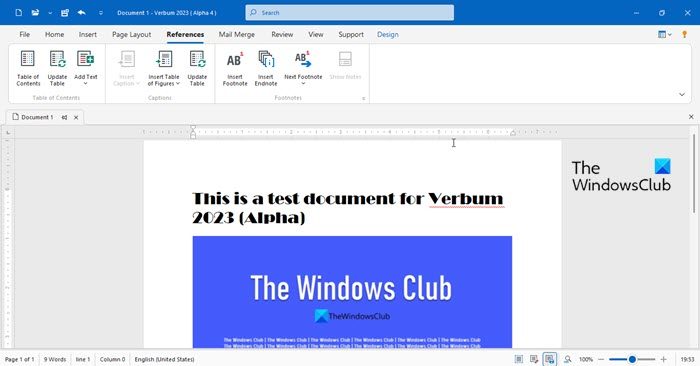
Rizonesoft Office supports several file formats, including MS Office and Apache OpenOffice formats. This makes it compatible with similar software and ensures easy file sharing with clients or colleagues.
These office software clusters are very useful and easy to use. Anyone can make a great presentation using these suites. Make sure to download the free versions, as they have everything you need.
