
Outlook is a great platform for emails. You can use your personal emails as well as business emails on Outlook to send and receive emails. The user experience slightly differs from Gmail, but it is a great option if you are a Windows user. If you are already using Outlook and are seeing the 0x800CCC0B error when sending emails, this guide is for you. We will show you how to fix the 0x800CCC0B Outlook error.
Fix 0x800CCC0B Outlook Error
Typically, Outlook error 0x800CCC0B appears when you try sending an email. You may see “Sending reported error (0x800CCC0B): The operation timed out waiting for a response from the receiving (POP) server.” Follow the methods below to fix the error.
- Check the internet connection
- Make sure you are not attaching large files
- Configure the email server properly
- Disable the antivirus temporarily
- Use the Inbox Repair Tool
Sending reported error (0x800CCC0B): The operation timed out waiting for a response from the receiving (POP) server
1] Check the internet connection
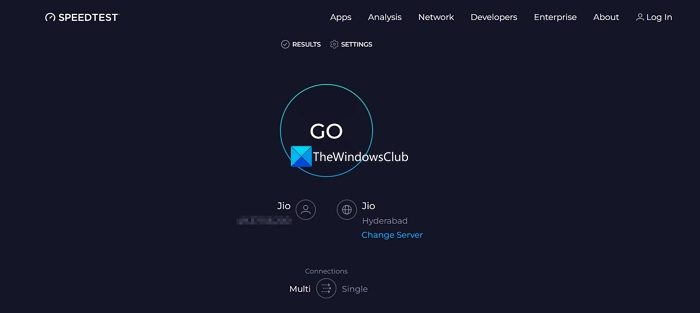
Sending emails in Outlook requires a stable internet connection, especially when you attach large files. Make sure you have a stable internet connection that allows you to use online services properly. Run a speed test on your web browser and see if there is any reduction in speed. If you find any issues, you can restart the router, connect via Ethernet, or contact your ISP to resolve them. After that, you will not see the error if it occurred due to an unstable internet connection.
2] Make sure you are not attaching large files
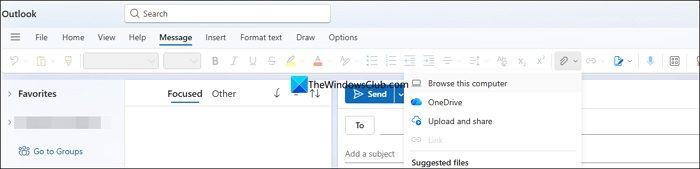
If you are trying to send emails with large attachments that are beyond the space or storage assigned to your account, you might see the error. Make sure the attachment is of permitted size. If you want to send large attachments, split them into multiple small attachments or compress them. You may also upload attachments to third-party cloud storage websites and send the link through email.
3] Configure the email server properly
When the email server is not configured properly, you may encounter errors when sending and receiving emails. You can easily fix it in Outlook settings. Open Outlook and go to Account Settings from the File menu.
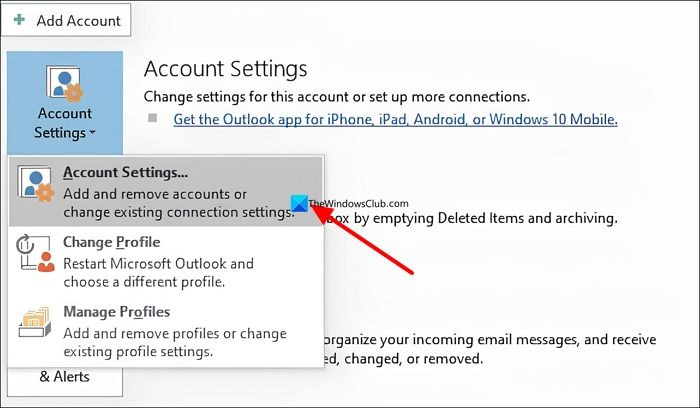
Then, double-click on the email account you are having issues with. Select More Settings at the bottom. Click the Outgoing server tab and check the button beside My Outgoing server (SMTP) requires authentication process option. Make sure to check the button beside Use same settings as my incoming mail server.
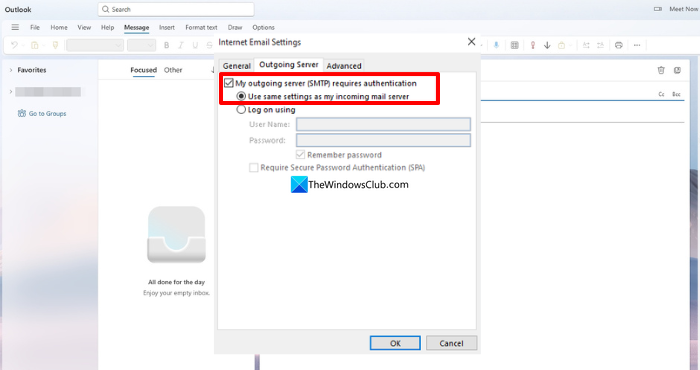
Now, click the Advanced tab beside it and set 26 as the Outgoing server (SMTP). Then, increase the Server Timeouts to more than 1 minute. Click OK to save changes. Restart Outlook to see the issue gone.
4] Disable the antivirus temporarily
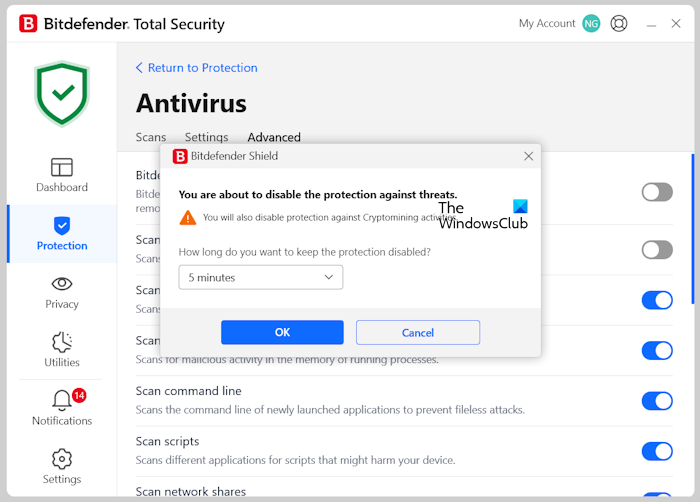
The third-party antivirus you are using might be interfering with Outlook’s connections. You need to disable it temporarily and check if the emails are being exchanged fine. If the emails are going through after disabling the antivirus, you need to uninstall the antivirus from your computer. If not, there might be an issue with the Outlook PST file.
5] Use the Inbox Repair Tool
If the issue is caused by a corrupted PST file, you can easily fix it using the Inbox Repair tool (SCANPST.exe). It comes with Office installation and you can easily open it with the Run command. Open the Run box and type scanpst.exe and press Enter. Then browse to the location of your PST files, which is generally at the following path.
C:\Users\<username>\AppData\Local\Microsoft\Outlook
Click Scan after locating the files. Then, click Repair to repair them and fix the issue for you.
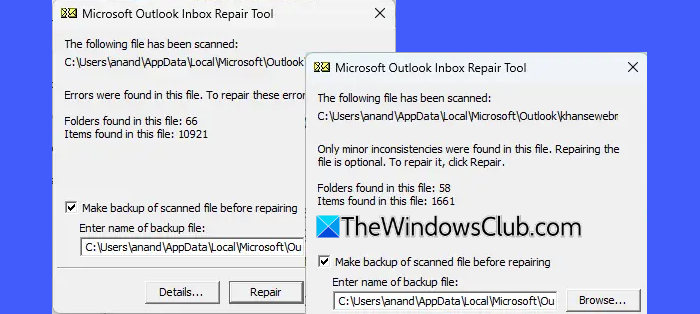
Close Outlook after the successful repair and open it again. The issue would be fixed and you can send or receive emails again without any error.
Read: Fix Outlook problems like freezing, corrupt PST, Profile, Add-in, etc
Why is Outlook getting error 0x800ccc0b?
Outlook normally expects a response from the server in regular intervals. While you are sending an email with or without attachments and your email server is not configured properly, or you have issues with the internet, you will see the error 0x800CCC0B in Outlook. Even if there is an issue with the PST files, you see the error.
Why is my Outlook email suddenly not working?
If there are any issues with the internet or with your Microsoft server, you may find that Outlook is not working. To fix that, run a speed test on your PC, then check whether the Microsoft servers are working properly using any DownDetector website. If they are normal, sign out of Outlook and sign in again with your credentials, and finally repair the Outlook app.
