
Ransomware! This form of malware has earned millions of dollars for cyber-criminals. It gets into your computer system, encrypts & locks your files, and then demands money from you to unlock them. If you fail to pay up, you can kiss your data goodbye, as the malware is sure to delete all your files. Fortunately for us, there are some free anti-ransomware software available for Windows, that offer good defense and can stop ransomware.
Although most antivirus software offer anti-ransomware protection, it will do you no harm if you were to add an additional layer of protection to your Windows computer, to protect it against ransomware. Using these along with maybe an Intrusion Detection & Prevention Software is sure to go a long way in offering protection against ransomware infection. Let us take a look at some of the best free ransomware protection software.
Free Anti-Ransomware software
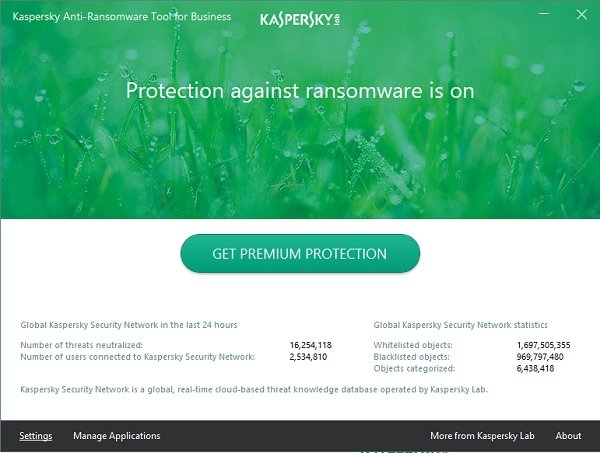
1] Kaspersky Anti-Ransomware Tool
Kaspersky Anti-Ransomware Tool for Business offers complementary security to protect corporate users from ransomware. It identifies ransomware behavior patterns and protects Windows-based endpoints effectively.
2] RansomFree
RansomFree is a powerful tool that comes to you from a company formed by elite former military cybersecurity experts. It is designed to stop the never-before-seen type of ransomware.
3] Ransomware Interceptor
Interceptor is an early-detection tool that prevents ransomware malware from encrypting files. This tool leverages heuristics and machine learning to identify such malware. You can download the free tool from trellix.com.
4] BitDefender Anti-Ransomware
BitDefender Anti-Ransomware will immunize your computer. What it does is, basically it does not allow executable files from %appdata% and %startup% to run.
5] CryptoPrevent
CryptoPrevent modifies a few group policy settings to prevent executable files from running from some specific locations. CryptoPrevent can change about 200 such settings depending on the version and OS you are using. Some locations it keeps an eye on include the Recycle Bin, the default app directory, local temporary files, the All Users application, the local data settings folder, and more.
6] HitmanPro.Alert
HitmanPro.Alert is a free browser integrity & intrusion detection tool that alerts users when online banking and financial transactions are no longer safe. The latest version HitmanPro.Alert also contains a new feature, called CryptoGuard, that monitors your file system for suspicious operations including CryptoLocker ransomware. When suspicious behavior is detected, the malicious code is neutralized, and your files remain safe from harm.
7] Cryptolocker Prevention Kit
Cryptolocker Prevention Kit is a tool that automates creating a Group Policy to disable files running from the App Data and Local App Data folders, as well as to disable executable files from running from the Temp directories of various unzipping utilities.

8] CryptoLocker Tripwire
CryptoLocker Tripwire follows a different approach. It runs on the file server. After loading your data share folders, the free tool will copy a witness file that you choose, to a hidden subfolder in each of the folders you have selected.
9] Kaspersky WindowsUnlocker
Kaspersky WindowsUnlocker can be useful if the Ransomware totally blocks access to your computer or even restrict access to select important functions, as it can clean up a ransomware-infected Registry.
10] Malwarebytes Anti-Ransomware
Malwarebytes Anti-Ransomware is a simple, lightweight software program that runs in the background, quietly monitoring the machine’s behavior for file-encrypting ransomware. Currently, this program is in the beta stage – and free to download and use. Once it goes out of beta, it is likely that it will not remain free.
11] Vaccinator & Vulnerability Scanner Tools
Free Vaccinator & Vulnerability Scanner Tools for WannaCry Ransomware are available.
12] RansomSaver
RansomSaver is a very useful add-in for Microsoft Outlook that detects and blocks emails that have ransomware malware files attached to them.
13] AppCheck Anti-ransomware
AppCheck Anti-ransomware from CheckMal prevents, detects, and recovers damaged files from ransomware with the next-generation context awareness ransomware behavior detection engine. The free version has some limitations.
13] RansomBuster
RansomBuster is another anti-ransomware tool from Trend Micro that helps stop all forms of Ransomware attacks on your Windows computer in its tracks by providing an additional layer of security. It does so by blocking unauthorized processes from accessing your important folders.
14] RansomStopper
RansomStopper is a free anti-ransomware software that comes with patented behavioral analysis and deception techniques to prevent, detect, and mitigate ransomware attacks.
15] Acronis Ransomware Protection
Acronis Ransomware Protection offers a free version that helps your setup up protection against all kinds of ransomware attacks on your computer. Other than the precautionary measure, the tool also provides remedial measures like data recovery and backup.
There are several other steps you can take to prevent ransomware, and it is important that you know them.
Next, we will take a look at what you can do if you are infected with a ransomware attack and the free Ransomware Decryptor Tools you can make use of to help you unlock your files.
