
Where is my disk space going? Why is my Hard Drive full? What is taking up space on my Hard Drive in Windows 11/10? If you have these questions, then here is a list of free Disk Space Analyzer software to find out, check and analyze the disk space on your Windows computer.
While the built-in Disk Footprint Tool in Windows 11/10/8.1 will let you carry out several tasks pertaining to Disk Space usage, if you are looking for 3rd-party tools with a UI, check these out.
Disk Space Analyzer software for Windows 11/10
Here is a list of free Disk Space Analyzer software to analyze & check disk space on your Windows computer. Find out where your disk space is going!
- SpaceSniffer
- Saleen File Pro
- WinDirStat
- Better Directory Analyzer
- MeinPlatz
- Disk Space Fan
- Disk Usage Analyzer Free
- Disk Savvy
- JDiskReport
- TreeSize
- Filelight.
Let us take a look at them in detail.
1] SpaceSniffer
SpaceSniffer is a free software to check where your disk space is lost. The main overview might look cluttered at first glance but it is simple to understand. It shows a Treemap display of how your files and folders use the disk space. The treemap helps you understand where your big files and folders reside on your PC. It’s portable, and no installation is required; just put the executable somewhere, and you are good to go.
Read: What is the DiskUsage.exe Tool in Windows?
2] Saleen File Pro
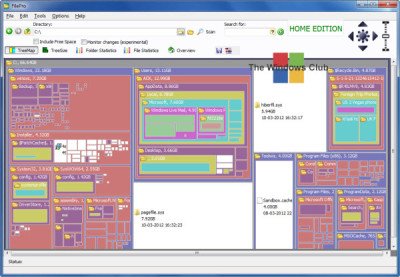
Saleen File Pro is a free tool designed for professional disk manipulation. The tool analyzes your PC disk from many perspectives, like folder statistics, file statistics, tree size, tree map, and more. The tool is available as a free version, termed as Home Version as well as a premium version. Once installed, the Saleen File Pro software scans the C: drive of your PC and generates the report in a few minutes. The report is displayed with a simple overview so as to explain to you the files and folders consuming the largest portion of your disk.
3] WinDirStat
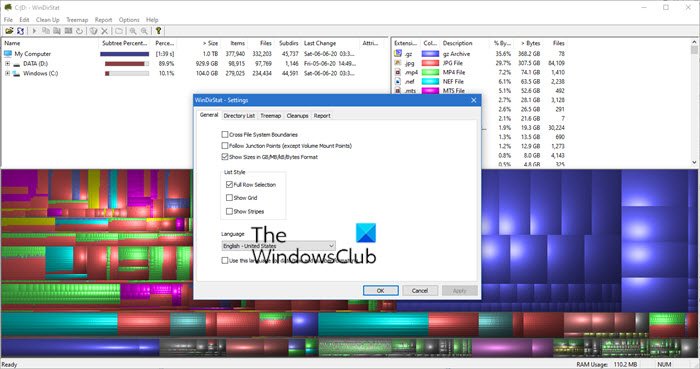
This free software WinDirStat is published under GNU. The software comes with a very simple interface. You need to download it, save the file and run the setup. Once installed, the program launches automatically and starts scanning the selected directories of your PC. You can, however, select or deselect the directories manually. Once the scanning is complete, you can delete the files by hitting the ‘Cleanup’ tab in the menu ribbon.
4] Better Directory Analyzer
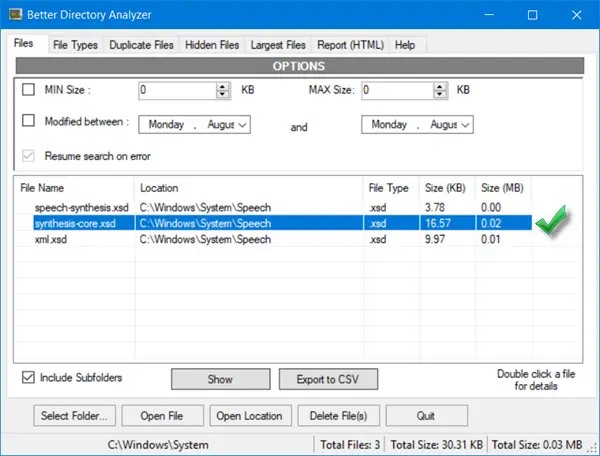
Better Directory Analyzer is a free tool that helps you find duplicate files stored on your hard drive, check which files or folders occupy more space, etc. With this free tool, you can scan your hard disks and examine the files and folders. You can use the advanced filter for advanced search with this tool; for example, you can search for the files with their size, file type, or duplicate files. Again, like most of the tools mentioned above, Better Directory Analyzer too comes with a simple layout and interface.
5] MeinPlatz
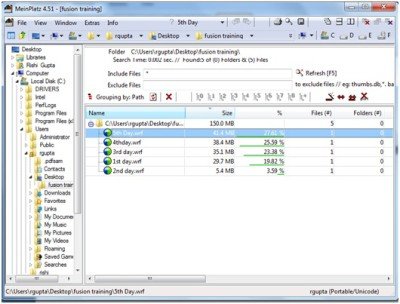
MeinPlatz is a free portable and smooth-running software that discovers the lost space on your system and helps you save disk space. The tool scans your PC once downloaded and shows which files and folders are occupying the maximum space on your hard drive. The graphical interface is quite simple to understand and use. Just select the desired directory and the software will report you the detailed information about that, including the number of files, the size of files and the space occupied by those files and folders.
Read: Hard drive full? How to find the largest files on Windows PC?
6] Disk Space Fan
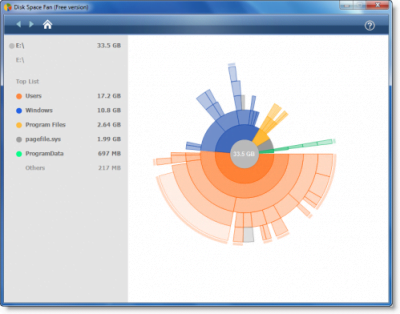
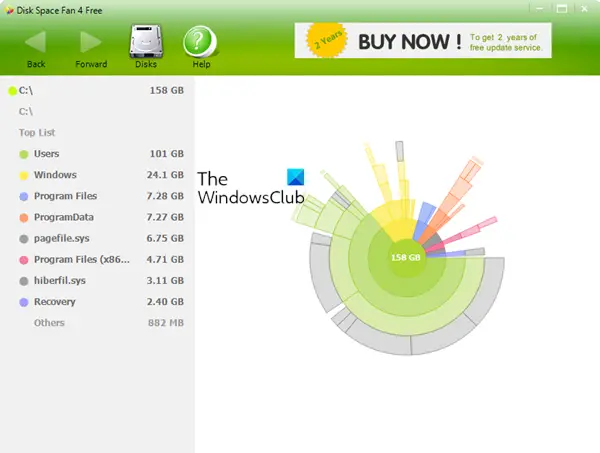
Disk Space Fan checks the disk space and analyzes it on different perspectives. It helps you identify where the disk space has gone and perhaps helps you to delete the cluttered useless files and folders too. As the name signifies, this tool displays the report in the shape of a fan which is pretty simple to understand. Overall, it is a nice and useful tool to check the disk space and navigate through the folders jamming the space.
7] Disk Usage Analyzer Free
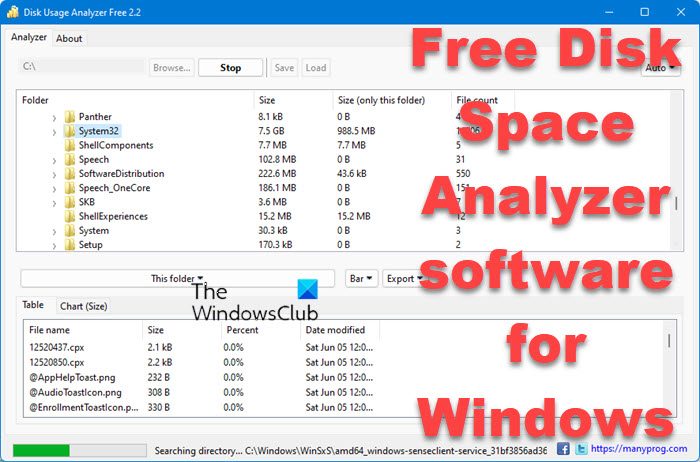
Disk Usage Analyzer Free lets you quickly perform storage and disk usage analysis on your computer. Download and install this tool, run it and select the folder or drive to analyze disk usage. You will get a list of all folders in the selected directory or disk with sizes and numbers of files.
8] Disk Savvy
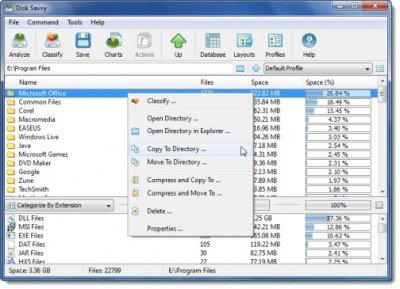
Disk Savvy analyzes your PC disk drives and directories and lets you understand which files and folders occupy more space on the drive. Furthermore, you can also delete the files, move them or create groups and directories. There is a free version and a paid version of Disk Savvy software available. The free version of Disk Savvy, however, does not allow you to analyze more than 100000 files simultaneously.
There are more!
- JDiskReport is another cool free Disk Analyzer that requires Java to work
- TreeSize Free displays File, Folder sizes, using Context Menu
- Use Filelight app to see the disk usage statistics
- Know what is taking up space on hard drive on Windows with WizTree
- Ashampoo Disk-Space-Explorer helps analyze and visualize space usage
If you are facing disk space issues and don’t really know where the disk space has gone, these free software might help you out. Try these out, and do let us know if you want us to add any more of such free tools to the list.

