
If when you try to access the Windows Update page via the Settings app to check for updates, you’re faced with a blank page with the message Something went wrong, Try to reopen Settings later, then this post is intended to help you. In this post, we will provide the solutions you can try to resolve this issue.
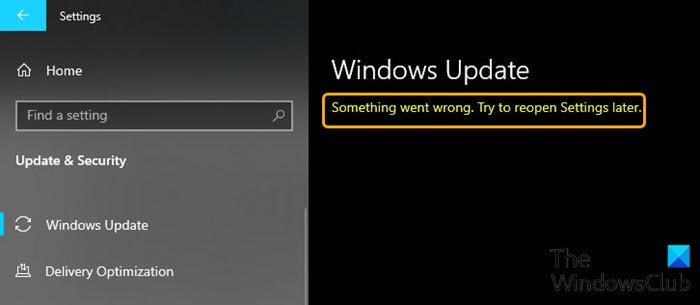
Something went wrong, Try to reopen Settings later
If you’re facing this issue, try our recommended solutions in the order presented below to see if that helps resolve it.
- Restart your Windows 11/10 device
- Reset the Settings app
- Run SFC scan
- Unblock Windows Update using a third-party utility
- Perform Reset This PC, Cloud Reset or Repair Windows.
Let’s take a look at the description of the process involved concerning each of the listed solutions.
1] Restart your Windows 11/10 device
This solution to the issue simply requires you to restart your Windows 10 device. To restart your device, press Windows key + R to invoke the Run dialog box.
In the Run dialog box, type shutdown /r and hit Enter.
If the issue persists on boot, try the next solution.
2] Reset the Settings app
If your Windows Settings app is not working properly, you have one very effective way to resolve this issue. Microsoft allows you to reset the Settings app.
3] Run SFC scan
If you have system file errors, you may encounter this issue. In this case, you can run an SFC scan and see if that helps to resolve the issue. If not, continue with the next solution.
4] Unblock Windows Update using a third-party utility
This issue somewhat indicates the Windows Update page is blocked and inaccessible. In this case, you can download and run StopUpdates10 – a third-party utility.
Once downloaded and installed, just run StopUpdates10 and click the Restore Windows Update button and wait for the confirmation message to appear that says Windows Update is not blocked.
Once confirmed, just close the app and check Windows Update to see if it’s been fixed and restored.
5] Perform Reset This PC, Cloud Reset or Repair Windows
At this point, if the issue remains unresolved, it’s most likely due to system corruption that cannot be resolved conventionally. In this case, the applicable solution here is that you can try Reset This PC, or Cloud Reset to reset every Windows component. You may also try to Repair Windows using Installation Media as a last resort.
Any of these solutions should work for you!
