
In this guide, we are going to discuss how to fix Hulu error codes RUNUNK13 and 406. Hulu is one of the popular OTT platforms and is used to stream and browse movies, TV shows, web series, and more entertainment content. While most of the time, it provides you a great video streaming and playing experience, sometimes users also experience errors while playing videos. Here, we are going to discuss two of the Hulu errors that include error codes RUNUNK13 and 406 that users have reportedly faced. If you are facing any of these errors, this post will provide a working solution.
What causes error RUNUNK13 on Hulu?
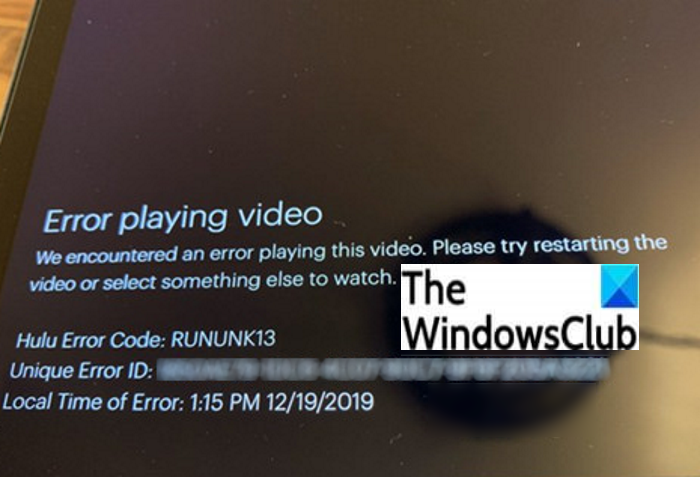
Error RUNUNK13 is one of the many Hulu error codes experienced by Hulu users. It basically occurs when the Hulu service is not able to play the video you requested. It may occur on different platforms and it shows up the following error message:
Error playing video
We encountered an error playing this video. Please try restarting the video or select something else to watch.
Hulu Error Code: RUNUNK13
The error code RUNUNK13 on Hulu occurs when the player is unable to play the requested movie, show, or video clip. It may occur due to various reasons. Here are some of the common causes that trigger Hulu error code RUNUNK13:
- Corrupted data on your device may cause the error code RUNUNK13 on Hulu.
- It may occur if there are network connectivity issues at your end.
- If you are attempting to play downloaded content on Hulu and getting this error, the downloaded video might be corrupted.
- You might experience this error code if you are using an out-of-date version of the Hulu app.
- Another reason that may trigger this error is a problem with Hulu’s server. In that case, you can only wait for Hulu technicians to resolve the error.
How can you resolve this error on Hulu? Let’s examine the solutions to resolve this error.
How to fix Hulu Error Code RUNUNK13 or 406
Here are the fixes that you can try to resolve error code RUNUNK13 on Hulu:
- Reload the page.
- Restart the device.
- Check your internet connection.
- Ensure that the Hulu server is not down.
- Clear cache on your browser.
- Clear your Hulu app cache.
- Update the Hulu app.
- Try playing the video on a different platform.
Let’s discuss these methods in detail.
1] Reload the page
If you are receiving this error due to a temporary glitch, it may be resolved by simply reloading the page. Refresh the video or the web page and then see if the issue is gone or not.
2] Restart the device
Restarting your device may also help resolve this error. Just close the app and completely shut down your PC or whichever device you are using the Hulu app on. See if this works for you or not. If not, there may be another issue. In that case, you can try some other methods to get rid of this error.
3] Check your internet connection
As we mentioned earlier in this article, network connectivity problems might be causing the error code RUNUNK13 on Hulu. So, check your internet connection and ensure you have a strong connection. To stream and watch videos on Hulu, a good internet connection is required. So, you may experience this and other playback errors in case your WiFi is too slow. Check if you are able to watch videos properly on other video streaming services. If no, the problem lies with your network connection most probably.
You can try troubleshooting network connectivity problems, checking the internet speed, restarting your network, or connecting to a different network connection.
4] Ensure that the Hulu server is not down
You might be experiencing the error RUNUNK13 on Hulu if there is some problem at Hulu’s end and the server is down. So, check if the Hulu server is down or up. If it is down, you will have to wait until the issue is fixed from their side. If the server is up and you are still receiving this error, there may be another issue. So, try some other fix to resolve it.
5] Clear cache in your browser
If you are using a web browser to watch videos on Hulu and getting this playback error, then try deleting older cache on your web browser like Chrome, Firefox, Edge, etc. Clearing up the cache from your web browser is effective in getting rid of many errors in a web browser. So, it may also fix this issue too.
6] Clear your Hulu app cache
The corrupted app cache can be another reason triggering this error on Hulu. Clear the Hulu app cache on your device and see if the issue persists. You can use the following steps to clear the Hulu app cache if you are streaming on Xbox One:
- Navigate to Menu.
- Click on My Games and Apps.
- Highlight the Hulu app.
- On your controller, tap on the Menu button.
- Select Manage Apps.
- Press the Clear saved data option.
On Android or iPhone, you can delete the Hulu app cache from Storage/Privacy in the Settings section.
7] Update the Hulu app
If you are using an outdated version of the Hulu app, you might experience many errors including the error code RUNUNK13. So, update the Hulu app on whichever device you are using it. On your Windows 11/10 PC, you can check for available updates and then update the Hulu app to its latest version from Microsoft Store. Also, another way to update the Hulu app is to first uninstall the app and then reinstall it from the Hulu app page on Microsoft Store.
After that, try playing the video that was giving you a playback error, RUNUNK13, previously and see if the issue is still there or not.
Read: How to Fix Hulu Error 500, 503, or 504.
8] Try playing the video on a different platform
Switch to a different platform to watch movies on Hulu and check if the problem still persists or not. Hulu is supported on various platforms. If you are using Hulu in a web browser, try the Hulu app on Windows PC. Or, you can also try Hulu on Android or iPhone.
What causes Hulu Error Code 406?
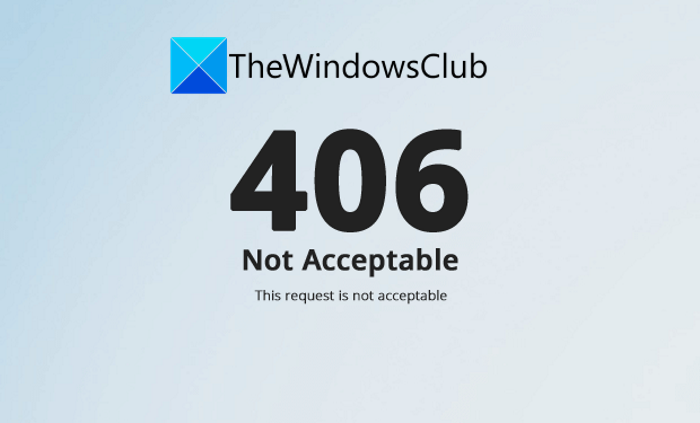
Error code 406 is another Hulu error that we will discuss in this post. This error code is essentially an HTTP status code that occurs in a web browser. It flashes the following error message on the screen:
406
Not Acceptable
The request is not acceptable
This error is triggered when the user makes a request using the “Accept” header and the Hulu server is unable to fulfill the request. This is generally an error on the server side. The server might be misconfigured and thus is unable to handle requests correctly. Although it is a client error response code, the client or server may be to blame.
How to fix Hulu Error Code 406
The error code 406 generally indicates there is a problem on the server side, so you might need to wait for the Hulu service to fix it up. However, you can also try some general tips and tricks at your end to resolve the issue:
- Restart your device completely and then restart the Hulu app to see if the issue is fixed.
- Check if the Hulu server is down or not. If it is, then wait for some time, the issue will be fixed by Hulu itself.
- Update your Hulu app if you are using an older version of the app.
- Uninstall and then reinstall the Hulu app.
- Restart your home network device and see if the issue is fixed.
- Perform a power cycle and check if the issue is gone.
That’s it! Hope this article helps you resolve Hulu error codes RUNUNK13 and 406 on your PC or other devices.
Why can’t I watch my Hulu?
You may be unable to watch Hulu due to streaming issues. The reason for such issues may be a poor network connection, a bloated cache, an outdated app, or other factors. If Hulu keeps buffering or freezing, you can try checking your internet connection, clearing the cache, reinstalling Hulu, updating your app, and using other methods to resolve the issue. In case you are getting the PLAUNK65 error, you can try the fixes listed in that article. Apart from that, you can also fix error codes 3, 5, 16, 400, 500, 50003 on Hulu.
How do I fix my Hulu connection error?
The connection error on Hulu can be resolved by following some standard troubleshooting practices. First, check your network connection and ensure the speed of your internet is satisfactory. Other than that, you can try restarting the Hulu app, ensuring that the Hulu server is up, disabling VPN, updating your device, or updating or reinstalling the Hulu app.
What does Hulu error code P DEV320 mean?
The error code P DEV320 on Hulu is mainly related to either network or app-related problems. A weak internet connection or technical issues with the Hulu app may cause this error. We have covered this error in that guide that you can check out.
