
While using the Game Bar in Windows 11, if you see a pop-up containing an error message saying Get an app to open this ‘ms-gamebar’ link, follow these solutions to get rid of this issue. It may appear whether you are playing games or not, and whether you are recording your gameplay or not.
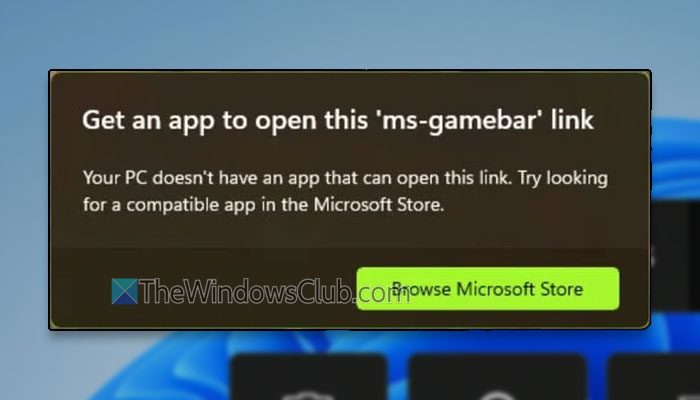
Fix Get an app to open this ‘ms-gamebar’ link in Windows 11
To fix the Get an app to open this ‘ms-gamebar’ link error in Windows 11, follow these solutions:
- Turn off and on Game Mode
- Disable controller
- Repair and reset the Game Bar app
- Start GameDVR services
- Uninstall and reinstall Game Bar
To learn more about these solutions, continue reading.
1] Turn off and on Game Mode
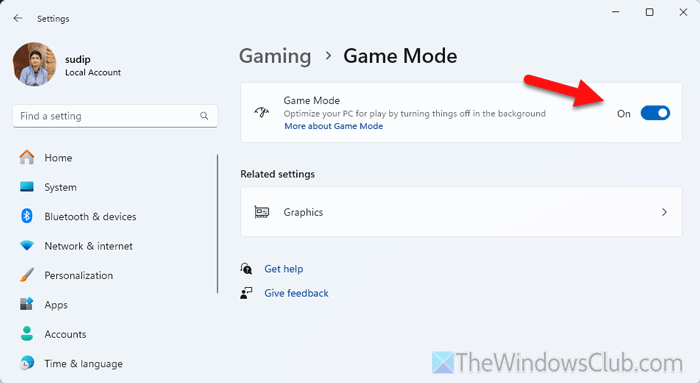
To turn off and on Game Mode in Windows 11, follow these steps:
- Press Win+I to open Windows Settings.
- Go to Gaming > Game Mode.
- Toggle the Game Mode button to turn it OFF.
- Toggle the same button again to turn it ON.
2] Disable controller
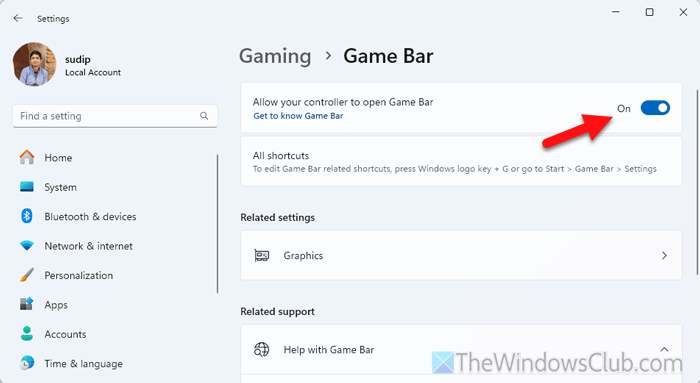
To stop your controller from opening Game Bar, follow these steps:
- Open Windows Settings.
- Go to Gaming > Game Bar.
- Toggle Allow your controller to open Game Bar button to turn it OFF.
Read: Xbox Controller Bluetooth keeps disconnecting on Xbox console or PC
3] Repair and reset the Game Bar app

If there is a glitch in the Game Bar app, you might be able to fix it by repairing the app. To repair and reset the Game Bar app, follow these steps:
- Open Windows Settings on your computer.
- Go to System > System Components.
- Click the three-dotted icon of Game Bar and select Advanced options.
- Click on the Repair button to repair the app.
- Click on the Reset button to reset it.
4] Start GameDVR services
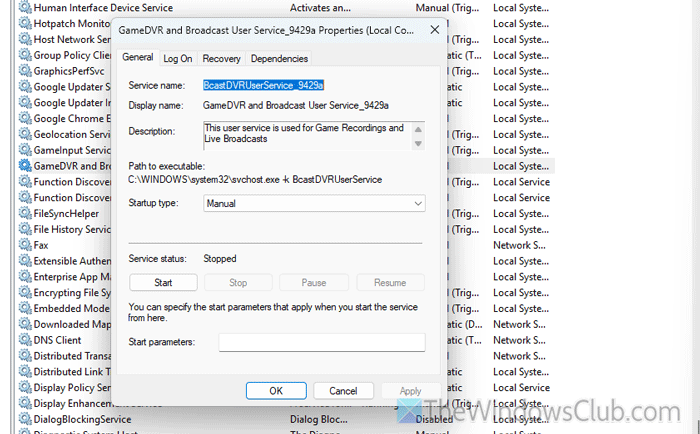
To start the GameDVR service on Windows 11, follow these steps:
- Open the Services panel on your computer.
- Double-click on the GameDVR and Broadcast User Service_9429a.
- Click the Start button.
- Click on the Apply and OK buttons.
5] Uninstall and reinstall Game Bar

If nothing is working, you need to uninstall the Game Bar app and reinstall it. To uninstall, use PowerShell or Terminal. You can go through this detailed guide to uninstall Game Bar from a Windows 11 computer.
To reinstall Game Bar, you can go to the Microsoft Store and download the app.
Read: Game Bar Error 0x8232360F, Recording isn’t working [Fix]
How to fix the Xbox Game Bar not opening?
To fix this problem, you should check the settings first. Then, you can enable it using the Registry Editor. However, if you do not take action, you will need to reset the Game Bar. Finally, you can uninstall and reinstall the app.
How to fix You’ll need a new app to open this ms-wpc link?
To fix the You’ll need a new app to open this MS-WPC error, you need to set a default app. To do this, open the Windows Settings and navigate to Apps > Default apps > Choose default apps by file type. Select the desired file type and choose an app according to the requirements.
Read: Xbox Game Bar is not working or opening in Windows 11
