
Some users encountered the “You’ve reached our limit of messages” error in ChatGPT during an active conversation. ChatGPT has usage limits for both Free and Paid plan users. When a user reaches the usage limit, ChatGPT shows this message. However, for some users, this error occurred even when the usage limit had not yet been fully reached. If you encounter this error, the solutions provided in this article will help you.
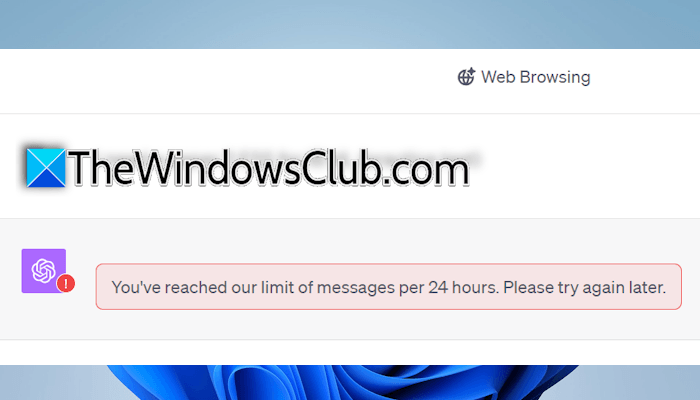
You’ve reached our limit of messages, please try again later
Use the following fixes for the “You’ve reached our limit of messages” error in ChatGPT:
- Sign out and sign back in
- Check ChatGPT server status
- Perform a hard refresh
- Switch to another available network
- Branch the chat
- Clear browser cache and cookies
- Try this workaround
- Use another browser
All these fixes are explained in detail below.
1] Sign out and sign back in
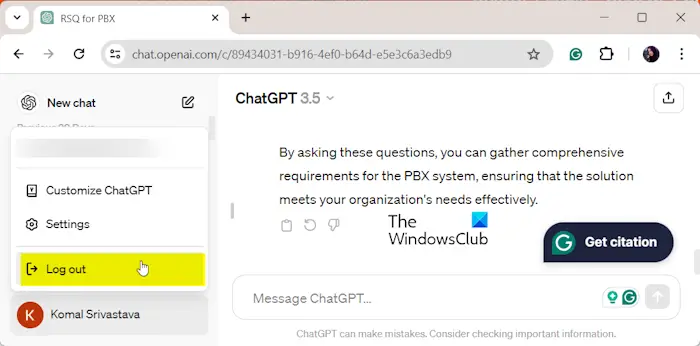
This is the simplest fix. Sign out of ChatGPT and sign back in with the same account. Now, continue to the chat and see if the error persists.
2] Check ChatGPT server status
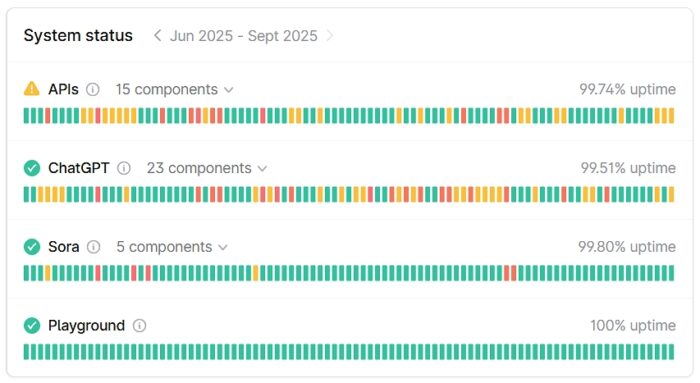
There might be an issue with the ChatGPT servers. If so, you may experience issues like this with ChatGPT. To check this, visit status.openai.com. If you see any error message there, wait till OpenAI fixes the issue.
3] Perform a hard refresh
A hard refresh bypasses the cache to load the latest version of the web page. This usually fixes the common issues with web browsers. Press Ctrl + F5 or Ctrl + Shift + R to hard reload the web page. Now, check if the issue persists.
4] Switch to another available network
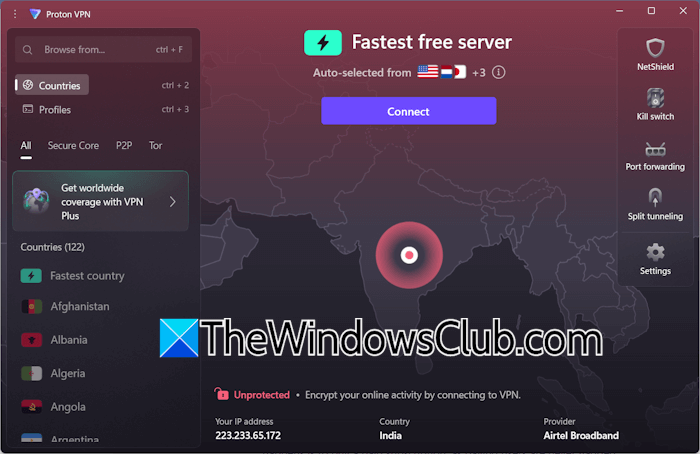
The issue might be associated with your IP address. To check this, switch to another available network. This will change your IP address. If another network connection is unavailable, you can use a VPN. Many free reliable VPNs are available for Windows, such as Proton VPN. If you are already using a VPN, disconnect from it and reload the web page. Now, check if the error occurs.
5] Branch the chat
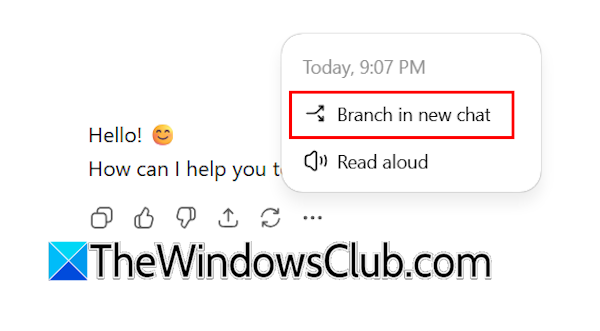
ChatGPT has a feature, named Branch in new chat. It creates a new copy of your chat from a specific message. This branched chat is created in a new chat, and the main chat remains unaffected. In your current chat, navigate to the previous message, click on the three dots, and select Branch in new chat. Now, type your prompt and see if the error occurs.
6] Clear browser cache and cookies
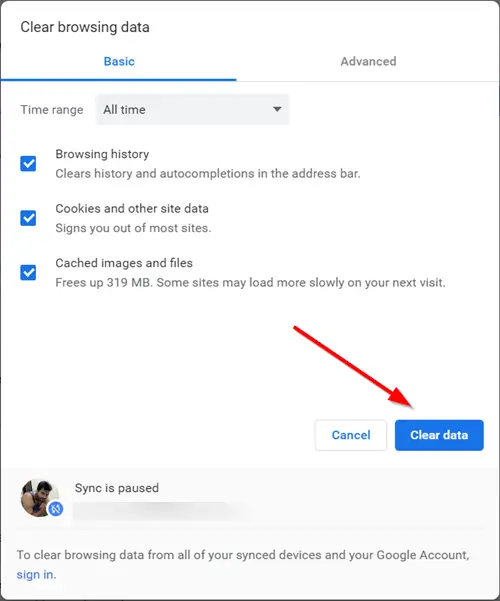
The issue might be occurring due to the corrupt cache and cookies. To check this, clear your browser cache and cookies, and reload the web page. Press Ctrl + Shift + Delete to bring up the Clear browsing data window. Now, uncheck the checkboxes other than cache and cookies, such as Browsing history, and click Clear data.
7] Try this workaround
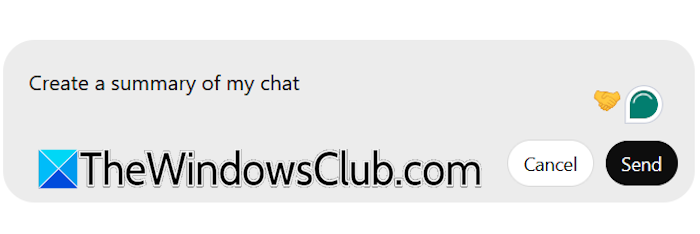
If the issue persists, you can try this workaround. Give a prompt to ChatGPT to create a summary of your entire chat. Since you cannot type a new message due to the error, you can do this by editing your last message. Navigate to the last message and click the Pencil icon to edit it. Now, type a prompt to create a summary of your entire chat. When you are done, click Send.
Now, copy the chat summary and create a new chat. Paste the copied data there and click Send. Alternatively, you can paste the chat summary into a Word file, then upload it to a new chat. Doing this also saves the chat summary on your PC locally. Now, you can continue to the new chat.
8] Use another browser
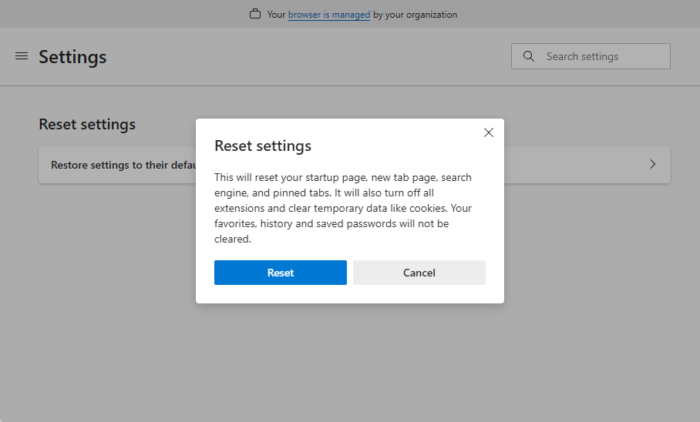
Open another web browser and log in to ChatGPT with the same account. Now, check if the error appears on that browser. If not, the issue is with your previous web browser. In such a case, resetting the browser can help. Reset your previous web browser to the factory default settings. Before proceeding, sign in to the browser to save all your bookmarks, browsing history, and extensions to the cloud.
That’s it. I hope this helps.
How to reset ChatGPT 4o limit?
You cannot reset the ChatGPT 4o limit manually. The limit is set by OpenAI and is reset after the defined time window. Hence, you need to wait until the limit refreshes automatically. Till then, you can use another AI model.
How to bypass ChatGPT’s message limit per hour?
You cannot bypass the ChatGPT message limit because it is set by OpenAI to keep the service stable for all users. You can follow some methods to prevent reaching the chat limit, such as sending a better message instead of sending repeated messages.
Read next: ChatGPT Error in message stream.
