
In this article, we explain whether Meta Muse is safe and how AI Sentinel protects your personal data. How secure is our personal data when we use Meta Muse to do things for us?
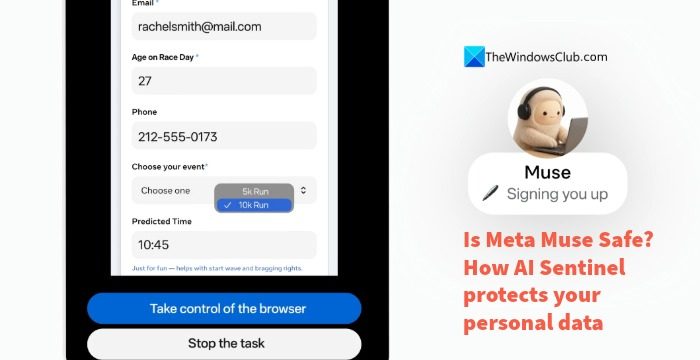
Many agents are available for end consumers. The trend of AI agents taking care of user needs took off with OpenClaw. After that, every AI company started releasing agents that help end users like us check emails, manage calendars, browse the internet, shop on our behalf, and even manage social media accounts. It all sounds too convenient. But using an agent requires tokens, which require a subscription to our preferred AI services, like OpenAI, Claude, etc. Meta, the parent company behind Facebook, has introduced Meta Muse, which does the same thing for us. It offers these features for free with usage limits and offers paid plans for higher limits and capabilities.
Is Meta Muse Safe?
Meta has explained how Muse works and how it built safety into it. Let’s look at the safety mechanisms in Meta Muse.
- Muse runs on a secure virtual machine
- Built-in Sentinel as permission authority
- User always in the loop
- Least privilege protocols
- Mechanisms to act in adversarial environments
How AI Sentinel protects your Personal Data on Meta Muse
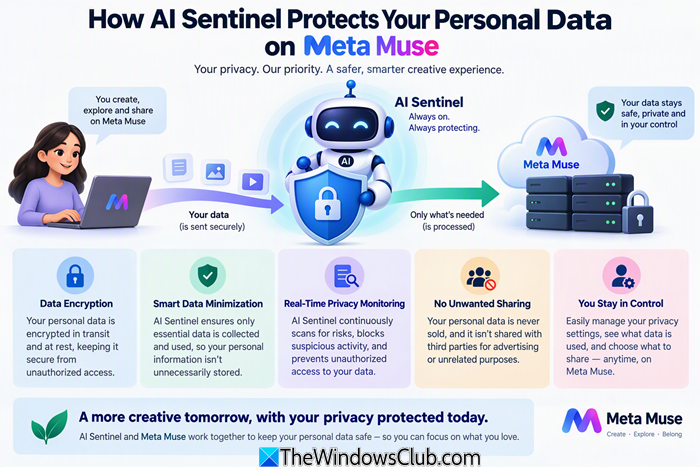
1] Muse runs on a secure virtual machine

Each Muse user gets their own dedicated computer in the cloud where Muse lives, along with the data and credentials for all the services that connect. They are securely stored on your cloud computer or Virtual Machine. Each Virtual Machine is an isolated Linux Box with an up-to-date Chromium-based browser, plus enough CPU and memory to run the tasks you assign.
Only a very limited set of data leaves the virtual machine, and only to achieve the user-prescribed tasks. The data that comes out of the virtual machine is mostly for inference and telemetry purposes only. When you use a Muse client on your devices, it connects to your virtual machine through a secure transport layer.
Muse becomes most useful when it can connect with third-party services like email and other systems like car and home. Meta has built default connectors for apps like Instagram and Facebook. Muse will work according to the written and iterated Skills, which include detailed instructions on what to do, how to behave and how to complete tasks through each connector.
2] Built-in Sentinel as permission authority
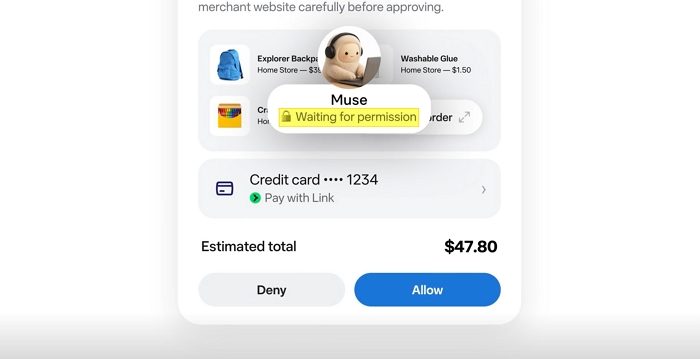
Meta built a Sentinel into Muse. Sentinel is a separate host-side agent that serves as the sole permission authority for approving actions with connectors and for all of Muse’s activity on the network. Whenever Muse proposes an action, built-in Sentinel decides whether to grant permission to perform it. Sentinel handles all permissions for actions taken via a connector.
Muse submits a request to Sentinel about the activity on a connector, including the activity details, the method to be used, the action class, scope, and context. When Sentinel receives the request from Muse, it generates a user-visible purpose for the same. Sentinel then goes through the policies set by the user for that particular connector and decides whether to allow the request from Muse, deny it, or ask the user.
Not only does Sentinel monitor connectors and activity with them, but it also monitors network activity on the virtual machine hosting your Muse agent. The runtime traffic reaches Sentinel through a forward proxy configured with Linux networking controls. Sentinel can then evaluate the connections and look into the details of the network activity and the protocols involved in it.
Sentinel mostly protects our data in Muse connectors and monitors network-related activity. Sometimes, when user policies are unclear or not set precisely, it asks the user how to proceed.
3] User always in the loop
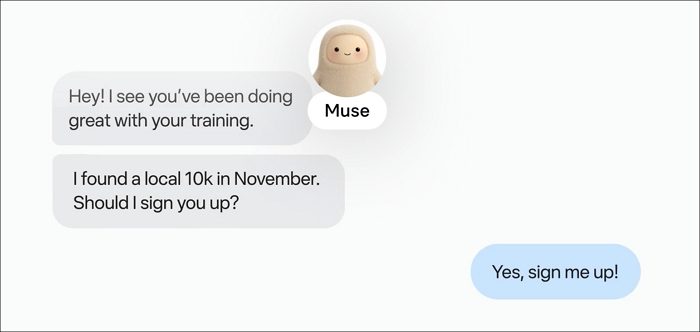
Muse puts user in the loop always for the activity through Sentinel. When Sentinel resolves to ask the user to approve an action, the request appears in the Muse client instead of the connector, with all request details. When approved or disapproved, it returns to Sentinel, which then takes action based on the user’s choice. The user’s approval or denial is strictly limited to that request, and Sentinel does not treat it as if the approval is bound to a particular connection use case.
Sentinel does not invoke a user request for every activity. It proceeds without user action in low-risk activities that are read-only and previously allowed actions. Meta is fine-tuning Sentinel to strike a balance between routine operations and other operations that must require user consent.
4] Least privilege protocols
Meta implements strict least privilege protocols on Muse. It never shows API keys to the model. If the model doesn’t need to see API keys, it cannot see them, and it cannot leak them accidentally. Meta implements similar principles wherever possible. Meta fine-tuned how Muse safely accesses the connectors. For example, if you grant Muse access to your emails, the least-privilege protocols implemented by Meta on Muse remove one-time tokens, passwords, password reset links, and login magic links from Muse’s access via deterministic filters.
5] Mechanisms to act in adversarial environments
Agents are bound to make mistakes, including Meta Muse. Meta implements defense-in-depth protocols to minimize the risk and impact of the mistakes at every layer of the stack. Meta has trained Muse models to detect and reject prompt injections to infiltrate the agent by attackers. To detect and implement a defense-in-depth approach in case of prompt injections, Meta trained Muse models to recognize and resist prompt injection with a rigorous set of evals. If data enter the model’s context from an external source, it is automatically labeled as untrusted input, and Muse learns to ignore it, as per the model training.
Read: Top 15 Local AI Agents for Windows 11 (Free & Open Source)
Is my Muse AI app safe?
Yes, the Meta Muse app is safe on every platform. It runs on a dedicated virtual machine in the cloud, and the data never leaves it. When working with third-party connectors, the Muse app follows the policies the user sets and sends requests to users via Sentinel for permission to act when an important action is required.
Are there any security risks with Meta Muse?
Every AI agent poses some form of security threat, including Meta Muse. The risks diminish with every active security protocol that the developers implement on their models. Meta implements several security protocols, such as running the Muse agent on dedicated cloud computers, implementing Sentinel permission-granting authority, keeping the user in the loop, and acting on user-defined policies for each connector.
Related read: Windows AI Agent Installation errors and their solutions.
