
AI has made everything easier, and Meta Muse is the cherry on top. Earlier, we used AI to gather ideas and then execute them ourselves; now, that’s no longer the case. Meta Muse helps users with tasks that feel minuscule but still take time. Wondering how? This is the right place to look, because we are going to explore multiple ways Meta Muse can transform your daily workflow.
What is Meta Muse, and how does it work?
Meta Muse is a personal AI agent developed by Meta that can perform tasks on users’ behalf. It runs through Muse Secure VM, a dedicated cloud-based virtual computer with its own browser that lets it interact with websites and connected apps. Users describe what they want in the prompt, and Muse creates an action plan and carries out the necessary steps.
5 ways Meta Muse can transform your Daily Workflow
Meta Muse, an AI agent by Meta, is designed to work on the user’s behalf. The idea behind Meta Muse is to provide users with a personal AI assistant that works hard to get them the best deals and cut costs on various financing decisions, among many other uses. Here are five practical ways we can use Meta Muse to transform the daily workflow.
- Manage the Email Inbox
- Organize, manage, and find Files
- Organize the Calendar
- Handle bookings, fill out online forms, and provide customer support
- Build a custom tool without coding
Let us look into this in more detail.
1] Manage the Email Inbox
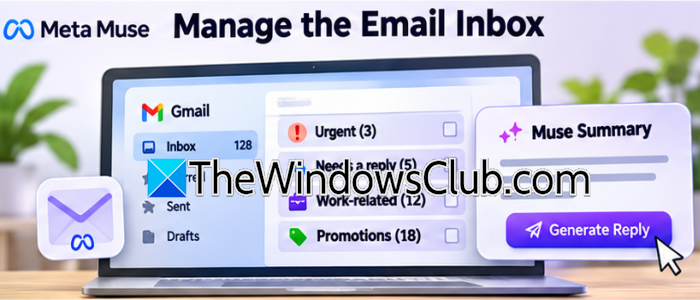
If a large part of your day is spent filtering important work emails from promotional emails, Meta Muse has you covered. Users connect it to their email account and then provide it with the necessary permissions. Once the setup is complete, users can leave message review and sorting to Muse, which flags messages that need immediate attention. Moreover, users can provide prompts to categorize them into Urgent, Needs a reply, Work-related, and so on based on their preferences.
Note: It does not create permanent Outlook or Gmail folders and move messages to them.
Once sorted, Meta Muse provides summaries and prepares replies. It looks into what the sender is asking and creates a response based on it. Then it shows the proposed email for approval, including its recipient, subject, and message. If it is approved, Muse sends the email through the connected account, so that users don’t have to manually open emails and press the Send button.
2] Organize, manage and find Files
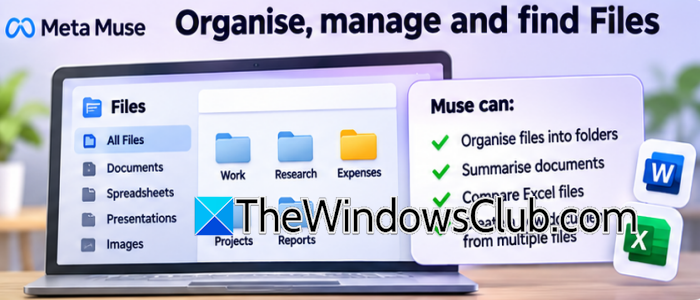
You know how difficult it is to find documents at the right time. If you don’t, you are lucky, but if you’re like me, it’s a hassle to find downloaded documents, saved images, or work with multiple Excel and Word files. To fix this, you can give Muse all the relevant files and ask it to do the initial work for you.
This feature comes in handy when we want to review monthly expenses and figure out items such as groceries, travel, subscriptions, and so on in a single place. We can also compare two Excel files to find differences in their figures or create a new document from multiple files. This is particularly helpful in research, when you have several documents but need to sort them out without spending too much time going through each one. If you are a Mac user, Muse can access files stored locally once you grant the required permission.
3] Organize the Calendar
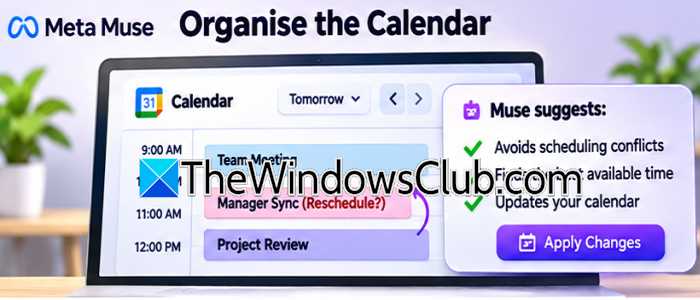
Meta Muse is like a personal assistant that helps you manage your calendar by avoiding clashes between appointments, especially if one appointment changes and disturbs the whole schedule. We can connect Meta Muse to the calendar and describe what we need through prompts rather than manually checking available time slots and moving appointments around. For instance, there are three meetings scheduled for tomorrow, and the manager suddenly requests an additional hour. We can ask Muse to check the existing calendar to identify available slots and suggest a suitable time.
Muse organizes personal appointments alongside work commitments, and prepares a daily schedule based on priorities. Users can also give broader instructions, such as organizing the upcoming week around existing meetings, deadlines, and personal commitments. The best part of Muse is its background continuity. This saves time because users don’t need to constantly switch between calendar, email, and messaging apps.
4] Handle bookings, fill out online forms, and provide customer support

Meta Muse also saves time while booking, filling out forms, or using customer support. Users can provide a prompt asking it to find flights and hotels within a certain budget and timeline, and leave the rest to Muse. It uses the Muse secure VM to open websites, compare options, fill out forms, and ask for permission before completing the reservation. Moreover, if we ordered something but it came missing or damaged, we can ask Muse to solve it. It will visit the retailer’s website, find the order, locate the refund or replacement section, and fill out the necessary information.
Muse can take a saved recipe Reel from Instagram and turn it into a structured shopping list. It can also plan a dinner party menu according to the guests’ preferences. These are some invisible labour tasks that consume time, and since it can function properly in the background, we can perform multiple tasks simultaneously.
Read: What is MXC integration that Meta Muse will use
5] Build a custom tool without coding
Last but not least, Meta Muse can create a new tool if it encounters a task it can’t complete with its existing capabilities. One example is prompting it to create a tool that tracks expenses, completed tasks, and deadlines in one place. Muse, with its own Linux system, browser, storage, and computing resources, builds a small utility inside its own working environment.
The best part is we don’t need to have programming knowledge to get started. We can explain what we want the tool to do, and Muse will work towards creating something that meets those requirements. It can build a task-specific utility to help perform calculations or track information, create connectors for services it needs to interact with, and create comparison tools.
That’s it!
Read: Meta AI not working on WhatsApp, Facebook, or Instagram
Will Muse support Meta AI glasses?
Yes! Meta has officially announced its plan to bring Muse to its AI glasses, including its Ray-Ban and Oakley smart glasses lineup.
