
Vibe coding has exploded, and every tool wants a monthly subscription. But there is still some light left for vibe coders, as there are tools that let you vibe code for free, with no project limits, no message caps, and no credit systems. In this post, we will look at some free vibe coding tools, and we will also cover some paid ones for coders who want a little extra.
What is Vibe Coding?
Vibe coding is a software development approach where you describe what you want in natural language and let an AI generate most or all of the code. Instead of writing every line manually, you focus on the “vibe” or intended outcome, while the AI handles the implementation details.
Best free Vibe coding tools
If you are looking for free vibe coding tools, look no further than the list given below.
- Dyad
- Cline and Aider
- OpenCode
Let us discuss them in detail.
1] Dyad
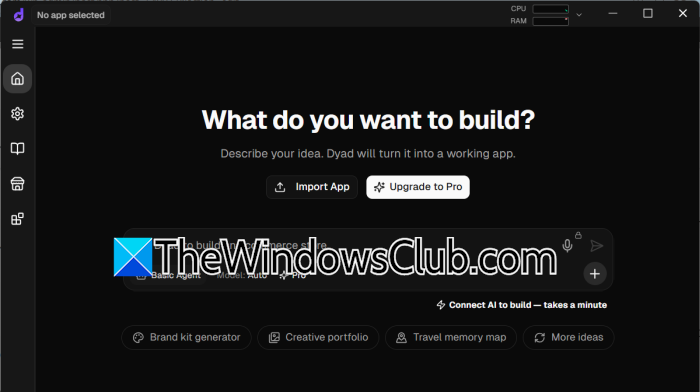
Dyad is worth checking out if you want to build apps without paying for another subscription. It is a free, open-source AI app builder that runs locally on your computer. Much like Lovable or Bolt, you can describe what you want to create, and Dyad uses an AI model to generate the code and let you preview the result.
What makes it different is that your projects and source code stay on your machine, rather than being tied to a cloud platform. You can also create as many projects as you need without worrying about project limits. Dyad supports several AI providers, including OpenAI, Anthropic, Google Gemini, and local models through Ollama. You don’t even need to create an account to get started.
The free version does have some limitations on its built-in AI features, though. If you want additional capabilities, Dyad Pro costs $20/month, while Dyad Max costs $79/month. Both plans include monthly AI credits and access to additional features. You can go to Dyad.sh.
2] Cline and Aider
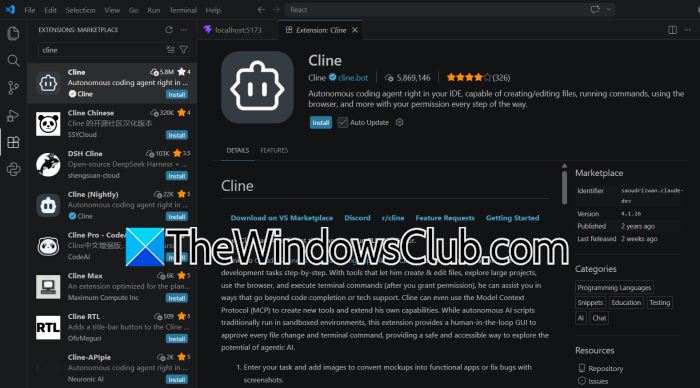
You can also use Cline or Aider if you don’t want to depend on a subscription with a fixed number of AI messages. Both are open-source coding agents, but they work a little differently. Cline runs inside VS Code and can read project files, make changes, run commands and show you the edits before you accept them. Aider, on the other hand, works from the terminal and uses Git to keep track of code changes.
Neither requires you to use a particular AI provider. You can connect them to a cloud model using your own API key or run a model locally through Ollama. The latter option means you don’t pay for individual API requests, although your computer handles all the processing. There is no fixed message allowance imposed by a cloud AI provider when you run a local model, so usage mainly depends on your hardware and the model you choose. You can access Aider from github.com/Aider-AI and Cline from github.com/Cline. If you are familar with VS Code, you can go to marketplace.visualstudio.com to access Cline.
3] OpenCode
OpenCode is an open-source coding agent that you can run directly from a terminal. It has also become quite popular on GitHub, with more than 225,000 stars, and its source code is released under the MIT license. One thing worth mentioning is its support for different AI models. OpenCode works with more than 75 LLM providers, so you aren’t tied to a single company’s API. You can also connect it to Ollama or LM Studio to use models running on your own computer. If you work on remote machines, you can run OpenCode in a remote terminal and access its server through SSH port forwarding. The tool itself is free, but cloud models may charge for API usage. With a local model, you avoid those API charges, although performance will depend on your hardware and the model you’re running. Go to github.com to access OpenCode.
Read: Builder.io: A Practical Review for Website Builders & Teams
Other Notable Free Open-Source Options
Beyond Cline, Aider, and OpenCode, you can try a few other tools.
- Kodiqa, for example, works with Ollama, allowing you to run AI models locally instead of relying on paid APIs. It also supports cloud AI providers if you need access to more capable models.
- OpenHands is another option, particularly if you want an agent that can handle more than writing code. It can edit files, run commands, and work through development tasks. You can run its open-source version on your own machine and connect it to a model of your choice.
- VibeIDE takes a different route. It is built on the VS Code codebase, with AI features integrated directly into the editor. Continue.dev is another project worth mentioning, although its original repository is archived, so check its current development status before choosing it.
Paid Vibe coding tools
If you want a bit extra from your vibe coding utility, try some of these paid Vibe coding tools as well.
1] Cursor
Cursor is an AI-powered code editor built around VS Code, so developers familiar with VS Code should feel at home. Its free plan comes with limited AI requests, while paid plans offer larger usage allowances. Watch out for its pricing, which has changed. The current pricing page lists Plus at $8/month and Premium at $30/month, with higher tiers available for heavier use. Plus only supports Grok models, while Premium adds access to third-party models at additional usage costs. Cursor is a good option if you want AI assistance without leaving your code editor.
2] Claude Code
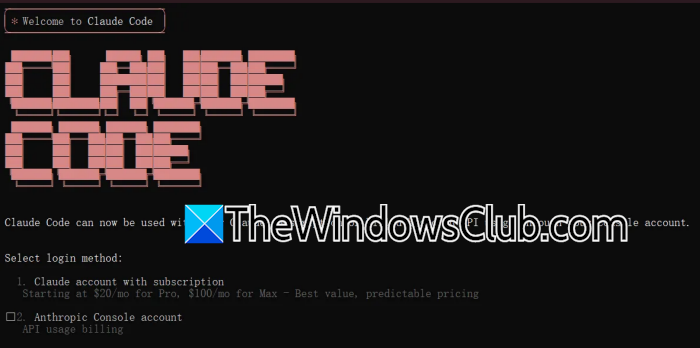
Claude Code takes a different approach. Instead of working entirely inside an editor, it runs in your terminal and can inspect files, modify code, run commands, and work across multiple parts of a project. It is available with Claude’s paid subscriptions, starting with Pro at $20/month or $17/month when billed annually. If you need more usage, Max plans start at $100/month. It is particularly useful when you want to hand over a larger coding task rather than ask for help with individual lines of code.
Read: How to run Claude Code Locally for free on PC
3] Bolt.new
Bolt.new is worth considering if you want to build something without setting up a local development environment. It runs in your browser, where you can describe an app and let AI generate the code. The free plan includes 1 million tokens per month, with a daily limit of 300,000 tokens. If you need more, the Pro plan starts at $25/month and includes 10 million tokens. Bolt is handy for trying out ideas and putting together prototypes, although you’ll want to review and test the generated code before using it in a production application.
Read: Claude Code vs OpenAI Codex: Which AI Coding Assistant is better
Are any free vibe coding tools unlimited?
Yes, but you’ll need to look beyond hosted platforms. Tools such as Lovable, Bolt.new, and v0 limit how much you can use their free plans. If you want to avoid monthly credits and message limits, try open-source tools like Dyad, Cline, or Aider with a local model through Ollama. You won’t pay for API requests, but your computer will handle the processing. The only real catch is that you’ll need suitable hardware and some initial setup.
Also Read: Using Claude Code and OpenAI Codex remotely in Windows 11.
