
Here is a list of the best free open source document editor software for Windows 11/10. These are basically the free software that let you create and edit different types of documents and come with an open-source license. Basically, you can use these document editors for free as well as download the source code of these software. You can study and modify the source code without any restrictions.
Like any standard document editor, these let you create several kinds of documents, including text documents, spreadsheets, and presentations. You get all the required formatting tools and other document editing functions in these software. Plus, these editors support a wide number of document formats. So, you can create documents in different formats including DOC, DOCX, RTF, TXT, XLS, XLSX, PDF, and more. You can even encrypt the output documents in many of these free open source document editing software.
Let us check out the features provided by these editors in detail.
Best Free Open Source Document Editor software for Windows 11/10
Here is the list of the best free open source document editor software for Windows 11/10:
- LibreOffice
- Apache OpenOffice
- OxygenOffice Professional – Office Suite
- CryptPad
- FocusWriter
Let us discuss these software and their features in detail now!
1] LibreOffice
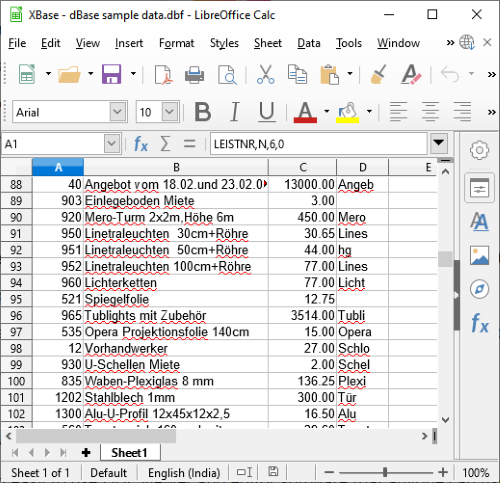
LibreOffice is a free and open source office suite for Windows and other operating systems. Using it, you can create different types of documents including text documents, spreadsheets worksheets, presentations, drawings, and more. It comes with individual applications that let you create respective documents.
To create documents in formats including ODT, DOC, DOCX, XML, HTML, RTF, TXT, and more, you can use its LibreOffice Writer application. If you want to make spreadsheets, use the LibreOffice Calc application. It lets you create spreadsheets in formats like XLS, XLSX, HTML, CSV, DIF, ODS, etc. In order to generate beautiful presentations in PPT, PPTX, PDF, ODP, and other formats, you can use LibreOffice Impress. You also get applications like LibreOffice Math, LibreOffice Base, and LibreOffice Draw in this office suite.
It offers many powerful document-editing tools. You can insert images, audio, video, objects, shapes, tables, forms, and more objects in your documents. It also lets you format the text content using a variety of fonts, titles, headings, subheadings, preformatted text, and quotations. It also offers mathematical functions, formula expressions, pivot tables, graphs, and more that you can insert into your spreadsheets.
Apart from standard document-editing tools, LibreOffice also offers handy tools that help you create documents easily. These tools include Word Counter, Spell Checker, AutoCorrect, Chapter Numbering, Bibliography Database, Mail Merge Wizard, Macros, XML Filter Settings, and more. Additionally, you can create password-protected, secure documents using encryption and digital signature features.
All in all, LibreOffice is one of the best free open source document editors that lets you create professional and encrypted documents.
Read: Best Free LaTeX Editors for Windows PC.
2] Apache OpenOffice
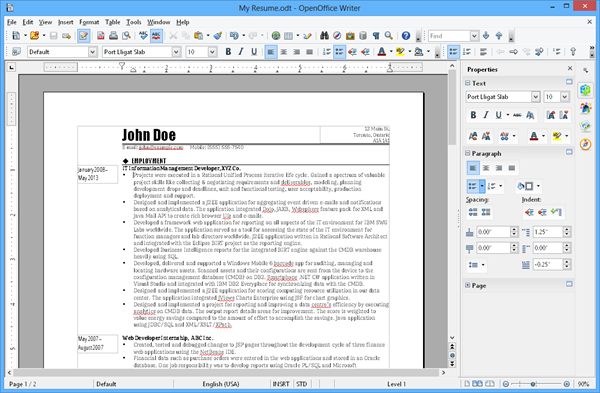
Apache OpenOffice is a free open source document editor for Windows. It is a popular office suite you can use to create various types of documents. You can generate plain text documents, formatted documents, spreadsheets, and presentations using it.
Like LibreOffice, it offers separate applications for processing different types of documents. You can use OpenOffice Writer (for documents), OpenOffice Calc (for spreadsheets), OpenOffice Impress (for presentations), OpenOffice Draw (for drawing), OpenOffice Base (for the database), and OpenOffice Math (for formulas). So you can use the appropriate application to create a specific type of document.
Using it, you can create documents with media files, tables, forms, objects, charts, clipart, and more. Plus, you can also format the content using a variety of formatting tools, such as font, layout, style, page size, and many more advanced formatting tools. It also includes useful features such as spell check, word count, mail merge wizard, and more.
Regarding document formats, it supports all the major ones. These formats include ODT, DOC, DOCX, XML, HTML, RTF, XLS, XLSX, CSV, PPT, PPTX, and some more. You can also encrypt the output document and digitally sign it.
It is a great document editor that comes with a free, open-source license.
Related: Create PDF Files and Documents with Free PDF Editor for Windows PC.
3] OxygenOffice Professional – Office Suite
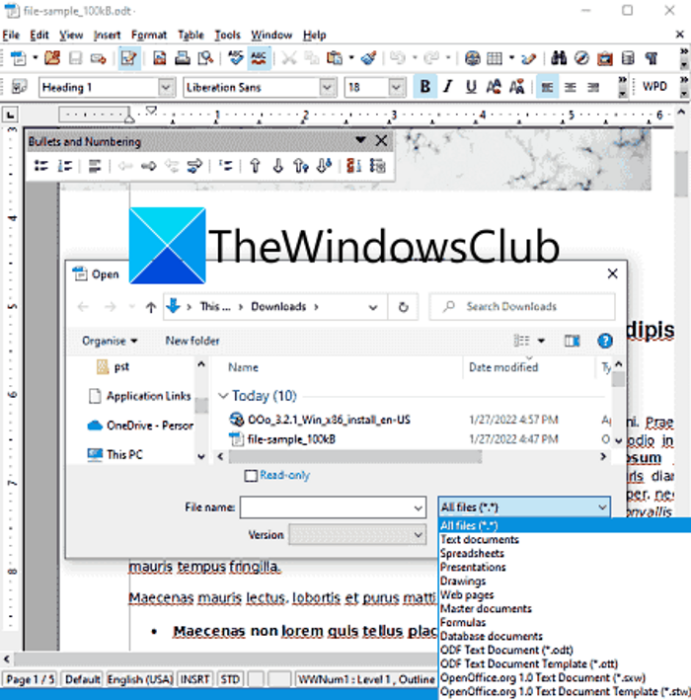
OxygenOffice Professional – Office Suite, as the name suggests, is a free open source office suite that you can use to create and edit documents. It is a fork of OpenOffice and has a similar feature set.
Using it, you can create text documents, spreadsheets, presentations, drawings, web pages, and more. It also provides various applications for processing different types of documents. In it, you can find all standard text formatting tools as well as can insert images, media files, charts, and more into your documents. Plus, it includes spellcheck, word counter, macros, encryption, and other useful features.
It is a great open-source document editor that supports a wide range of document formats. Some of the supported formats in it include ODF, ODP, PPT, PPTX, RTF, TXT, DOCX, XLSX, HTML, PDF, and more.
If you want to use it, you can download it from sourceforge.net.
See: ConstEdit is a free HTML5 editor to create & edit HTML & HTML5 documents.
4] CryptPad
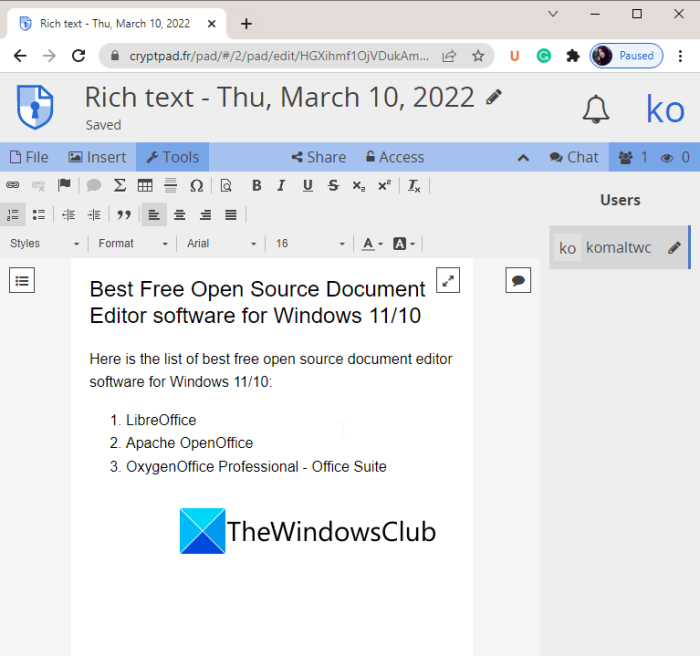
CryptPad is another free open-source document editor on this list. It is different from other mentioned software as it is a web-based document editor that you can use in a web browser online. This web service is end-to-end encrypted, so you can create secure documents online. Also, it provides you the flexibility to collaborate with your friends and colleagues on a particular document. You can also chat with the collaborators using it.
Using it, you can create text documents, spreadsheets, markdown slides, forms, and more types of documents. You can find all general formatting tools in it like fonts, text style, typographical emphasis, and more. It also lets you insert existing files including images, other documents, etc. You can also use tools like Math and Table. It also shows you the word count.
It supports various output document formats including HTML, DOC, PDF, XLSX, ODS, and more. You can also print your documents, view editing history, and more. You can try it here.
Read: Best free Markdown Editor software for Windows PC.
5] FocusWriter
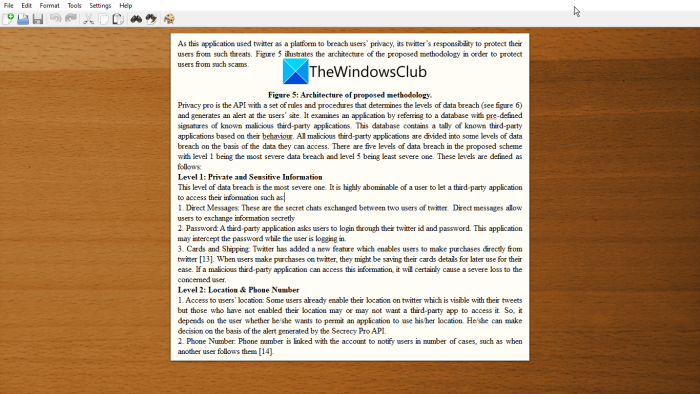
FocusWriter is yet another free open source document editor software for Windows. It is a distraction-free document editor that lets you create documents without screen distractions. It helps you concentrate on writing the actual content of the document. So, if you are looking for a distraction-free document editor that helps you focus on writing, you can try this one.
It provides all the standard document-editing tools and features you expect in a document processor. You can create documents in formats such as TXT, RTF, DOCX and ODT. Other than that, you can print the document or use the Print feature to save it as a PDF.
All the generic formatting options like heading styles, typographical emphasis (bold, italic, underline, strikethrough), superscript or subscript, increase/ decrease indent, align text, and RTL & LTR text directions are present in it.
Find & replace, spell check, word count, and other features are also available. These tools help you create documents easily.
It is a good open-source document editor that you can try for free. The good thing is that it comes in both installer and portable packages. You can download whichever version you prefer from its official website.
That’s it! Hopefully, this list helps you find a good open-source document editor that you have been looking for.
Read: Icecream PDF Editor: Free PDF Editor for Windows 11.
Which free document management software is best?
There are various document management software programs that are available for free. You can try Krystal DMS which is free software that lets you store, manage, and track documents. It lets you manage documents in formats like XLS, XLSX, DOC, DOCX, PPT, TXT, XML, CSV, ZIP, etc. Apart from that, there are some other free software programs that you can use for managing documents. These free software are Alfresco, LogicalDOC, Feng Office, Archimede, and OpenDocMan.
Which open source application can you use to create a digital document?
To create a digital document, you can use a lot of free open-source applications. LibreOffice lets you create several types of documents. You can also try OpenOffice for the same. Apart from that, in case you need a distraction-free document editor that lets you focus on writing, you can use FocusWriter. We have discussed these open source applications in detail below, so check them out.
What is open source DMS?
DMS stands for Document Management System. An open-source document management system (DMS) is software that lets you save, manage, and track your documents and comes with an open-source license. You can download, study, and manipulate the source code of such document management software. Some examples of open-source DMS include OpenDocMan and LogicalDOC.
Now read:
- Best Free Reference Manager software for Windows 11.
- Best Free Cloud Project Management Software and Tools.
