
If you are a long-time Android and Windows user, you must be familiar with BlueStacks, an Andoird emulator that lets you run Android apps on a Windows computer. With the introduction of the Windows Subsystem for Android, there is a big question that needs to be answered, which is Windows Subsystem for Andriod vs BlueStacks, which one is better? In this post, we are on a mission to find the answer to this question. So, put your reading glasses on and start reading.
Windows Subsystem for Android vs BlueStacks comparision
In this comparison of Windows Subsystem for Android vs. BlueStacks, we will evaluate them on the following parameters.
- App Availability
- Performance
- Gaming
- Programming
Let us talk about them one by one.
1] App Availability
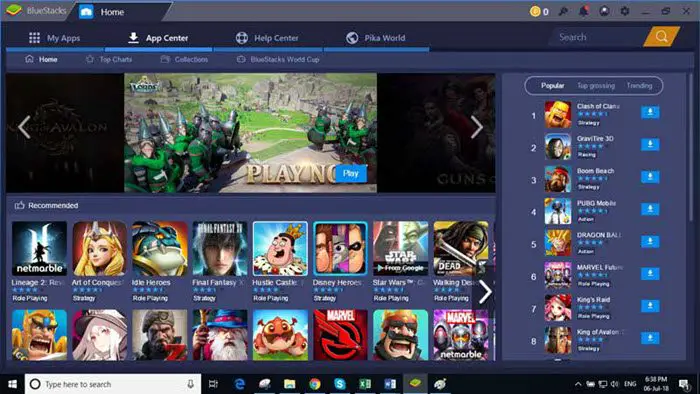
Let us start with something you would want to know right off the bat. What’s the app availability situation on both corners? As you may already know, BlueStacks runs android apps natively on Windows, it’s not easy to miss this feature as that’s what their marketing is based on. However, Windows Subsystem for Android doesn’t run Google Apps and services natively.
You can sideload Android apps to work on Windows 11, but that’s a workaround. But there is a catch, since, WSA doesn’t have GMS or Google Mobile Service, app collection is very limited, and even if you manage to sideload apps, some of them won’t work because of the lack of GMS.
Whereas on BlueStacks, there is no such issue. Since you are running Android natively on Windows, you will get all the Android apps thanks to the Play Store.
Also Read: How to get Instagram or Snapchat on Windows PC.
2] Performance
Some might think that Performance depends greatly on the device’s hardware, which is true but not entirely. You see, the better an is optimized, the smoother it will run. Both WSA and BlueStacks are good when it comes to doing the basic tasks, be it using the supported Android apps or watching videos, there is nothing to complain about.
One thing to note here is that WSA requires a significantly larger amount of RAM compared to BlueStacks. BlueStacks was using around 2.4 to 3 GBs of memory when it was around 100 – 500 MBs. This might not be a deal breaker for you if you have 8 or 16 GB of RAM, but if you plan to run this tool on a 4 GB system, then make sure not to run anything alongside it.
Long story short, BlueStacks is slightly ahead of WSA in terms of performance right now, but as the developer releases newer versions of WSA, this lead can be eliminated.
3] Gaming

Let’s be honest, one of the reasons you want to run Android apps on your computer is to play all the crazy Android games on your PC’s larger screen. There are two key points we need to discuss in this section. First, the availability of games, and second, their control.
When it comes to availability, BlueStacks is a hands-down winner. It has the Play Store, which means it has more games and apps. For WSA, you need to obtain games from the Amazon Store and the Aurora Store; however, there are not enough options available.
BlueStacks again takes the lead in terms of control. Since the app has been around for quite some time, it is more advanced in customization and buttons.
If you want to play Android games, BlueStacks seems to be the winner here, but WSA will catch up once developers start dedicating more time to it.
Read: Play Android games in the cloud on Windows with BlueStacks X
4] Programming
BlueStacks was winning before this round, but in terms of Programming and Software Development, there is no competition; WSA is far better. You can enable Developer Mode and ADB, and then debug programs without relying on emulators, you will get an IDE to do your job.
However, due to the lack of GMS, you may need to use an emulator for testing; this is the only available option. You can do everything here. Additionally, there is a high likelihood that WSA will begin supporting GMS.
Therefore, we can say that Android Subsystem for Android takes the cake in this round.
NOTE: Starting March 5, 2025, the Windows Subsystem for Android and the Amazon Appstore will no longer be available in the Microsoft Store.
Is Windows Subsystem for Android better than BlueStacks?
Windows Subsystem for Android is in its development phase and should surpass BlueStacks in a given time. But as of now, there are more things that BlueStacks does better than WSA. However, if you are a developer, WSA is a better option.
Is there a better Android emulator than BlueStacks?
Yes, there are a lot of good Android emulators. BlueStacks is just the most famous one. All of them are different than one another. We recommend you check our list of the best Android emulator and download the one you like. BlueStacks is not your only option.
Also read: How to speed up BlueStacks for faster Android emulation.
