
Microsoft was one of the major corporations to partner with OpenAI after OpenAI released ChatGPT to the public. They integrated ChatGPT capabilities into Bing search and created a new path for search engines. Microsoft played no role in developing GPT models. They partnered with OpenAI and invested in its research, development, and data centers. Instead of relying on partnerships with other AI companies, Microsoft has decided to create its own models, called Microsoft AI or MAI. In this post, we explain what MAI is and show you a beginner’s guide to using MAI models.
What is Microsoft MAI
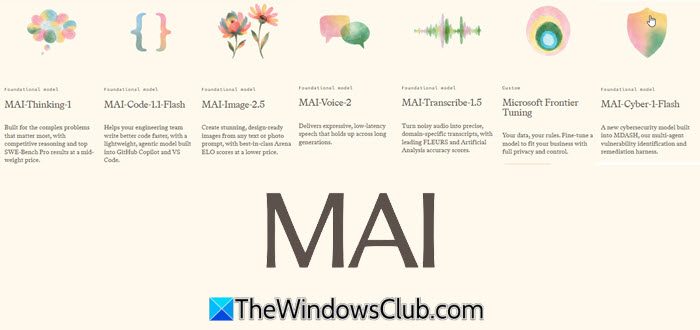
Microsoft, along with Microsoft Scout and other tools, has introduced Microsoft AI, or MAI. MAI is developed as in-house models by Microsoft’s AI Superintelligence Team. They released seven new models. Microsoft trained these models from scratch on enterprise-grade data with zero distillation. MAI has mid-sized models, including a 35-billion-parameter model with a 256K context window. They are built and optimized for high efficiency and better performance at a low-token cost, unlike other models.
MAI models are available on Fireworks AI, Baseten, and OpenRouter.
Which MAI Models are currently available?
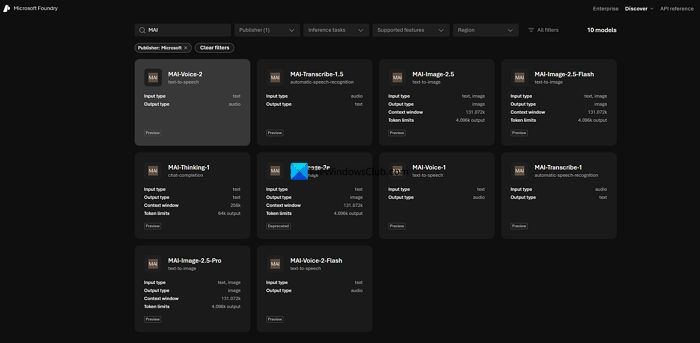
Microsoft AI (MAI) offers a suite of proprietary generative AI models, including MAI-Transcribe-1 (speech), MAI-Voice-1/2 (speech generation/voice), and MAI-Image-2 (vision/images). Microsoft’s AI Superintelligence Team released seven MAI models at Microsoft Build 2026. They are:
- MAI-Thinking-1: MAI Thinking-1 is Microsoft’s flagship AI model. It is a medium-sized model that performs better than other models in its weight class. On key benchmarks for software engineering and advanced mathematical reasoning, it leads and is preferred over Sonnet 4.6 in blind tests. The model is trained from scratch without any distillation from other models, using clean data.
- MAI-Code-1-Flash: Microsoft-Code-1-Flash is a coding model comparable to Haiku and is cheaper. It is an inference-efficient agentic model that is tailor-made for and integrated into Microsoft products like GitHub, Copilot, VS Code, and the Microsoft stack, with 5 billion active parameters.
- MAI-Image-2.5: This model, along with the Flash variant, is touted to be ultra-efficient with support for creating and editing images with textual prompts. MAI-Image-2.5’s Arena score surpasses Nano Banana Pro’s.
- MAI Transcrible-1.5: Microsoft claims MAI Transcrible 1.5 is the best transcription model in the world. They claim it has State-of-the-art (SOTA) accuracy. This model beats competing models in accuracy and is five times faster. It shows its mastery of domain-specific terminology across 43 languages.
- MAI-Voice-2: MAI Voice 2 brings natural-sounding, high-quality speech generation capabilities across 15 languages. It adapts easily to any voice with just a small sample. The model also has strong safeguards against misuse.MAI-Voice-2-Flash does the same at a lower cost.
The other two models are just variants of the above models, like MAI Image Flash and MAI Voice 2 Flash.
Beginner’s guide to using MAI
All MAI models can be used through Microsoft Foundry. You can find the list of models in the Foundry catalog and request access or deploy them. The simple way to experiment with MAI models before deploying them for regular usage is via MAI Playground.
Visit MAI-Playground in any web browser. If asked, sign in with your Microsoft account credentials. Then, click the sidebar button to see the list of available models. Select the model you want to experiment with.
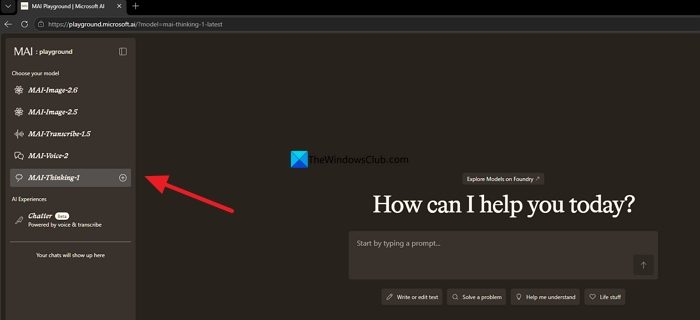
The interface changes with the model you select. Enter your prompts. If you haven’t already signed in, a dialog box will appear after you enter your prompt, asking you to sign in.
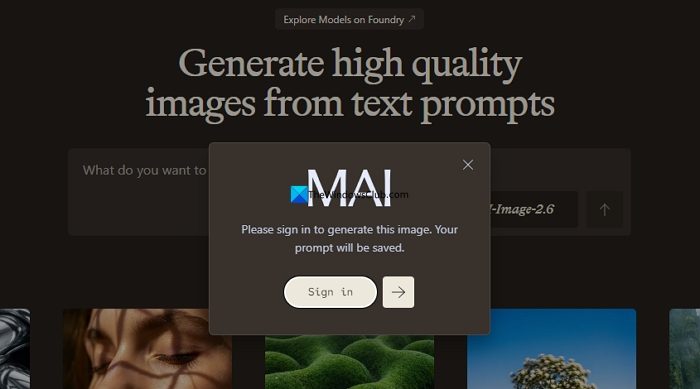
Sign in with your Microsoft account and experiment with all the models. Then, go to Microsoft Foundry and deploy them for your organization for regular use. Microsoft claims these MAI models are much cheaper than other models on the market but deliver better output.
Read: Build AI-powered desktop automation workflows in Windows 11
Is MAI-Image-2.5 better than Nano Banana?
Microsoft ran blind tests on its in-house AI models called MAI, including MAI-Image-2.5, along with similar models like Nano Banana and Nano Banana Pro. According to Microsoft, the Arena score of MAI-Image-2.5, along with its Flash model, tops Nano Banana Pro. Going by that claim, MAI-Image-2.5 will definitely be better than Nano Banana. Results may vary by use case.
What is Microsoft’s new image model?
Microsoft has three new image models in preview. They are MAI-Image-2.6, MAI-Image-2.5, MAI-Image-2.5-Flash, and MAI-Image-2.5-Pro. These models are available on Microsoft Foundry, and you can request access. You can test MAI-Image-2.6 and MAI-Image-2.5 on the MAI Playground website.
Read: The Future of Windows AI Agents.
