
In recent years, AI video face swap tools have become increasingly popular due to their ability to transform videos with realistic face replacements in just a few clicks. Are you also looking for an AI tool for video face swapping? This blog shares with you the top 4 video face tools and compares their key advantages. Let’s start exploring to learn more details.

What are the Best AI Tools for Video Face Swapping
There are many AI tools for video face swapping available in 2026. Some platforms like VidMage focus on a massive template library and multi-face, and other tools like FaceFusion offer local processing.
Below is a quick comparison of the top 4 AI video face swap tools based on our testing:
| Tool | Best For | Free Trial | Key Advantages |
| VidMage | All-in-one platform for social media influencers and marketers who need high-quality face swaps | 15 free photo swaps and 20s of video credits daily. | Massive library of templates; Handles multi-face swaps and 4k exports seamlessly. |
| Deepswap | Filmmakers and YouTubers who need realistic stability in long-form content or scenes | Requires a subscription or credit pack | Supports extended video durations |
| Faceswapper | Casual users who want to create a funny meme or GIF instantly | Not fully free, resets daily | Web-based and fast; no-signup free use |
| FaceFusion | Technical users with dedicated GPUs who want absolute privacy | $20 for Windows$30 for macOS | Runs entirely offline; frame enhancers for local rendering. |
Top 4 AI Video Face Swap Tools for 2026
1. VidMage

VidMage has quickly risen to the best AI face swap video tool due to its ability to instantly replace faces to create fun, engaging, or professional content. The platform stands out for its massive inspiration gallery, where you can browse a wide range of movie scenes, trending memes, celebrity, social media effects, and other aesthetic templates to jumpstart your creation.
It’s also one of the best online tools that natively supports high-quality 4K exports and complex batch-face/multi-face swapping, making it a robust choice for group videos. It’s very easy to use, even for those with zero video editing experience. Simply upload the video into the tool, choose a clear face photo for swapping, and click “Swap Face Now”, and it will process your video immediately.
Key Advantages of VidMage:
- Template-Driven Creativity: Access a huge number of pre-made movie scenes and viral templates for instant inspiration.
- Multi-Face & Batch Processing: Swap multiple people in a single video or process large batches of images simultaneously.
- High-Resolution Support: Seamlessly handles 4K video files, ensuring your content looks professional on any screen.
- Extensive Format Compatibility: Supports a wide range of files, including MP4, MOV, and even high-quality GIFs.
- Generous Free Trial: Offers 15 free image swaps, 20 seconds of free video processing, and 2 GIFs—one of the best deals in the market.
2. Deepswap
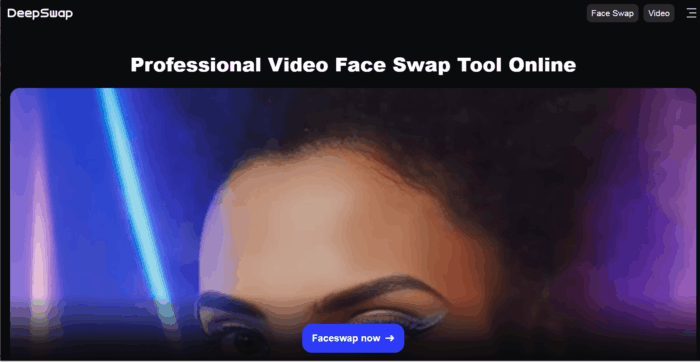
Deepswap is also a top choice that can instantly replace your faces in videos, photos, and GIFs. It focuses on extreme precision, ensuring that face swaps in videos, photos, and GIFs maintain a staggering 90% similarity to the source face.
The platform excels at handling “difficult” frames where lighting is uneven or the subject is captured at a challenging angle. It supports multi-face swapping, allowing you to replace up to 6 faces simultaneously within a single video clip while maintaining high quality.
Key features of Deepswap:
- Exceptional Resemblance: Achieves lifelike precision and expression matching.
- Group Scene Mastery: Swaps up to six faces in one video.
- Extended Content Support: Processes videos up to 30 minutes long.
3. Faceswapper
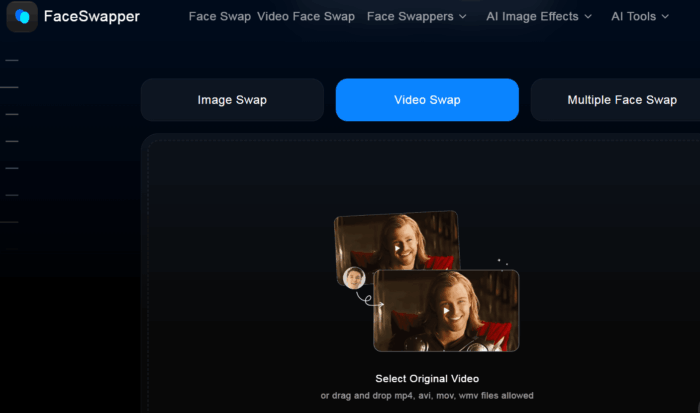
Faceswapper is an AI platform that allows for seamless face replacement across various media formats, including videos, photos, and even animated GIFs. Its specialized Video Face Swapper feature can perform high-end algorithms to ensure the results are both dynamic and visually consistent with the original clip’s motion.
For group projects, its multiple face swapper can detect and replace several people in a single shot. The platform is built for broad compatibility, supporting popular Windows-friendly file formats such as MP4, AVI, MOV, and WMV.
Key features of Faceswapper:
- Dynamic Video Mapping: Ensures swapped faces move naturally with the original subject.
- Multi-Face Swapping: Detects and replaces multiple individuals in one video simultaneously.
- Format Versatility: Broad support for high-definition video files up to 1080p.
4. FaceFusion
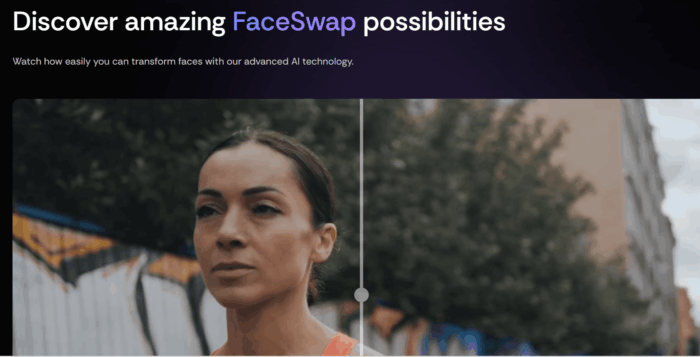
FaceFusion is a leading AI face swap application for those who prefer to perform face swapping directly on their PC, offering greater privacy and full local control over the entire process. Unlike web-based tools, FaceFusion runs directly on your PC, utilizing your NVIDIA GPU’s CUDA cores to render videos.
Because it runs locally, you aren’t limited by “credits” or monthly subscriptions after buying the app. It’s built for the technical hobbyist who wants to tweak every parameter—from facial occlusion masks to color enhancement—to get the perfect blend.
Key features of FaceFusion:
- Local Processing: Runs entirely offline on your PC for privacy.
- Hardware Acceleration: Supports NVIDIA CUDA, CoreML, and DirectML for high-speed rendering.
- Advanced “Pixel Boost”: A specialized post-processing mode that significantly sharpens swapped facial features.
Read: How to create realistic images using DALL-E-2 AI service
What to Do Before Using AI Face Swap Tools
AI face swapping is a game-changer for creativity and speed, but it’s a double-edged sword if you are not using it properly. Before using the AI tools, you can follow these practical tips to get the optimal results:
- Source Quality is Critical: AI cannot “invent” detail from a blurry image. Always use high-resolution, front-facing source photos with clear expressions for the most accurate mapping.
- Match the Lighting and Angles: To avoid an “uncanny” look, try to choose source and target faces that share similar lighting conditions and head tilts. Mismatched shadows are the most common giveaway of an AI swap.
- Mind Your Hardware: Cloud-based tools like VidMage are perfect for standard laptops or mobile use, while local tools like FaceFusion are suitable for desktop users with dedicated NVIDIA GPUs.
- Respect Consent and Ethics: Never use someone’s likeness without their explicit permission. Many platforms now include digital watermarks or C2PA metadata to identify AI-generated content—respect these safety measures.
In Conclusion
What’s the best AI video face swap tool for 2026? Now, I believe you have picked the right tool based on your specific creative goals and hardware setup. For a seamless experience with a massive library of templates and 4K support, tools like VidMage are worth trying for most creators. If you are a technical user on PCs who values privacy above all else, FaceFusion provides unmatched local control.
Read: Best Deepfake apps, software and websites.
