
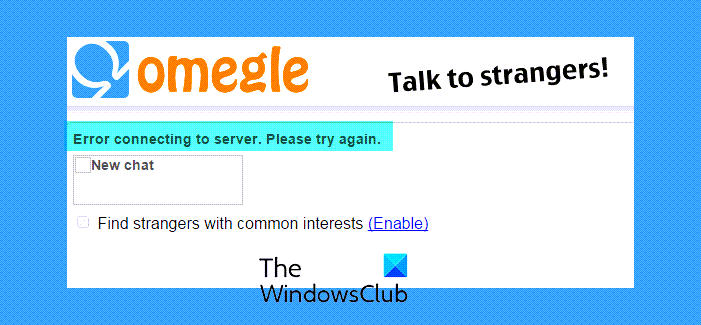
Omegle is arguably one of the most successful websites that allow you to video chat with strangers. This is a cool service and can give you access to users from many different countries. However, many users have complained that they are unable to the service. They see Error connecting to server, Please try again message when trying to connect to Omegle. That’s why we are here. In this article, we are going to rectify the Omegle server error and will see how you can resolve the issue with the help of some simple solutions.
Why is my Omegle not connecting?
If there is nothing wrong with your computer network or your browser, then the error is server-side. If the Omegle server is down, you won’t be able to connect to its server. We will discuss this further and how to know if the server is down hereinafter.
You may also see an Omegle server error if there is an issue with your IP. Omegle might block your IP, or if there is a glitch in your IP configuration. We are going into detail and talking more about it later.
One can also face some very obvious issues, such as a corrupted cache or a poor Internet connection. As for the former, clearing the cache is the way to go, it won’t affect your browser’s performance, instead, it will resolve all the issues that it may or can have because of those caches. But for later, we need to take some things into account.
Fix Omegle error connecting to server
If you want to fix the Omegle error connecting to server then try the following solutions.
- Is Omegle down
- Check your Internet Connection
- Flush DNS and Reset Winsock
- Clear Browing Cache
- Use VPN
Let us hop into it.
1] Is Omegle down?
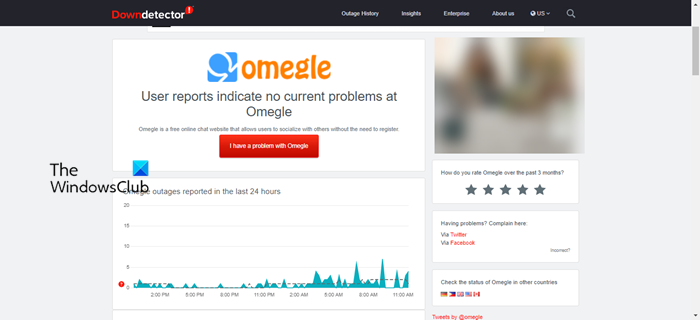
As mentioned earlier, the issue can occur if Omegle is down. To know if the server status of any website, you can use any of the down detectors. If Omegle is down then the only thing you can do is wait for some time until Omegle engineers get it back on track. You can also try checking the server status from time to time if you want to use Omegle as soon as possible.
2] Check your Internet Connection
Make sure you have a reliable network to connect to the Omegle server. Do an Internet speed test and see your bandwidth, if it is slow then check if all the devices connected to your network are having similar bandwidth. If they are, then restart your network devices, be it your router, modem, or your computer, and see if the issue is resolved. If the issue persists, try contacting your Internet Service Provider and asking them to resolve it.
3] Flush DNS and Reset Winsock
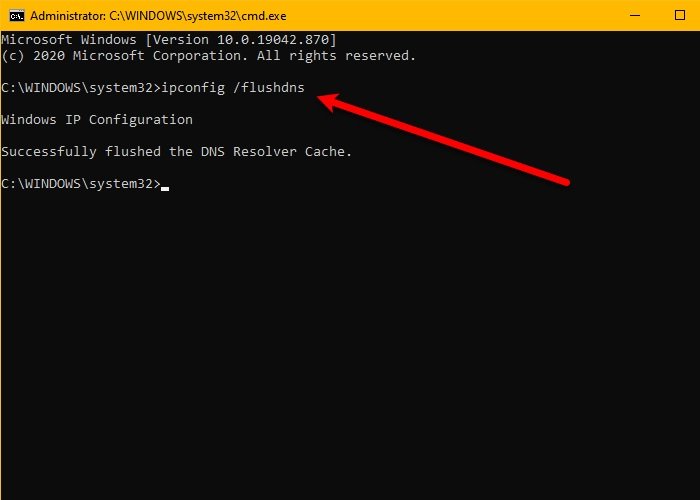
If there is a glitch with your IP configuration, then the easiest way to resolve it is by executing some commands. Therefore, open Command Prompt as an administrator and run the following commands to clear DNS, Reset Winsock, etc.
ipconfig /flushdns

ipconfig /registerdns

ipconfig /release

ipconfig /renew

netsh winsock reset
After executing them, restart your system and see if the issue persists. If so, move to the next solution.
4] Clear Browser Cache
You might not be able to connect to the Omegle server if there is an issue with your browser cache. To resolve it, you have to clear your browser cache. This won’t have an adverse effect on the functioning of your browse, just resolve the issue. So, clear the cache of your browser and see if the issue persists.
5] Use VPN
Sometimes, Omegle can block your IP and as a result, you won’t be able to connect to the server. There are many reasons they would do that; they might mistake you for a bot, or, worse, for a hacker. In either case, the server admin can blacklist your IP address. Sometimes, they can block for days, sometimes for years, or forever.
The best solution is to use a good VPN service. It is a simple way, that will create a tunnel for your network and you will be able to connect to the Omegle server. However, not all VPN services work with Omegle, so make sure you don’t invest in a service without testing it a bit. Read the next section to know more.
Hopefully, you can resolve the issue using the solutions mentioned here.
Does Omegle work with VPN?
Yes, Omegle works with the most popular VPNs. However, not all VPNs work with this service. So, you need to check if the VPN that you are going to buy works with Omegle or not. Therefore, try a free trial to see how it works. Other than that, you can also try some free VPN services.
