
When you can’t access a website in the Chrome browser, you may see the ERR_ADDRESS_UNREACHABLE message. Let’s look at some solutions to help you fix the problem and get back to browsing.
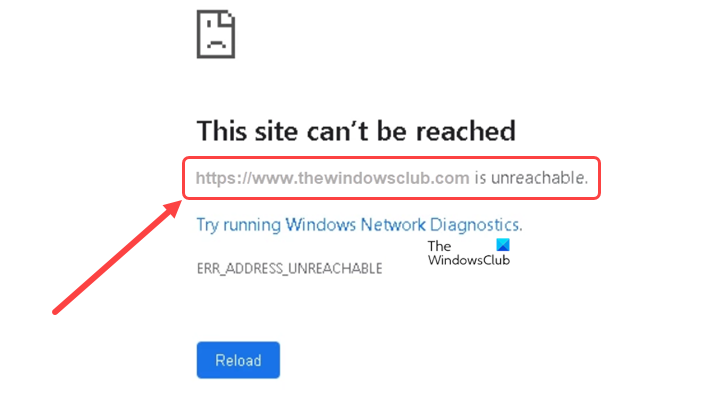
Fix ERR_ADDRESS_UNREACHABLE in Chrome browser
This error mainly occurs when you try to visit a website that no longer exists. However, in some cases, the message is displayed even on valid websites. So, there can be an unknown error that can be fixed by following one of these troubleshooting methods.
- Disable the proxy server
- Clear Host Cache in Chrome
- Disable any recently installed extensions
- Flush the DNS cache
- Temporarily disable anti-malware app
Before you begin, ensure that your internet connection is working properly.
1] Disable the Proxy Server

It’s good to use a proxy server when connected to a public network but this can sometimes interfere and cause network issues like ERR_ADDRESS_UNREACHABLE error, especially when you are using a proxy server outside of your office. To fix this, disable the Proxy Server and see if it helps.
2] Clear Host Cache in Chrome
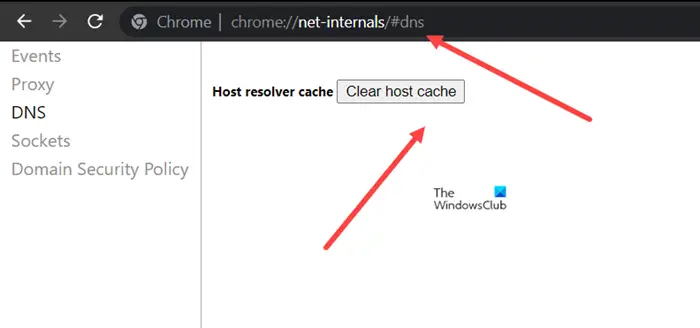
DNS cache is not only cached by an OS. Even browsers like Chrome cache DNS records. Cleaning it periodically can help fix the browser problems and run uninterrupted. Here’s how you clear the Host cache in Chrome.
Launch Chrome browser, type the following in the address bar, and press Enter: chrome://net-internals/#dns
Hit the Clear host cache button.
When done, close the browser and reopen it.
3] Disable any recently installed extensions
If you installed any extension recently and started experiencing the error thereafter, remove or disable the extension temporarily.
4] Flush the DNS cache
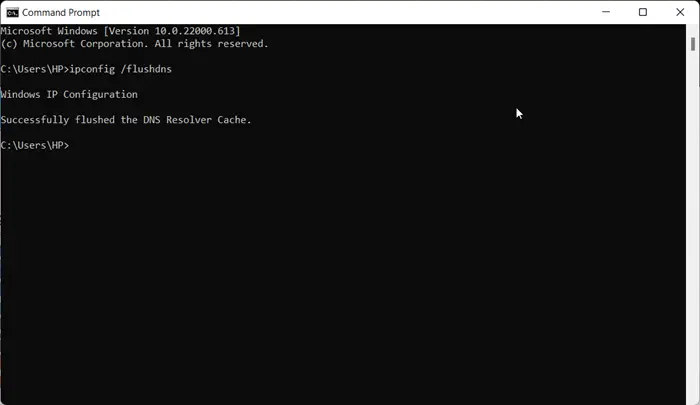
If your browser is having trouble reaching a specific website or server, a corrupt local DNS cache may be the issue. This will require flushing the DNS cache to allow your computer to communicate with the host correctly.
5] Temporarily disable anti-malware app
Some antivirus or antimalware programs running in the background may cause compatibility issues, preventing you from accessing a webpage and displaying the ERR_ADDRESS_UNREACHABLE error. Disable the program and see if it helps.
What is a proxy server used for?
A proxy server is a connecting link between users and the Internet. It helps in protecting a private network from threat actors. Also, this server is sometimes referred to as an “intermediary” because it sits between end users and the web pages they visit online.
Is it good to have Chrome extensions?
Extensions like add-ons allow you to increase productivity, reduce distractions, and source content — all in the comfort of your Internet browser. As such, while it is good to have Chrome extensions, they can sometimes create compatibility issues with other programs and applications.
