
Just like any other COD Black Ops is not error-free and has its fair share of issues and in this article, we are going to talk about one of them. We will be seeing how to fix COD Black Ops Cold War Connection Interrupted error with some simple solutions.
Why does it say connection interrupted?
There are multiple reasons why you may encounter this error in COD, such as server issues or a poor Internet connection. If the Activision server is down, you will be unable to play the game. Similarly, if you have low bandwidth, no online game will run smoothly on your system. Sometimes, it can also be due to an outdated OS or Graphics drivers. We will discuss all of them and other potential fixes in this article.
Fix Connection Interrupted error in COD Black Ops Cold War
If you are getting Connection Interrupted error in the COD Black Ops Cold War game, first of all, update your system. So, check for updates and download them if available before moving to the actual solutions.
- Check Activision Server Status
- Check your Network Connection
- Update your Graphics Driver
Here are the steps you can take to resolve the error.
1] Check Activision Server Status
The first thing you have to do is check if there is an issue with the Activision server. For that, you can either go to support.activision.com or @CallofDuty on x.com and see if people are reporting similar issues.
If the server is down, you have to wait for the engineers to resolve the issue. So, keep checking and see until your issue is finally fixed.
2] Check your Network Connection
Next up, you need to check your Internet speed. For that, use a speed checker, and if the speed is slow, then check if it’s the same in all the devices. If all the devices connected to a network are experiencing low bandwidth, then restart your router and if the issue still persists, contact your ISP. If yours is the only device facing this issue, fix the slow Internet issue.
3] Update your Graphics Driver
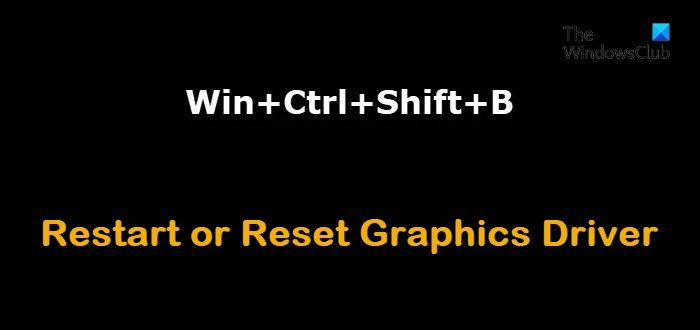
If the issue persists, then try restarting your Graphics Driver.
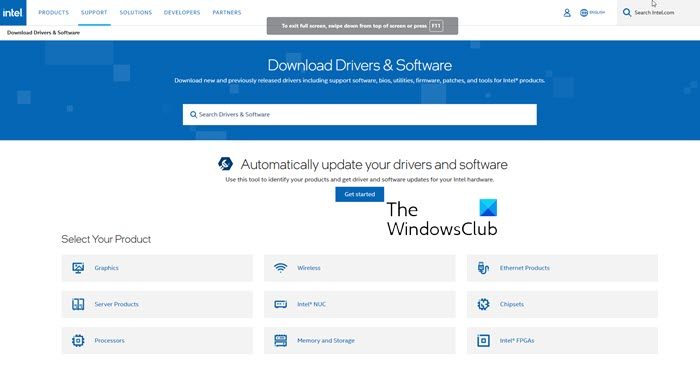
Alternatively, download the latest version of your Graphics Driver from your OEM’s website and install it on your computer to see if the issue is fixed.
Hopefully, you will be able to resolve the issue with the provided solutions.
If nothing helps, you may need to repair or reinstall the games to see if that resolves the issue.
Tip: Use Ethernet
One of the most common and often overlooked reasons for fluctuating internet speeds is the use of WiFi over Ethernet. A WiFi or any wireless mode of connection is not reliable; hence, you should always opt for a physical connection when playing online games, streaming, or doing important video calls.
How do I fix Cold War not connecting to servers?
The first thing you need to check is the server status of Activision. If there are some issues with the server, you cannot connect to it in any way. On the other hand, you need to verify if your internet connection has any issues. If yes, it is highly recommended to switch to another network before trying again.
Read Next:
- Error Code 664640 in Call of Duty Modern Warfare or Warzone game
- Memory Error 13-71 in Call of Duty Modern Warfare and WarZone.
