
If you want to cut or trim audio quickly, you can use these free online MP3 cutter apps. There is no need to install an audio editing app just to cut audio to make it a ringtone or something similar. All these web tools are available for free, and you can use them on any device.
Most of these MP3 trimmer websites let you add the fade-in and fade-out effect for the output audio file. Apart from that, you can also access and use other features, depending upon the feature provided by the tool. For example, you can select an audio quality, change the audio pitch, use an equalizer, set the volume level, etc. And, these online audio trimmer tools are not limited to cutting MP3 audio files only. These support many other audio formats which include WAV, WMV, AMR, M4A, OGG, MOV, OPUS, WebM, AAC, M4R, WMA, etc.
Best free online MP3 cutter to trim audio
Some of the best online MP3 cutters, trimmers and joiners you can use to trim audio or sound files are:
- MP3Cut
- Media.io
- Clideo
- Bear Audio
- AudioTrimmer
- MP3Cutter
- Kapwing
- Online Converter
To learn more about these tools, continue reading.
MP3 cutters, trimmers and joiners
1] MP3Cut
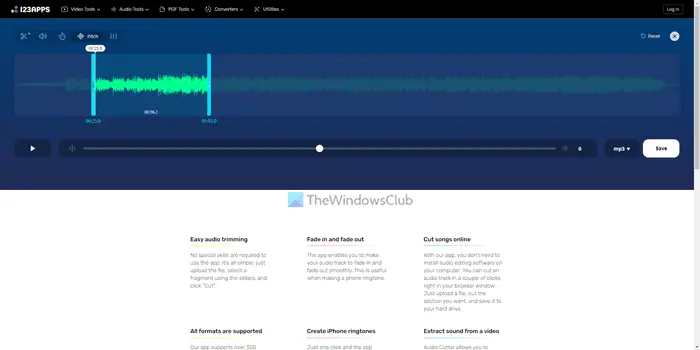
MP3Cut is one of the best and easiest-to-use tools you can use to cut or trim audio on a web browser. Whether you need to cut a part from the entire audio or keep a specific part, you can do both with the help of this tool. Not only an audio trimmer, but you can also use it to change the speed, add an equalizer, adjust pitch, etc. It allows users to save the changes in various formats, including MP3. Visit the mp3cut.net website.
2] Media.io
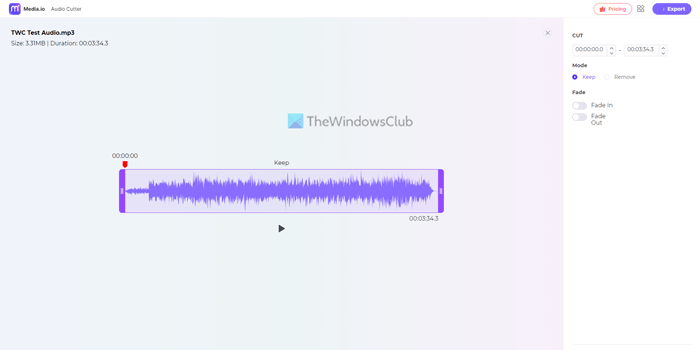
The user interface of this web tool is pretty good and uncluttered. Although it doesn’t have the equalizer or other options, it does the job that it is intended to do. You can keep or remove a specific part of your entire audio file. On the other hand, you can apply Fade In and Face Out effects as well so that the audio sounds better. The only problem with this app is that you must have an account to save the audio. Visit media.io website.
3] Clideo
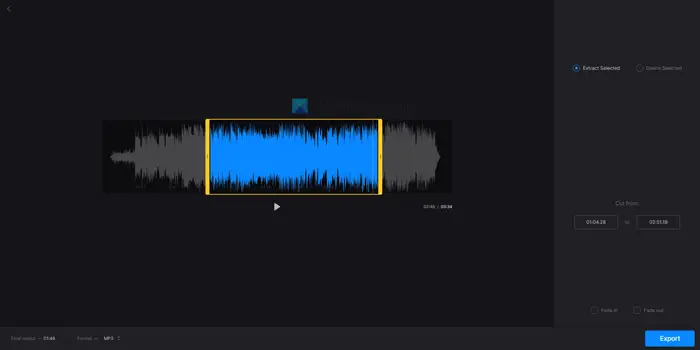
Like MP3Cut and Media.io, you can use Clideo to cut any part of the song as per your requirements. There are two options to select from any part. You can either use the slider or use the timer to get the job done. Whether you want to save the audio in MP3, AAC, or another standard format, you can do so with this app. Like most of the other tools, you can use the Face In and Fade Out effects. Visit clideo.com website.
4] Bear Audio
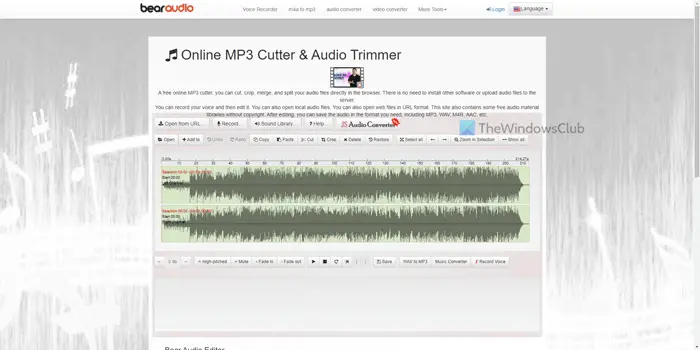
If you can handle more options than usual, Bear Audio is one of the best options you can find here. It is not only an MP3 cutter app but also an audio editing application that you can use on your website. The highlight of this web tool is that you can include audio from a URL or record the audio using your microphone. Following that, you cut, copy, and delete any part of the song. Visit bearaudiotool.com.
5] AudioTrimmer
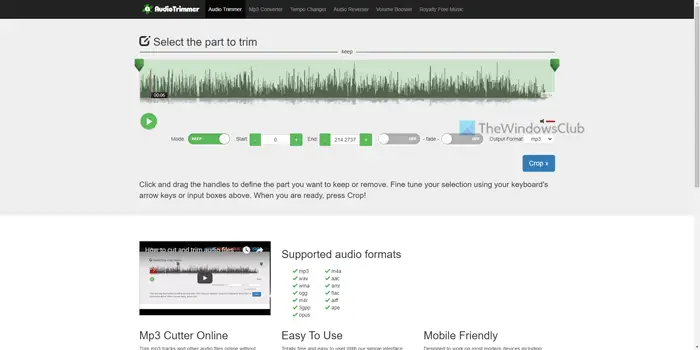
AudioTrimmer is a basic yet handy tool that lets you get the job done within moments. It doesn’t have any fancy options, but it includes all the essential components. For example, you can keep or remove any part of the song, select timing using the slider, apply the Fade In or Fade Out effect, etc. The last but not least thing is that it is possible to save the audio in MP3 or M4R. Visit audiotrimmer.com website.
6] MP3Cutter
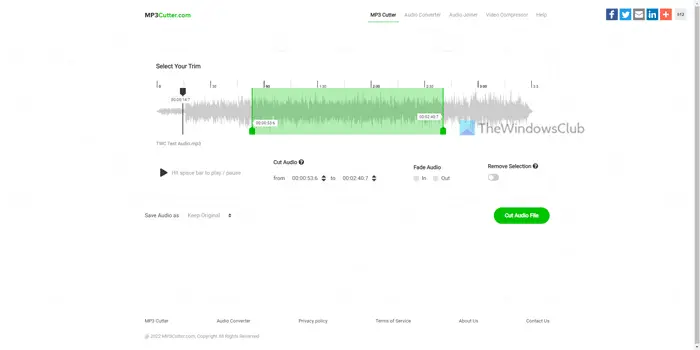
If you do not like tons of options and want to get things done swiftly, you need to check out the MP3Cutter website. No matter whether you need to apply the Fade In/Fade Out effect, keep or remove a part, or save the audio in original format, you can do everything with the help of this web tool. As with some of the other tools, you need to toggle the button to ask the app to keep or remove the selected part. The most important thing about this app is that you can import audio from any URL Visit mp3cutter.com website.
7] Kapwing
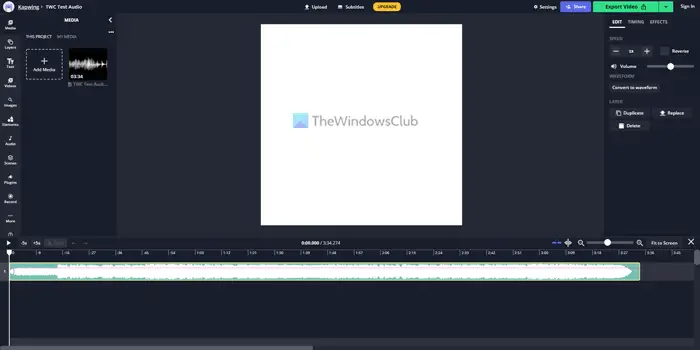
Kapwing is yet another MP3-cutting app you can use in your browser. The app’s user interface is pretty cool and offers countless options. The highlight of this app is that you can use layers, which come with some of the industry-standard audio editing apps only. Whether you need to apply an effect, change pitch, add fade-in/fade-out effects, or anything else, you can do everything with the help of this app. Visit kapwing.com.
8] Online Converter
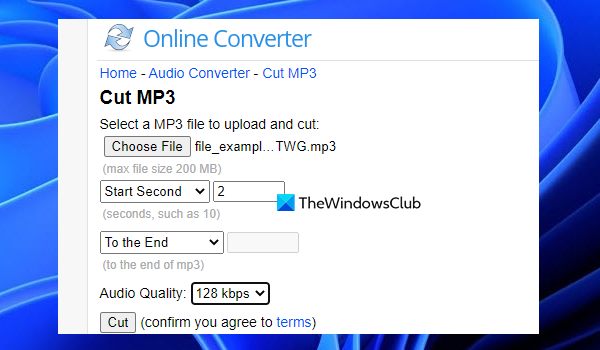
Online Converter website comes with a Unit Converter, Ebook Converter, Image Converter, Document Converter, and other tools. An Audio Converter tool is also there that provides a Cut MP3 tool to trim MP3 audio. One of its best features is you can set the audio quality (64 kbps, 128 kbps, 96 kbps, etc.) for an output audio file.
You can access this MP3 cutter tool from onlineconverter.com. There, use the Choose File button to add MP3 audio from your computer. Select the start and end times to trim an MP3 file, then choose an audio quality from the drop-down menu. When the options are set, press the Cut button, and wait till the audio cutting process is finished.
Finally, you can use the Download Now option to get the output MP3 file.
That’s all! Hope these apps helped.
How do I trim audio in MP3?
If you want to trim WMV, WAV, AAC, or some other format file in MP3 format, or if you have an MP3 file that you want to trim, then you can try an online MP3 cutter tool for this task. An MP3 cutter tool helps you set the start and end times and export the selected part as a separate MP3 file. The post above includes some of the best free MP3 trimmer tools that you can try.
Which MP3 cutter is the best?
There are countless MP3 cutter apps available on the market, and you can use any of them to get things done. However, if you need a simple yet handy app, you can opt for media.io, Clideo or similar tools. ON the other hand, if you need more features and options, you can check out Bear Audio.
Read: Best Free Audio Editors for Windows 11.
How can I cut a large MP3 file online?
To cut a large MP3 file online, you need to use an MP3 cutter app. For your information, some of the best online MP3 cutter apps are mentioned in this article, and you can use any one of them. For example, AudioTrimmer, MP3Cutter and Kapwing are among the best on the market, offering tons of options and features.
