
This post includes some of the best free AI video generators to turn your ideas into stunning videos. You can use a text prompt or an image with a text prompt to generate an AI video. Although there are advanced and premium text-to-video AI models, such as Sora, for creating realistic and imaginative scenes from text instructions, these AI video generator tools are sufficient for personal use or a starting point with their basic plans. Each tool has various features, including stock templates, royalty-free background music, and AI video preview.
Best Free AI Video Generators
Here’s a list of the best free AI video generators for a Windows PC:
- EaseMate AI
- Google Vids
- Kling AI
- Microsoft Clipchamp
- Haiper
- Kapwing
- Pika
- DeepAI.
Let’s check all these AI video generator tools.
1] EaseMate AI
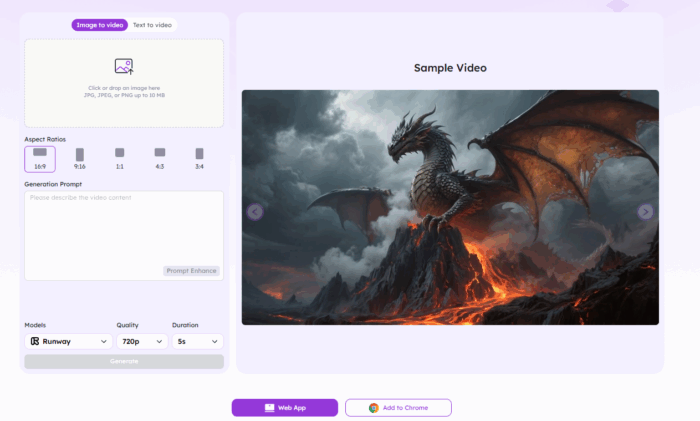
EaseMate AI offers an advanced yet easy-to-use AI video creator that helps you turn text prompts, images, or short scripts into high-quality videos. It combines text-to-video, image-to-video, and AI voiceover features in one workspace, allowing you to create engaging visual stories without editing experience.
This platform combines the technology of leading AI engines such as Veo 3, Runway, Midjourney, Kling, and Hailuo, giving it a strong foundation for generating detailed and realistic scenes. It’s designed for content creators, advertisers, photographers, game designers, and everyday users who want to visualize any idea instantly without complex tools or editing experience.
You can start by entering a text prompt or uploading reference images, and the AI automatically builds a video with fitting visuals, transitions, and background music. It also supports AI voiceovers with multiple tones and accents, or you can upload your own voice for a more personal touch.
Here are some key features of this AI video generator:
- Supports Text to Video and Image to Video generation
- Realistic AI voiceovers with multiple tones and accents
- Option to upload your own voice or background music
- Adjustable video aspect ratios (16:9, 9:16, 1:1)
- Choice of video styles such as Cinematic, Educational, Minimal, or Dynamic
- Preview before export and fast rendering speed
- Download video as MP4 or share directly to YouTube, TikTok, or social media
- Free plan includes up to 30 seconds of HD video with no watermark
EaseMate AI works well for marketing clips, social media content, explainers, and tutorials. Its combination of flexibility and fast AI generation makes it one of the most complete free AI video tools available right now.
Related: How to create video with Copilot AI
2] Google Vids
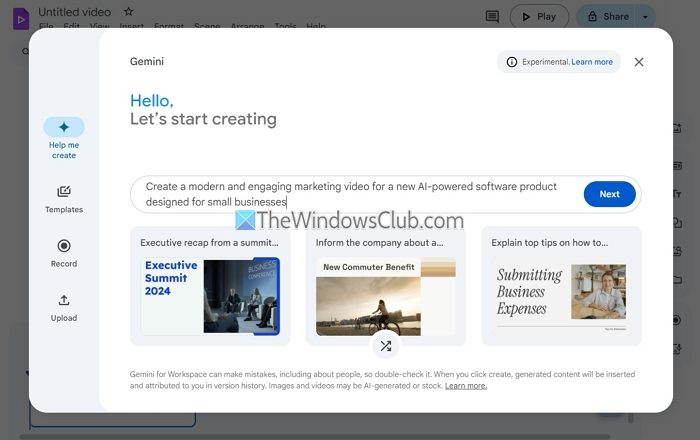
Google Vids is a video creator and editor web app that uses Gemini to create AI videos with text prompts or outlines. You can use it with a work account, school account, or personal account (Google Workspace Labs). A maximum of 10 minutes of video files can be created and it is a pretty good option for creating presentations, explainer videos, educational content, etc.
Other than AI-powered video creation, it includes other generative AI features like removing the background from an image and adding it to your video, adding an AI-powered image to the video, generating an AI voiceover, etc.
You can use its Help me create feature to start your first draft video. You will also have the option to add related documents (photos or files) from your Google Drive account to the output. Options to select a design and add a voiceover using AI are also available. If you don’t add any audio, background music will be added to your video. Once the video is ready, video can be downloaded as MP4 or you can save it on your Google Drive account or share it with others.
Related: How to use Seedance AI Video Tool for Free
3] Kling AI
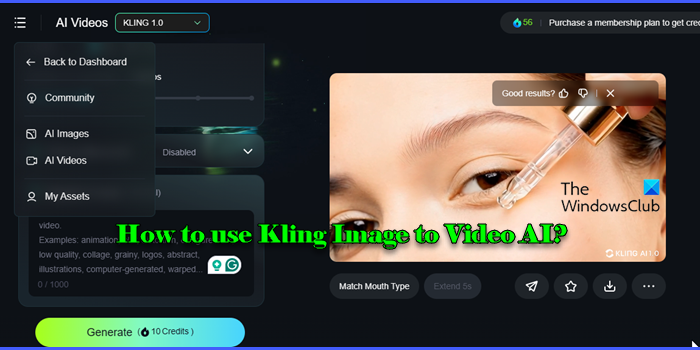
Kling AI is an online tool that comes with Text to Video and Image to Video AI features. Using its Text to Video feature, you can add up to 2500 characters as your prompt to generate an AI video in the free standard mode. And, using the Image to Video option, you can add PNG or JPG files (up to 10 MB), and a text prompt (optional) for the output.
You are given 366 free credits per month and for each AI video generation, your free credits are utilized. The output video is generated for 5 seconds and you can also preview or play it on its interface. If you find the output useful, download it as an MP4 video or also publish it to generate a sharing link. The free plan is limited and also includes a watermark in the output. Also, video generation can take hours in the free basic plan but it’s okay for a start.
Related: Best free AI Image Generators
4] Microsoft Clipchamp
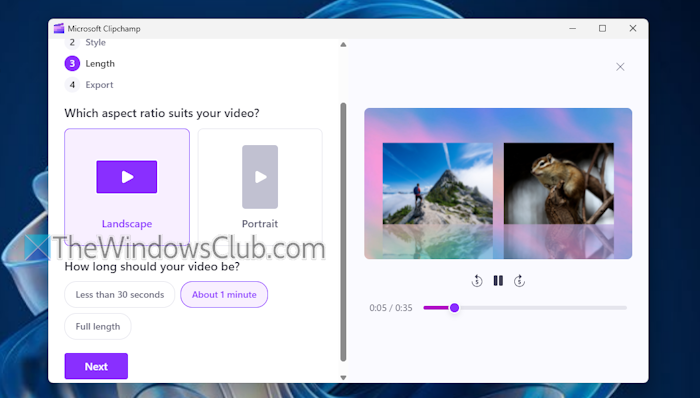
Microsoft Clipchamp is a built-in app in Windows 11/10 OS with features like resizing videos, making a green screen video, and more. With its auto compose feature, you can generate an AI video using your own media i.e., images, audio, and video files. Its AI model analyzes your media files and then automatically selects the best clips or highlights from them, organizes the media, and adds special effects and audio to turn your footage and video memories into an attractive video montage.
On the app interface, you can click on the Create a video with AI button, upload your media, and follow the next steps to generate an AI video without any hassle. Here are some important features of this AI video generator app:
- You can choose from a variety of video styles like Elegant, Vibrant, Bold, Organic, Minimal, etc.
- Video aspect ratio can be selected as Landscape or Portrait
- Option to select the video length (Full length, less than 30 seconds, or about 1 minute)
- Select from the royalty-free background music and fonts. The choices are limited but good
- Preview the output video
- Export video as an MP4 file in 1080p HD quality
- Save or share the video to your OneDrive account, LinkedIn, YouTube, Google Drive, and more
- Watermark-free export.
Read: How to use Bing Video Creator to create AI videos
5] Haiper
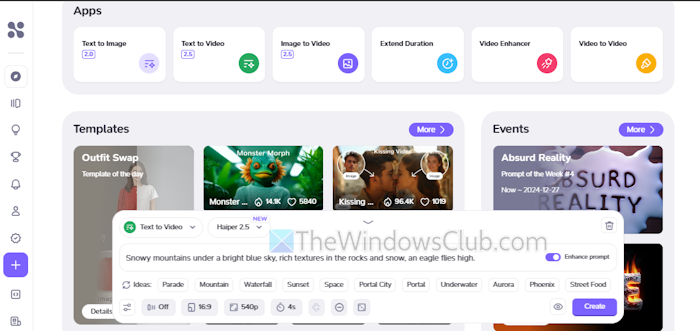
Haiper AI video generator is founded by former Google Deepmind researchers. This web app comes with Text to Image, Text to Video, Image to Video, Video Enhancer feature, and many interesting templates. You will get 100 credits after free sign-up that can be used to generate AI videos and there’s a Credit Rewards program that lets you earn more credits with Check-In Streak.
Using its Image to Video feature, you can add an image as a keyframe, and a video description to get the output. Camera movement and video resolution (540p or 720p) can also be set. And, for using its Text to Image feature, you can add a prompt or use prompt ideas, select an aspect ratio (16:9, 4:3, 21:9, etc.), and video resolution. Your AI video duration can be set to 4s or 6s.
When the output is generated, you can preview/play the video, download it as MP4, and also share it with others. This web app works well, but its free plan is limited to 3 concurrent creations and can be used for personal use only with no private creation. A watermark will be included in the output video. And, while its Text to Video option gives better output with fast processing, the Image to Video option lacks finishing and takes around 3 hours to generate an AI video.
To use this app, access its homepage from haiper.ai.
Read: Best free AI Anime Art Generators
6] Kapwing
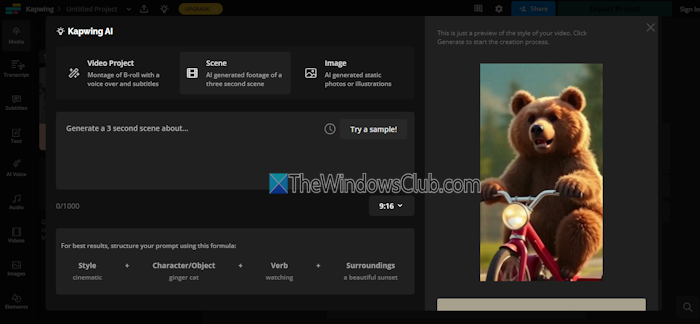
Kapwing is an online video creation platform with features like Audio Editor, Script Generator, Transcribe Video, B-Roll Generator, AI Video Editor, and more. While its advanced features can be accessed with a paid subscription, its AI Video Generator can be used with a free basic plan with unlimited exports with a watermark. You can create AI-generated footage of a three-second scene with a text prompt of up to 1000 characters.
There’s a simple formula to structure your prompt i.e. Style (cinematic style, anime style, etc.) > Camera motion (say camera push in) > Character/Object > Verb > Surroundings (sunset, forest, etc.). Or else, you can type your prompt the way you like or try a sample prompt. Video aspect ratio (16:9, 9:16, 4:5, etc.) can also be set. Video Resolution (480p or 720p) and Compression Level can also be set for the AI video.
When the inputs are ready, press the Generate Scene button. After generating the output, you can play it, and export it as an MP4 file. To use this AI Video Generator, access the kapwing.com page.
Also read: Best free AI YouTube Description Generators
7] Pika
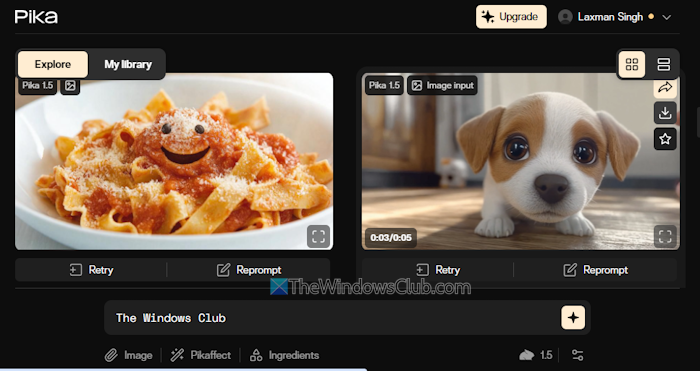
Pika is also an online AI video generator that has features similar to Haiper. You can explore templates, re-prompt a template, or create your own AI video based on a text prompt. It lets you use Pikaffect (preadded effects) along with a video description, add an image, and use Advanced options for the output. The Advanced options include Negative prompt (optional), Seed, and Aspect ratio (16:9, 5:2, 1:1, etc.).
AI video generation in the free plan takes some time but the output is satisfactory. All your creations can be accessed from the My library section. You can also play a video and download it as MP4.
You will get 150 free monthly video credits in its basic plan with access to the Pika 1.5 version. The free account can be used for personal use, and the output video includes a watermark. Use this app from pika.art.
Read: Best AI tools for Video Editing
8] DeepAI
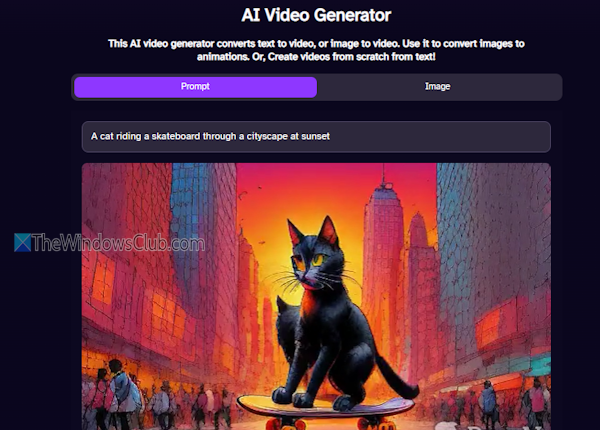
DeepAI is an online platform with AI Chat, AI Image Generator, AI Video Generator, and AI Music Generator features. Using AI Video Generator, you can transform a text prompt or an image into a short AI video (around 2 seconds). Here, the good thing is you can regenerate the output with a different theme or style multiple times.
When the AI video is ready, you can play it, or download it as an MP4 video or animated GIF. Try to keep your prompt simple to get a nice output. To use it, open deepai.org.
That’s all.
Now read: Free online Celebrity Voice Generator AI Tools
What is the best free video enhancer AI?
Some good AI video enhancers are available, but you can use only a trial version for free. One such option is the Fotor web app. It provides better output, allowing you to preview and download the enhanced video. However, only a 3-second preview video can be downloaded. Some other premium AI video enhancer tools, such as Winxvideo, VideoProc Converter AI, etc., are also there, but you can only download and use the free trial version.
Related: Top 5 Vertical Video Editors for Windows, Powered by AI
Is there a completely free AI generator?
All AI generators offer free and premium plans. However, Microsoft Clipchamp can be considered a completely free AI generator because it allows you to use AI video tools without any limits (except for premium effects and filters, as well as premium audio and video stock), and it lets you export videos up to 1080p resolution. You can also use Pixverse to create an AI video from generated AI Images.
Read next: 10 Alternatives for Copilot Image Generator.
