
Seedance 2.0 is the latest AI video generation model from ByteDance, the company behind TikTok and CapCut. It can create realistic videos up to 15 seconds long in 1080p quality from text descriptions or images. Many users think you need a VPN or a Chinese phone number to access it, but that is not true. In this guide, I will show you two simple methods to use Seedance 2.0 for free, without any VPN or Chinese phone number.
Use Seedance 2.0 AI Video Tool for Free
Seedance is a text-to-video and image-to-video AI model. It can generate videos with consistent characters, smooth motion, and even sound effects. The model understands detailed prompts and follows physical rules to avoid unnatural movements. It is one of the most powerful free AI video tools available today.
If you want to use the Seedance AI Video Tool for free, follow the steps below.
- From Dreamina
- Use Jimeng
Let us talk about them in detail.
1] From Dreamina

Dreamina is the international version of ByteDance’s AI video platform. It works smoothly outside China and requires no VPN.
Open your browser and visit dreamina.capcut.com. This is the official international platform, so you do not need a VPN to access it.
Click the Sign Up or Log In button on the top right. You can use your Google account, email address, or any other login option provided. You do not need a Chinese phone number.
After logging in, look at the dashboard on the left side. Click the AI Video button to enter the video creation area.
In the video creation interface, you will see a model picker or a dropdown menu. Click it and select Seedance 2.0. Make sure you choose this model and not an older version.
To create a video, you will have two options.
- Text to Video: Type a detailed description of what you want to see
- Image to Video: Upload an image and add a prompt describing how it should move.
For best results, include details like the subject, action, setting, mood, and camera angles.
Click the Generate button. The AI will take a few minutes to create your video. Once ready, you can preview it. If you are satisfied, click the Download button to save it to your device.
2] Use Jimeng
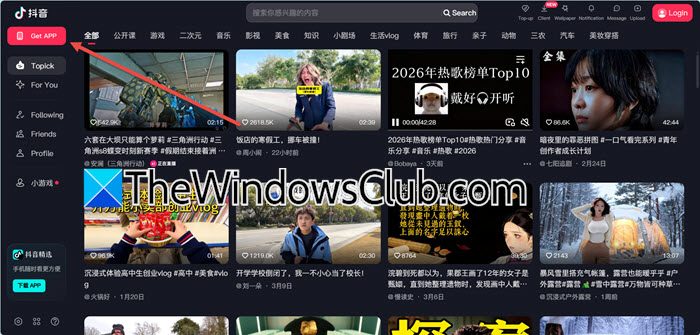
If you want more free daily generations, you can use the Chinese platform called Jimeng. This method requires installing the Douyin app, but you can still use your regular phone number.
Open your mobile browser and go to douyin.com. Click the Get APP button to download the official APK. Install it on your phone. Douyin is the Chinese version of TikTok.
Then, open the Douyin app and click Sign Up. Select your country from the list and enter your regular phone number to receive a verification code. You do not need a Chinese phone number.
On your computer browser, go to jimeng.jianying.com/ai-tool. This is the official Chinese platform where Seedance is fully available.
On the Jimeng website, click the Log In button. You will see a QR code. Open your Douyin app and scan the QR code to log in. Your accounts will now be linked.
Once logged in, make sure Seedance 2.0 is selected. Enter your prompt or upload an image, then click the Generate button. The Jimeng platform provides free daily credits for video generation.
That’s it!
Read: How to download and use CapCut AI Video Maker for PC
Can I use an AI video generator for free?
Yes, many AI video generators offer free tiers. Platforms like Dreamina, Jimeng, and others offer daily free credits that let you create short videos without paying. The number of free generations varies per service, but they are an excellent way to test tools like Seedance 2.0, Runway, or Luma before committing to a paid plan.
Read: How to use Google Vids AI Video Editor?
Is Seedance free to use?
Seedance 2.0 itself is available for free through official platforms like Dreamina (dreamina.capcut.com) and Jimeng (jimeng.jianying.com/ai-tool). Both give you a set number of free video generations each day; no subscription or credit card is required. If you need more daily generations, you can use the Jimeng method with a Douyin account to get additional free credits.
Also Read: Top 5 Vertical Video Editors for Windows, Powered by AI.
