
Living without the Internet today is very difficult or one can say almost impossible. The Internet is what makes your smart devices “smart”. But carrying a WiFi router with you all the time isn’t the most efficient solution.
While you can enable Internet Connection Sharing & turn Windows PC into WiFi Hotspot, natively, many prefer to use Connectify, which however is no longer free. And so in this post, we offer you some free Connectify alternative software to share the Internet.
Free Connectify alternative software
In this article, we present you with 5 of the best free Connectify alternatives to share Internet in Windows 10 PC:
- Baidu WiFi Hotspot
- MyPublicWiFi
- WiFi Hotspot Pro
- OSToto Hotspot
- Virtual Router Plus
Let us talk about them in detail.
1] Baidu WiFi Hotspot
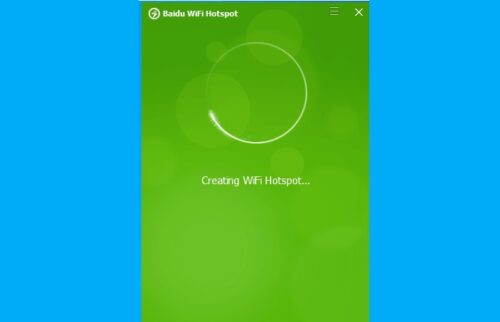
Baidu Wifi Hotspot is something you should look at. It removes the complexity of Connectify and eliminates the boring UI of MyPublicWiFi which we will see later.
You can download, install, and use the software to transform your computer into a Wifi Hotspot by just launching the application. You need to make sure that you are not connected to Wifi and should be using a wire cable to connect to the Internet.
Baidu is one of the best Connectify alternatives if you do not want to compromise on speed. This works on Windows 10, 8.1, 8, and 7.
2] MyPublicWiFi
The first app on our list is MyPublicWiFi. It is a simple and effective tool that is used to transform your computer into a wireless access point. Its main attraction is its simple and easy-to-use user interface.
It proves the age-old saying “Old is Gold” right. It has stood the test of time by giving Windows users an easy way to create a WiFi hotspot.
You can download the software from their official website and then install it to use its array of features such as saving bandwidth by forbidding the use of certain Internet services, tracking of URL pages, etc.
The only caveat with this software is that since it has not been updated, the graphic quality and security are a bit of a concern.
3] WiFi Hotspot Pro
If you want a trusted free Connectify alternative then this application is what you need as it is a Microsoft app. If you are a Windows user and you do not need any gimmicky feature then Wifi Hotspot Pro is a good option.
It is a secure option that can be downloaded from Microsoft’s website. After installing the application you need to follow three simple steps to set up the Wifi Hotspot. It is compatible with Windows 10, 8, and 7.
However, the best part about this app is that it is free, so, install this application as there is nothing to regret.
4] OSToto Hotspot
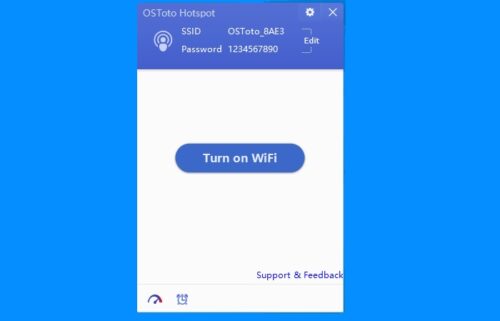
Even though just like MyPublicWiFi, OSToto Hotspot hasn’t been updated in a long time, it is still one of the best Connectify alternatives in the market.
It has a simple UI and packs tons of features apart from transforming your computer into a Wifi Hotspot. One can create Wifi Hotspot, apply WPA2 security, backlist devices, and can do all the things that you do.
One of the biggest advantages it has over other software is its aptness to automate the switch-off process with the help of a timer. This way you don’t always have to keep your PC turned on in order to use WiFi Hotspot.
It can not be downloaded from the official site but we have found a link from where you can download the application.
5] Virtual Router Plus
If you want a simple application to transform your Windows PC into a virtual router then Virtual Router Plus is what you need. Its main feature would be a simple user interface and it coming at $0.
You can just download Virtual Router Plus and install it on your computer. Now, launch the application and set a Network Name(SSID), Password, Shared Connection, and then click Start Virtual Router Plus to transform your computer into a wireless access point. It is compatible with most of the Windows Operating System such as Windows 10, 8, Server 2008, etc.
Transforming your PC into a Wifi Hotspot is a simple task and you don’t need to pay anything extra to do that. With the help of these Connectify alternatives, one can share the Internet without paying a penny.
TIP: There are some other free WiFi Hotspot software that you may want to take a look at.
