<?xml version="1.0" encoding="UTF-8"?>
<rss version="2.0"
	xmlns:content="http://purl.org/rss/1.0/modules/content/"
	xmlns:wfw="http://wellformedweb.org/CommentAPI/"
	xmlns:dc="http://purl.org/dc/elements/1.1/"
	xmlns:atom="http://www.w3.org/2005/Atom"
	xmlns:sy="http://purl.org/rss/1.0/modules/syndication/"
	xmlns:slash="http://purl.org/rss/1.0/modules/slash/"
	>

<channel>
	<title>The Windows Club &#187; USB Drive</title>
	<atom:link href="http://www.thewindowsclub.com/tag/usb-drive/feed" rel="self" type="application/rss+xml" />
	<link>http://www.thewindowsclub.com</link>
	<description>The Windows Club is  created by Anand Khanse, a Microsoft MVP and is primarily targeted at the Windows 7, 8 &#38; Vista user and will address and cover issues in relation to Microsoft and Windows OS.</description>
	<lastBuildDate>Thu, 09 Feb 2012 03:47:25 +0000</lastBuildDate>
	<language>en</language>
	<sy:updatePeriod>hourly</sy:updatePeriod>
	<sy:updateFrequency>1</sy:updateFrequency>
	<generator>http://wordpress.org/?v=3.3.1</generator>
<xhtml:meta xmlns:xhtml="http://www.w3.org/1999/xhtml" name="robots" content="noindex" />
		<item>
		<title>Install Windows 8 from a USB drive</title>
		<link>http://www.thewindowsclub.com/install-windows-8-using-usb?utm_source=rss&#038;utm_medium=rss&#038;utm_campaign=install-windows-8-using-usb</link>
		<comments>http://www.thewindowsclub.com/install-windows-8-using-usb#comments</comments>
		<pubDate>Sun, 18 Sep 2011 04:59:45 +0000</pubDate>
		<dc:creator>ShyamS@TWC</dc:creator>
				<category><![CDATA[Windows]]></category>
		<category><![CDATA[Installation]]></category>
		<category><![CDATA[USB Drive]]></category>
		<category><![CDATA[Windows 8]]></category>

		<guid isPermaLink="false">http://www.thewindowsclub.com/?p=33997</guid>
		<description><![CDATA[<div style=" float: left; padding: 4px; margin: 0 10px 5px 0; width: 75px; height: 75px;"><img style=" float: left; padding: 4px; margin: 0 10px 5px 0;" width="75" height="75" src="http://www.thewindowsclub.com/wp-content/themes/Twc/scripts/thumb.php?src=../wp-content/uploads/2011/07/11-400x309.png&amp;w=75&amp;h=75&amp;zc=1"/></div>In this article I&#8217;ll show you how to install Windows 8 Developers edition using a USB stick. I am assuming that you have already downloaded the Windows 8 Developer Preview. We are going to use Windows 7 USB/DVD Download Tool <span><a class="more-link" href="http://www.thewindowsclub.com/install-windows-8-using-usb">...more &#62;&#62;&#62;</a></span>]]></description>
		<wfw:commentRss>http://www.thewindowsclub.com/install-windows-8-using-usb/feed</wfw:commentRss>
		<slash:comments>0</slash:comments>
		</item>
		<item>
		<title>How to create a Rescue Disk on USB Flash Drive</title>
		<link>http://www.thewindowsclub.com/create-rescue-disk-usb-flash-drive?utm_source=rss&#038;utm_medium=rss&#038;utm_campaign=create-rescue-disk-usb-flash-drive</link>
		<comments>http://www.thewindowsclub.com/create-rescue-disk-usb-flash-drive#comments</comments>
		<pubDate>Mon, 08 Aug 2011 15:49:42 +0000</pubDate>
		<dc:creator>ShyamS@TWC</dc:creator>
				<category><![CDATA[Windows]]></category>
		<category><![CDATA[Boot]]></category>
		<category><![CDATA[Rescue Disk]]></category>
		<category><![CDATA[USB Drive]]></category>

		<guid isPermaLink="false">http://www.thewindowsclub.com/?p=31802</guid>
		<description><![CDATA[<div style=" float: left; padding: 4px; margin: 0 10px 5px 0; width: 75px; height: 75px;"><img style=" float: left; padding: 4px; margin: 0 10px 5px 0;" width="75" height="75" src="http://www.thewindowsclub.com/wp-content/themes/Twc/scripts/thumb.php?src=http://www.thewindowsclub.com/wp-content/uploads/2011/08/usb-installer-1-400x311.png&amp;w=75&amp;h=75&amp;zc=1"/></div>I would say Rescue Disk is something which all the computer users must have.  You don’t know when you will need it. One day or the other you might end up with a situation where your Windows computer won’t boot! Now <span><a class="more-link" href="http://www.thewindowsclub.com/create-rescue-disk-usb-flash-drive">...more &#62;&#62;&#62;</a></span>]]></description>
		<wfw:commentRss>http://www.thewindowsclub.com/create-rescue-disk-usb-flash-drive/feed</wfw:commentRss>
		<slash:comments>3</slash:comments>
		</item>
		<item>
		<title>Make a Bootable USB Installer for Windows 7 with WinToFlash</title>
		<link>http://www.thewindowsclub.com/make-a-bootable-usb-installer-for-windows-7-with-wintoflash?utm_source=rss&#038;utm_medium=rss&#038;utm_campaign=make-a-bootable-usb-installer-for-windows-7-with-wintoflash</link>
		<comments>http://www.thewindowsclub.com/make-a-bootable-usb-installer-for-windows-7-with-wintoflash#comments</comments>
		<pubDate>Tue, 19 Jul 2011 17:51:16 +0000</pubDate>
		<dc:creator>AnandK@TWC</dc:creator>
				<category><![CDATA[Windows]]></category>
		<category><![CDATA[Installation]]></category>
		<category><![CDATA[USB Drive]]></category>

		<guid isPermaLink="false">http://www.thewindowsclub.com/?p=30831</guid>
		<description><![CDATA[<div style=" float: left; padding: 4px; margin: 0 10px 5px 0; width: 75px; height: 75px;"><img style=" float: left; padding: 4px; margin: 0 10px 5px 0;" width="75" height="75" src="http://www.thewindowsclub.com/wp-content/themes/Twc/scripts/thumb.php?src=http://www.thewindowsclub.com/wp-content/uploads/2011/07/wintoflash.jpg&amp;w=75&amp;h=75&amp;zc=1"/></div>These days, it is always a good idea to have a bootable USB handy. Especially if you a laptop user. You can use a bootble USB or media to install an operating system and more. WinToFlash is a free tool <span><a class="more-link" href="http://www.thewindowsclub.com/make-a-bootable-usb-installer-for-windows-7-with-wintoflash">...more &#62;&#62;&#62;</a></span>]]></description>
		<wfw:commentRss>http://www.thewindowsclub.com/make-a-bootable-usb-installer-for-windows-7-with-wintoflash/feed</wfw:commentRss>
		<slash:comments>2</slash:comments>
		</item>
		<item>
		<title>How to Install Windows 7 from USB easily</title>
		<link>http://www.thewindowsclub.com/install-windows-7-from-usb?utm_source=rss&#038;utm_medium=rss&#038;utm_campaign=install-windows-7-from-usb</link>
		<comments>http://www.thewindowsclub.com/install-windows-7-from-usb#comments</comments>
		<pubDate>Sat, 16 Jul 2011 13:23:37 +0000</pubDate>
		<dc:creator>ShyamS@TWC</dc:creator>
				<category><![CDATA[Windows]]></category>
		<category><![CDATA[Installation]]></category>
		<category><![CDATA[USB Drive]]></category>

		<guid isPermaLink="false">http://www.thewindowsclub.com/?p=30660</guid>
		<description><![CDATA[<div style=" float: left; padding: 4px; margin: 0 10px 5px 0; width: 75px; height: 75px;"><img style=" float: left; padding: 4px; margin: 0 10px 5px 0;" width="75" height="75" src="http://www.thewindowsclub.com/wp-content/themes/Twc/scripts/thumb.php?src=http://www.thewindowsclub.com/wp-content/uploads/2011/07/11-400x309.png&amp;w=75&amp;h=75&amp;zc=1"/></div>There are few methods to do this, most of them involve running disk part commands and partitioning USB drive etc. which I think it makes harder for technically challenged people. Using this method it makes it very simple and can <span><a class="more-link" href="http://www.thewindowsclub.com/install-windows-7-from-usb">...more &#62;&#62;&#62;</a></span>]]></description>
		<wfw:commentRss>http://www.thewindowsclub.com/install-windows-7-from-usb/feed</wfw:commentRss>
		<slash:comments>16</slash:comments>
		</item>
		<item>
		<title>USB Alert &#8211; Prevents users from forgetting the USB Drive</title>
		<link>http://www.thewindowsclub.com/usb-alert-prevents-users-from-forgetting-the-usb-drive?utm_source=rss&#038;utm_medium=rss&#038;utm_campaign=usb-alert-prevents-users-from-forgetting-the-usb-drive</link>
		<comments>http://www.thewindowsclub.com/usb-alert-prevents-users-from-forgetting-the-usb-drive#comments</comments>
		<pubDate>Wed, 15 Jun 2011 14:09:03 +0000</pubDate>
		<dc:creator>AnandK@TWC</dc:creator>
				<category><![CDATA[Downloads]]></category>
		<category><![CDATA[USB Drive]]></category>

		<guid isPermaLink="false">http://www.thewindowsclub.com/?p=28904</guid>
		<description><![CDATA[<div style=" float: left; padding: 4px; margin: 0 10px 5px 0; width: 75px; height: 75px;"><img style=" float: left; padding: 4px; margin: 0 10px 5px 0;" width="75" height="75" src="http://www.thewindowsclub.com/wp-content/themes/Twc/scripts/thumb.php?src=http://www.thewindowsclub.com/wp-content/uploads/2011/06/usb-alert-1.png&amp;w=75&amp;h=75&amp;zc=1"/></div>Has it happened that you had a USB plugged in to your computer and you shutdown your computer before removing it &#8211; and you forgot all about it!? Well, USB Alert is a free utility that gives out an alarm <span><a class="more-link" href="http://www.thewindowsclub.com/usb-alert-prevents-users-from-forgetting-the-usb-drive">...more &#62;&#62;&#62;</a></span>]]></description>
		<wfw:commentRss>http://www.thewindowsclub.com/usb-alert-prevents-users-from-forgetting-the-usb-drive/feed</wfw:commentRss>
		<slash:comments>0</slash:comments>
		</item>
		<item>
		<title>Tips for better use of ReadyBoost feature of Windows 7</title>
		<link>http://www.thewindowsclub.com/tips-for-better-use-of-readyboost-feature-of-windows-7?utm_source=rss&#038;utm_medium=rss&#038;utm_campaign=tips-for-better-use-of-readyboost-feature-of-windows-7</link>
		<comments>http://www.thewindowsclub.com/tips-for-better-use-of-readyboost-feature-of-windows-7#comments</comments>
		<pubDate>Wed, 20 Oct 2010 08:49:59 +0000</pubDate>
		<dc:creator>NitinA@TWC</dc:creator>
				<category><![CDATA[Windows]]></category>
		<category><![CDATA[ReadyBoost]]></category>
		<category><![CDATA[USB Drive]]></category>

		<guid isPermaLink="false">http://www.thewindowsclub.com/?p=19219</guid>
		<description><![CDATA[<div style=" float: left; padding: 4px; margin: 0 10px 5px 0; width: 75px; height: 75px;"><img style=" float: left; padding: 4px; margin: 0 10px 5px 0;" width="75" height="75" src="http://www.thewindowsclub.com/wp-content/themes/Twc/scripts/thumb.php?src=http://www.thewindowsclub.com/wp-content/uploads/2010/10/19-Oct-10-10-47-19-AM.png&amp;w=75&amp;h=75&amp;zc=1"/></div>There is lot to know about Windows 7 ReadyBoost feature. There are many types of USB flash drives available in the market, but not all can be used for ReadyBoost. In this post I am giving some tips on how <span><a class="more-link" href="http://www.thewindowsclub.com/tips-for-better-use-of-readyboost-feature-of-windows-7">...more &#62;&#62;&#62;</a></span>]]></description>
		<wfw:commentRss>http://www.thewindowsclub.com/tips-for-better-use-of-readyboost-feature-of-windows-7/feed</wfw:commentRss>
		<slash:comments>0</slash:comments>
		</item>
		<item>
		<title>Manage &amp; secure your USB Drive with USB Security Utilities</title>
		<link>http://www.thewindowsclub.com/manage-secure-your-usb-drive-with-usb-security-utilities?utm_source=rss&#038;utm_medium=rss&#038;utm_campaign=manage-secure-your-usb-drive-with-usb-security-utilities</link>
		<comments>http://www.thewindowsclub.com/manage-secure-your-usb-drive-with-usb-security-utilities#comments</comments>
		<pubDate>Thu, 12 Aug 2010 09:09:42 +0000</pubDate>
		<dc:creator>AnandK@TWC</dc:creator>
				<category><![CDATA[Downloads]]></category>
		<category><![CDATA[USB Drive]]></category>

		<guid isPermaLink="false">http://www.thewindowsclub.com/?p=14578</guid>
		<description><![CDATA[<div style=" float: left; padding: 4px; margin: 0 10px 5px 0; width: 75px; height: 75px;"><img style=" float: left; padding: 4px; margin: 0 10px 5px 0;" width="75" height="75" src="http://www.thewindowsclub.com/wp-content/themes/Twc/scripts/thumb.php?src=http://www.thewindowsclub.com/wp-content/uploads/2010/08/usb-security-utilities.png&amp;w=75&amp;h=75&amp;zc=1"/></div>USB Security Utilities is a freeware portable app which will vaccinates &#38; disinfects your USB drive. It also helps you manage files and make backups. It includes a virus scanner, file backup, suspicious file seeker, vaccine or device immunization function. <span><a class="more-link" href="http://www.thewindowsclub.com/manage-secure-your-usb-drive-with-usb-security-utilities">...more &#62;&#62;&#62;</a></span>]]></description>
		<wfw:commentRss>http://www.thewindowsclub.com/manage-secure-your-usb-drive-with-usb-security-utilities/feed</wfw:commentRss>
		<slash:comments>7</slash:comments>
		</item>
		<item>
		<title>Write protect USB flash drives with USB Write Protect</title>
		<link>http://www.thewindowsclub.com/write-protect-usb-flash-drives-with-usb-write-protect?utm_source=rss&#038;utm_medium=rss&#038;utm_campaign=write-protect-usb-flash-drives-with-usb-write-protect</link>
		<comments>http://www.thewindowsclub.com/write-protect-usb-flash-drives-with-usb-write-protect#comments</comments>
		<pubDate>Sat, 31 Jul 2010 09:59:54 +0000</pubDate>
		<dc:creator>AnandK@TWC</dc:creator>
				<category><![CDATA[Downloads]]></category>
		<category><![CDATA[USB Drive]]></category>

		<guid isPermaLink="false">http://www.thewindowsclub.com/?p=13870</guid>
		<description><![CDATA[<div style=" float: left; padding: 4px; margin: 0 10px 5px 0; width: 75px; height: 75px;"><img style=" float: left; padding: 4px; margin: 0 10px 5px 0;" width="75" height="75" src="http://www.thewindowsclub.com/wp-content/themes/Twc/scripts/thumb.php?src=http://www.thewindowsclub.com/wp-content/uploads/2010/07/write-protect-usb-400x317.png&amp;w=75&amp;h=75&amp;zc=1"/></div>If you need to disable or enable the writing permissions on your USB drives easily, USB Write Protect may be the tool you are looking for. USB Write Protect is a tiny application that will protect your USB drives from <span><a class="more-link" href="http://www.thewindowsclub.com/write-protect-usb-flash-drives-with-usb-write-protect">...more &#62;&#62;&#62;</a></span>]]></description>
		<wfw:commentRss>http://www.thewindowsclub.com/write-protect-usb-flash-drives-with-usb-write-protect/feed</wfw:commentRss>
		<slash:comments>4</slash:comments>
		</item>
		<item>
		<title>Asus Eee PC 1015, 1016, 1018 Seashell Series Netbooks readying to ship</title>
		<link>http://www.thewindowsclub.com/asus-eee-pc-1015-1016-1018-seashell-series-netbooks-readying-to-ship?utm_source=rss&#038;utm_medium=rss&#038;utm_campaign=asus-eee-pc-1015-1016-1018-seashell-series-netbooks-readying-to-ship</link>
		<comments>http://www.thewindowsclub.com/asus-eee-pc-1015-1016-1018-seashell-series-netbooks-readying-to-ship#comments</comments>
		<pubDate>Wed, 07 Jul 2010 02:22:27 +0000</pubDate>
		<dc:creator>Lee@TWC</dc:creator>
				<category><![CDATA[News]]></category>
		<category><![CDATA[Asus]]></category>
		<category><![CDATA[Hardware]]></category>
		<category><![CDATA[LW]]></category>
		<category><![CDATA[netbook]]></category>
		<category><![CDATA[USB Drive]]></category>

		<guid isPermaLink="false">http://www.thewindowsclub.com/?p=12126</guid>
		<description><![CDATA[<div style=" float: left; padding: 4px; margin: 0 10px 5px 0; width: 75px; height: 75px;"><img style=" float: left; padding: 4px; margin: 0 10px 5px 0;" width="75" height="75" src="http://www.thewindowsclub.com/wp-content/themes/Twc/scripts/thumb.php?src=http://www.thewindowsclub.com/wp-content/uploads/2010/07/eeepc-1015.jpg&amp;w=75&amp;h=75&amp;zc=1"/></div>In March Asus showed off their 3 new Eee PC’s, the 1015, 1016 and the 1018 and are now getting ready to ship the 1016 and 1018 by end of July with the 1015 following a few weeks behind the <span><a class="more-link" href="http://www.thewindowsclub.com/asus-eee-pc-1015-1016-1018-seashell-series-netbooks-readying-to-ship">...more &#62;&#62;&#62;</a></span>]]></description>
		<wfw:commentRss>http://www.thewindowsclub.com/asus-eee-pc-1015-1016-1018-seashell-series-netbooks-readying-to-ship/feed</wfw:commentRss>
		<slash:comments>0</slash:comments>
		</item>
		<item>
		<title>Create a Recycle Bin for USB Drive &amp; Removable Media</title>
		<link>http://www.thewindowsclub.com/create-a-recycle-bin-for-usb-drive-removable-media?utm_source=rss&#038;utm_medium=rss&#038;utm_campaign=create-a-recycle-bin-for-usb-drive-removable-media</link>
		<comments>http://www.thewindowsclub.com/create-a-recycle-bin-for-usb-drive-removable-media#comments</comments>
		<pubDate>Thu, 04 Feb 2010 11:57:45 +0000</pubDate>
		<dc:creator>AnandK@TWC</dc:creator>
				<category><![CDATA[Downloads]]></category>
		<category><![CDATA[USB Drive]]></category>

		<guid isPermaLink="false">http://www.thewindowsclub.com/?p=6420</guid>
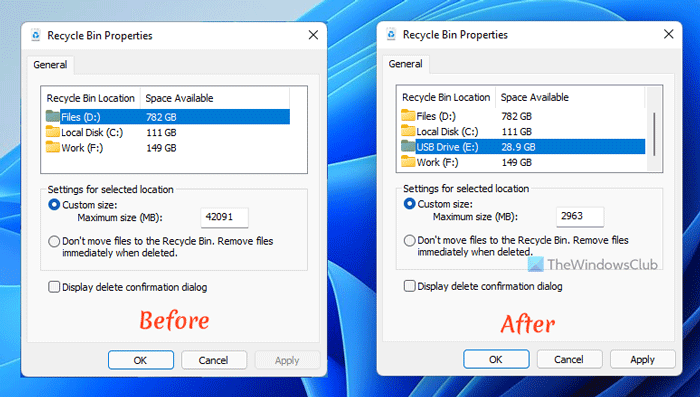
		<description><![CDATA[<div style=" float: left; padding: 4px; margin: 0 10px 5px 0; width: 75px; height: 75px;"><img style=" float: left; padding: 4px; margin: 0 10px 5px 0;" width="75" height="75" src="http://www.thewindowsclub.com/wp-content/themes/Twc/scripts/thumb.php?src=http://www.thewindowsclub.com/wp-content/uploads/2010/02/ibin-options-600x407.png&amp;w=75&amp;h=75&amp;zc=1"/></div>Your USB Drive or your removable media does not have a Recycle Bin unlike your desktop, and as such, anything you delete from it is just simply gone, with no option to recover it easily. You can however create a <span><a class="more-link" href="http://www.thewindowsclub.com/create-a-recycle-bin-for-usb-drive-removable-media">...more &#62;&#62;&#62;</a></span>]]></description>
		<wfw:commentRss>http://www.thewindowsclub.com/create-a-recycle-bin-for-usb-drive-removable-media/feed</wfw:commentRss>
		<slash:comments>2</slash:comments>
		</item>
	</channel>
</rss>