Repair Internet Explorer with Fix IE Utility
We are pleased to release the Fix IE Utility v 1.0. This freeware portable utility re-registers all the concerned dll & ocx files required for the smooth operation of Internet Explorer. [Read More...]
Over the past two decades, Microsoft Windows products have evolved from a single, one-size-fits-all desktop operating system into a diverse family of operating systems and mobile technologies. Today, Windows products help people worldwide achieve their potential at work, home, and just about any place in between. This article summarizes milestones in the development of the various Windows Products. [Read More...]
Yahoo has released a new Yahoo! Toolbar for Internet Explorer and Firefox. Its new features make information easily and quickly available. [Read More...]
In the earlier versions of Windows Live Messenger, when you clicked on the Mail icon / button, Internet Explorer would automatically open up and log you into Hotmail, irrespective of your default browser. [Read More...]
Microsoft Australia has launched a treasure hunt of sorts. Use the Internet Explorer 8 to search for Aus $ 10,000 on the website. [Read More...]
Microsoft does not intend to ship Internet Explorer with Windows 7 in Europe. [Read More...]
Internet Explorer 8 is now available in 18 additional languages. This now takes it to a total of 43 languages. [Read More...]
Caret Browsing is a new feature in Internet Explorer 8. With this feature enabled, you can using the navigating keys on the keyboard, select text & move it around within a webpage . [Read More...]
Which web browser is the safest? Current trends show over 50% of malware infections occur via Internet download. During Q1, 2009 NSS Labs performed the industry’s first comprehensive test of web browser protection against socially engineered malware. [Read More...]
It is possible for you to remove Internet Explorer from Windows 7.
You can use the IE 8 content advisor to control what content can or cannot be viewed on your Windows 7 computer. You can set, reset content advisor and its password easily or through the registry too.
Most browser have the Stop and Refresh Buttons on the left side of the address bar as a result of which some just cant get used to Internet Explorer 8 having these buttons on the right side. [Read More...]
The new Accelerators feature in Internet Explorer 8 help you quickly perform your everyday browsing tasks without navigating to other websites to get things done. Using IE 8 Accelerators you can highlight text and perform such tasks as searching with a specefic search engine or look up the dictionary definition for a word. [Read More...]
If you try to loging multiple accounts of a particular website with two different identities, you may not be successful. This is because, IE8 by default, shares the same “session cookies” among all its tabs and windows.
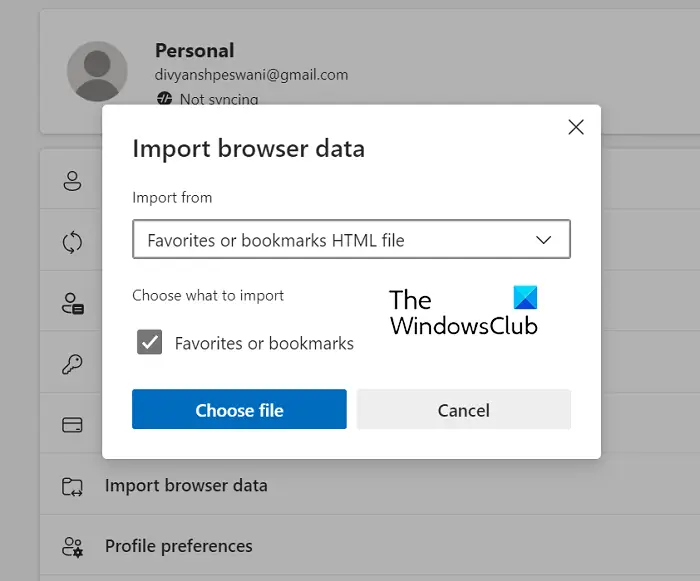
Mar 25th, 2009. Here are a few tips on how to find, save & backup Favorites or Bookmarks in Internet Explorer 8.
Mar 23rd, 2009. If you have problem after installing Internet Explorer 8 and want to remove it to revert back to IE 7, the Microsoft Fix-it team has developed an uninstaller for IE 8: UninstallIE80.MSI.
To have the Fix It guys remove Internet Explorer 8 for you, go to the “Fix it for me” section. If you would rather remove Internet Explorer yourself, go to the “Let me fix it myself” section.
Mar 19th, 2009. Microsoft today, announced the availability of Windows Internet Explorer 8, the new Web browser that offers the best solution for how people use the Web today. It can be downloaded in 25 languages at IE Website starting at noon EDT on March 19.