
At times you may find that your Outlook .pst files have been corrupted and that you are unable to access them. Microsoft has provided the Inbox Repair Tool which lets you recover folders and items from corrupted Personal Folders or .pst files. It can even recover items from an offline folder or .ost files. The OST Integrity Check Tool will help you fix corrupted .ost files. It has also released a Microsoft Fix It that lets you do so easily.
Repair Outlook PST & OST data files
Let us see how we can repair corrupt Outlook 2021/2019 .PST & .OST personal data files on your Windows 11/10 PC.
- Outlook Inbox Repair Tool
- Repair corrupt Outlook PST files using Fix It
- OST Integrity Check Tool
- OLFix Tool.
1] Outlook Inbox Repair Tool
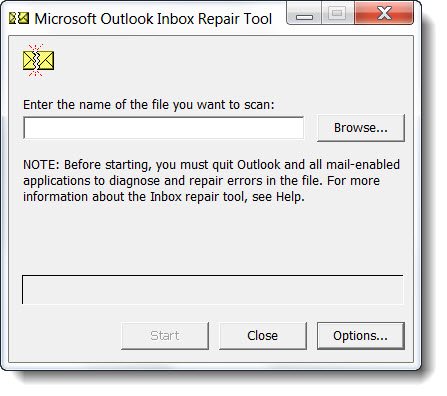
The Inbox Repair Tool or Scanpst.exe is located in this folder for recent Office versions:
C:\Program Files\Microsoft Office\root\Office16
Run this scanpst.exe tool as Administrator. Next, in the space provided, enter the name and location of the file you want to scan and click Start.
Next, in the space provided, enter the name and location of the file you want to scan and click Start. To find the location of the data file, open Outlook > File > Account Information > Account Settings > Data files tab. Here you can see the path of all the data folders. Note down the path of the file you want to repair and enter it in the given field.
Basically you have to scan and repair the .ost files you find in this folder:
C:\Users\<username>\AppData\Local\Microsoft\Outlook
Click on the Scan button. If repairs are needed, you will be shown.
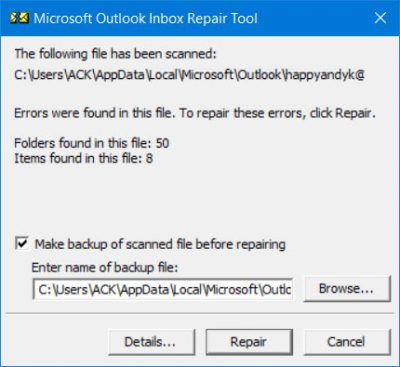
Click on the Repair button to start the repairs.
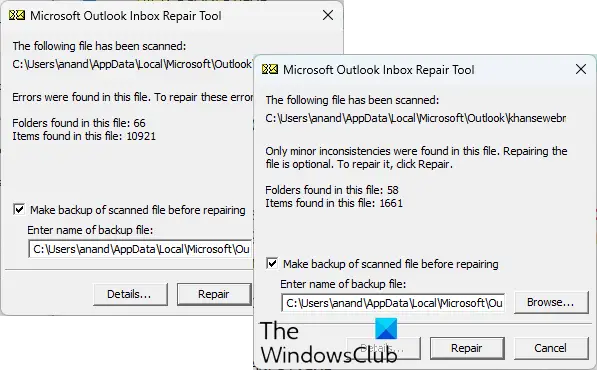
The tool can recover the following personal folders:
- Calendar
- Contacts
- Deleted Items
- Inbox
- Journal
- Notes
- Outbox
- Sent Items
- Tasks.
2] Repair corrupt Outlook PST files using Fix It

While the Inbox Repair Tools is quite easy to use, if you are too lazy even to do this, you can download and run Microsoft Fix It 50569 from KB272227. This Fix-It will do the needful automatically.
A PST file has a 2-GB size limit. Once this limit is reached, corruption will start occurring.
In such a case if the Inbox Repair Tool cannot fix the corruption, you can try to use the Oversized PST And OST Crop Utility or the PST2GB Tool from Microsoft first, and then again repeat the Inbox Repair Tool.
This tool deletes 25 MB of data from the file to bring the file back within the allowed. While this tool was used in the earlier versions of Outlook, I am not sure about its use or applicability in the current Outlook version. So please read all the instructions and exercise utmost caution should you think you can and should run this tool. If you need more help with this, you may contact Microsoft Support.
TIP: These software will help you recover forgotten Outlook PST Password.
3] OST Integrity Check Tool
The OST Integrity Check tool will help you fix error messages which you may be receiving when you synchronize your Offline Folder file (.ost) in Outlook.
The OST Integrity Check tool or Scanost.exe is installed in C:\Program Files\Microsoft Office\OFFICE.
You can use this tool to identify, diagnose and fix or repair .ost synchronization issues. Click on scanost.exe to start the tool and select the profile whose .ost files you want to scan. Click on Connect and then Begin Scan.
4] OLFix Tool
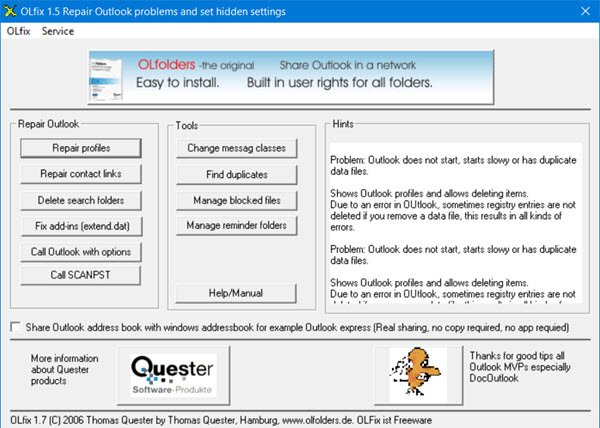
OLFix may also interest you as it allows you to repair more Outlook problems. Stellar PST Viewer will let you scan and view the contents of damaged or corrupted Outlook data files (.pst) files.
If you are facing other issues, check our post on how to Troubleshoot Microsoft Outlook problems.
Hope this helps!
Now read: Unable to access PST File or start Outlook after upgrading.

