
Do you have a large file you want to compress? Or maybe you have a collection of files you want to mail to someone? You can use compression software to achieve both. If you are a Windows 11/10 user, you have some good options, as there are many freeware file compression utilities available. File compression is a process that converts a file or a set of files into a specific format, reducing their size. File compression utilities pack your folders and files into a single file that is easy to carry and also reduces its size.
While you can use the built-in feature to zip files, at times you may receive an error Windows cannot complete the extraction. It is at such times too that you can use third-party file compression & extraction software. Let us take a look at the best three file compression utilities.
Free File Compression Software for Windows 11/10
Here are some of the best free File Compression & Extraction software for your Windows PC:
- 7-Zip
- PeaZip
- IZArc
- And more!
Let us take a look at them.
1] 7-Zip
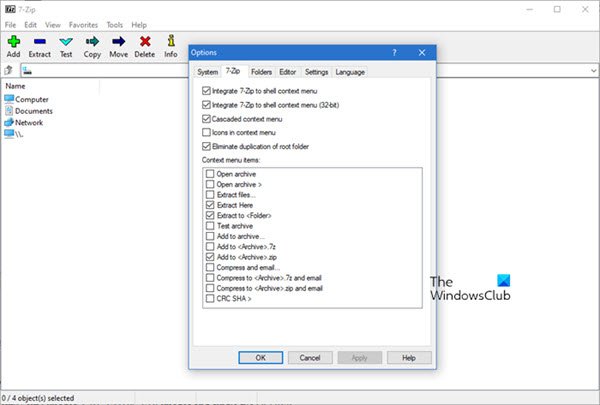
7-Zip is a free and open-source file manager, file archiver, and more. It operates on the 7z format and it can read and write many other formats. It has been one of the best free file compression utilities available. 7-Zip is full of features, and the list of formats it supports just goes on. The 7-Zip file manager can read most of the archiving formats.
7-Zip supports 7z, XZ, BZIP2, GZIP, TAR, ZIP, WIM, ARJ, CAB, CHM, CPIO, CramFS, DEB, DMG, FAT, HFS, ISO, LZH, LZMA, MBR, MSI, NSIS, NTFS, RAR, RPM, SquashFS, UDF, VHD, WIM, XAR, Z and more.
2] PeaZip
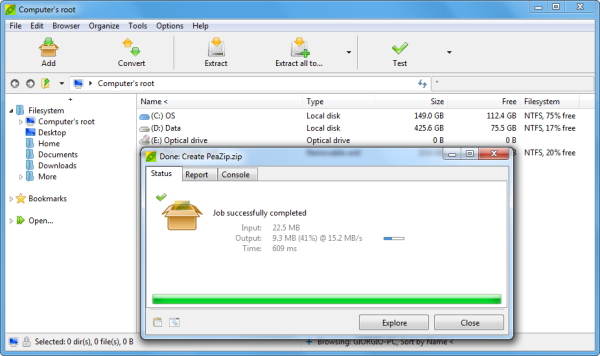
PeaZip is also a free and open-source file manager and compression utility available for Windows and Linux OS. PeaZip is primarily targeted at file compression. Like 7-Zip, it also runs on its file format, which is the PEA archive format – but it also supports most of the other file formats. The application features a user-friendly interface. The other features include archive conversion, file splitting and joining, secure file deletion, byte-to-byte file comparison, archive encryption, checksum/hash file generation, duplicate file detection, system benchmarking, random password/keyfile generation, and more.
PeaZip supports up to 130 file formats that include ACE, ARJ, CAB, DMG, ISO, LHA, RAR, UDF, ZIPX, and more.
Read: How to compress a PowerPoint file
3] IZArc
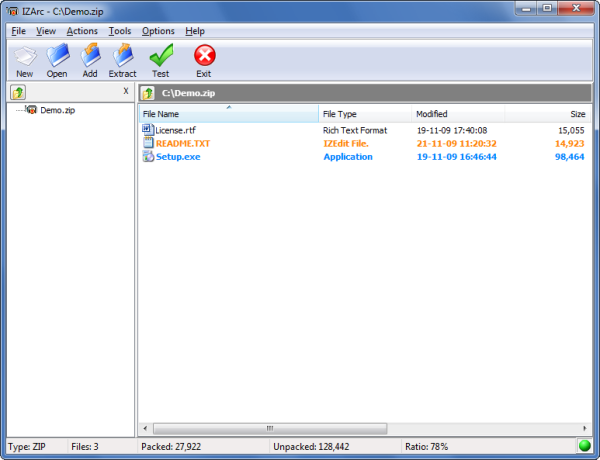
IZArc is a freeware utility that lets you create, extract, or repair an archive. IZArc supports many formats, and it comes with many features that enhance your file compression experience. The drag and drop function works well, and the other features such as – Create a self-extracting archive, Virus scan feature, Repair broken archives, etc.
IZArc supports 7-ZIP, A, ACE, ARC, ARJ, B64, BH, BIN, BZ2, BZA, C2D, CDI, CAB, CPIO, DEB, ENC, GCA, GZ, GZA, HA, IMG, ISO, JAR, LHA, LIB, LZH, MBF, MDF, MIM, NRG, PAK, PDI, PK3, RAR, RPM, TAR, TAZ, TBZ, TGZ, TZ, UUE, WAR, XXE, YZ1, Z, ZIP, ZOO.
If you’d like to share your experiences with these free file compression utilities, or if you know of any other good ones, please do share them below in the comments section.
Also, check out these archiving software:
- CAM UnZip is an easy-to-use tool.
- Express Zip File Compression software
- Bandizip is an ultra fast archiving software for Windows
- Compress and encrypt files with Zipware
- ExtractNow helps you extract multiple Zip, RAR, archive files at once.
- B1 Free Archiver compresses files and extracts content from archives with ease
- WobZIP is a free online compression tool that lets you compress your files when on the move
- CabPack lets you create CAB files.
- Ultimate Extract and Recover is a free unarchiver software for Windows with Unicode support.
TIP: If you receive The compressed (zipped) folder is invalid message, then I’d like to recommend these free zip file repair software.
