
The Internet is the quintessential feature of the Desktop PC (or any other gadget as a matter of fact). With the internet, you also need a good web browser to compile the code and display it correctly. Although there are plenty of web browsers out on the market, Google’s Chrome Browser seems to be the most preferred. Today we will be talking about some of the Chrome Browser extensions which will increase your overall productivity and help you use the Internet in a much more creative way. We have already taken a look at some of the 10 best Chrome extensions to install – today in this post we take a look at those which improve productivity.
Chrome Browser Extensions to improve productivity
1] Noisli
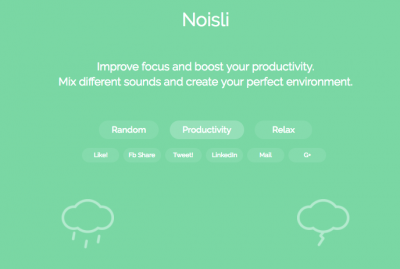
If you like working in a quiet workplace, but the place you are working is a bit noisier and you get distracted easily? Noisli is the best application to help you with; it will simply play rainfall, fire crackling, or birdsong, creating a virtual calm atmosphere. The extension provides a built-in timer and text editor, which will help you be a bit more productive if you need to note something while working in a hurry.
2] Strict Workflow 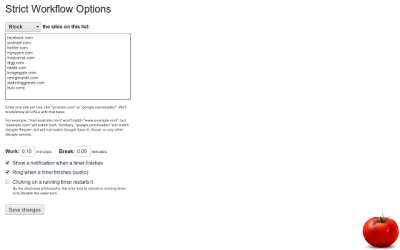
This is the best plugin for using your time as efficiently as possible. The Strict Workflow plugin sets a 25-minute timer for you to work and lets you take a 5-minute break. The plugin will block all the websites which are popular for distracting you, such as Facebook, Twitter, YouTube and others. Although if you use YouTube or Facebook for some work, then you can personalize the application to your need.
3] StayFocusd
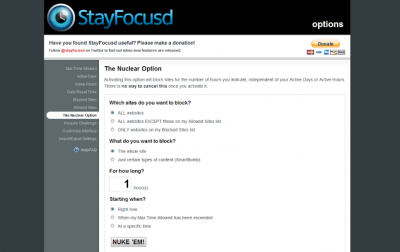
If you are browsing for some research papers and you get to a website reading some attractive article or sharing the article on Facebook, then the StayFocusd app will remind you by restricting the access for some said period of time to the distracting and unproductive website. The plugin is configurable and lets you tailor it to your needs. The plugin allows some websites during certain times of day, while blocking them during work hours. Download it here.
4] Any.Do

The extension provides the same functionality as the Any.do web app and the mobile app does. This plugin helps the person to increase the daily input and output. The app lets you write reminders and different meeting agendas, tasks and notes, too while reading emails or reading websites. This app is also available on iPhone and Android and syncs with it easily. Download it here
4] Timewarp
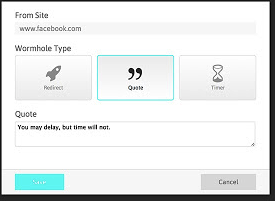
This app works the best when it comes to running away from distractions. This is just like a redirect system that will redirect the distractions to useful places. For Example, it will redirect Facebook to Google, hence you can become more productive with this application. The extension also shows you different types of quotes, and if it finds that you are on a page that is less productive and is distracting you, then it will immediately redirect you to something which is productive. Download it here.
6] Hovercards
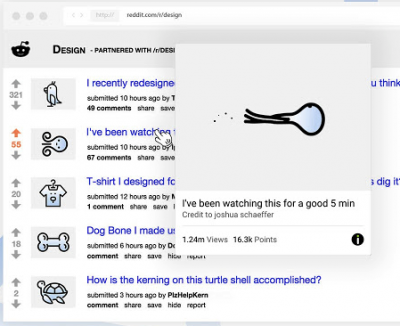
This is just like the 3D Touch feature on the iPhone: when you hard-press a link, it opens in a pop-up window. Similarly, with Hovercards, when you hover over a link, it opens in a card that hovers over the website you are currently on, making multitasking much easier. This will enable you to easily read the content of the next link without changing tabs or opening a new window.
7] Be Limitless
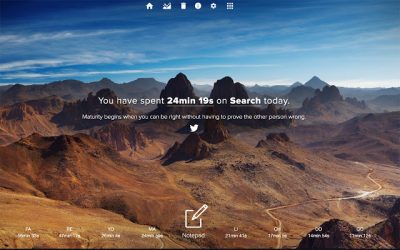
This application covers more than one feature and contains most of the information from the above-mentioned plugins, so you can keep just one plugin instead of 2 or 3 plugins mentioned above. The plugin allows you to add notes and a to-do list while working on the dashboard, and you will be reminded of your goals and upcoming events. It will even display a couple of motivational quotes.
Read: How to use MaxAI.me or UseChatGPT.AI extension?
8] Extensify
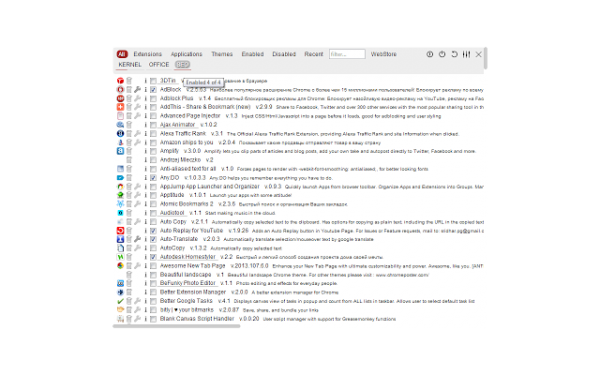
If you have more than one extension, then it may become quite difficult to manage. This extension helps you manage all your extensions. This will also give you a list of resources used by the extensions, so if your PC is slowing down while you work, you can use this extension or plugin to find the culprit. Download it here.
9] Pocket
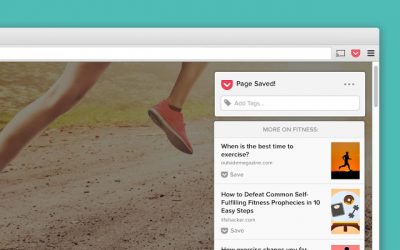
While working, we get many different interesting websites, articles and others, but we soon exit them to save time, and then we don’t get them again. This situation can be saved by using the Pocket extension, where you can see the popular article suggestions on your home page, and it will help you while you are taking a break. Download it here.
These are our Chrome Browser Extension picks to help you out and be more productive. Do let us know about your pick in the comment section below.
I hope this helps.
How do I optimize Chrome for productivity?
You can optimize Chrome in multiple ways to boost your productivity. You can use Google Chrome’s built-in text editor, open multiple pages in one go, make Chrome always open from where you left off last time, use the Quick Search feature, search your open tabs, etc.
What is the best Chrome extension for students?
Google Chrome has a lot of extensions that are beneficial for students. If you are a student, you can use Chrome for studying. Grammarly is one of the most popular extensions. You can install Grammarly on Chrome to improve your grammar. Google Translate Chrome extension lets you translate the selected text or page in your preferred language.
Read next: Best Chrome extensions for Gamers.
