
If you are for some reason, unable to delete your desktop icons, files or folders in Windows 11/10, and receive error messages like Item Not Found, Could not find this item, Location is not available, then you may try one or more of the following suggestions. This happened to me recently on my Windows PC. I saw a folder named New folder, and I went on to delete it, I found that I was unable to and received error message boxes.
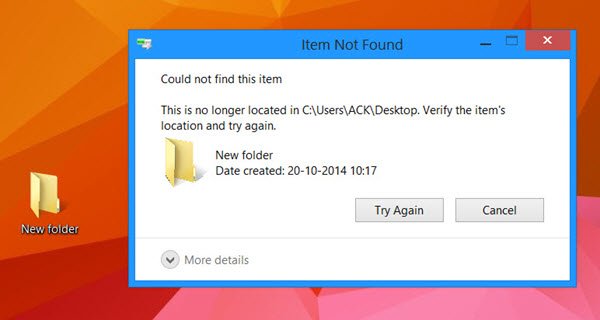
If you go to delete the file or folder, you may receive the following error message:
Item Not Found, Could not find this item
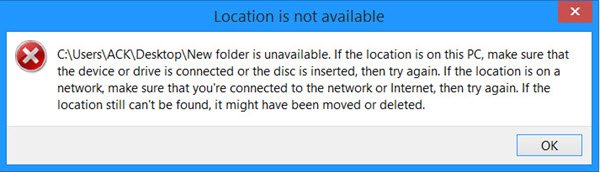
If you try to delete or rename the item, you may see the following error box:
Location is not available
Cannot delete icons, files or folders in Windows 11/10
If you, too, face a similar problem, first, restart your computer and see if you can delete it. If not, here are a few things you could try.
1] Refresh desktop and run ChkDsk
Refresh the desktop and see if you can now delete them.
Run Check Disk too.
2] Dlete in Safe Mode
Boot in Safe Mode and try deleting them.
3] Try deleting from the Desktop folder
Go to the desktop folder/s and try deleting from there.
The typical path is C:\Users\<UserName>\Desktop or C:\Users\Public\Desktop.

4] Use CMD
Open and elevated command prompt and:
Use the del command to delete undeletable files:
del "Path of File"
Use the RMDIR or RD command to delete undeletable folders:
rd /s /q "Path of Folder"
- /S : Delete all files and subfolders in addition to the folder itself. Use this to remove an entire folder tree.
- /Q : Quiet – do not display Y/N confirmation
5] Use free tools
You can use free File Deleter software to delete locked files and folders
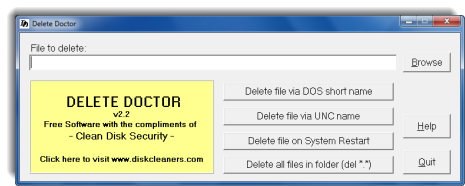
You can use freeware Delete Doctor utility to lock and delete the files on reboot. To delete undeletable folders, try Unlocker instead.
You can also use Wise Force Deleter or ForceDelete.
6] Reinstall the program
If there are leftover icons after uninstalling a program, reinstall the program, delete the desktop icons, and then uninstall it again.
7] Use REGEDIT
Open Regedit and navigate to
HKEY_LOCAL_MACHINE\SOFTWARE\Microsoft\Windows\CurrentVersion\Explorer\Desktop\NameSpace
Double-click on NameSpace and check inside each of the GUID folders. If you can identify the icon by name, delete it. This is especially useful for deleting some un-deletable system icons.
Hope something helps.
Read: Deleting files stuck at 99 on Windows 11
How do I remove unwanted folders from my desktop?
To remove unwanted folders from your desktop, right-click on the folder you wish to delete and select “Delete.” Confirm your action by clicking “Yes” to move the folder and its contents to the Recycle Bin. Double-check the folder contents before confirming deletion to avoid losing important files.
How do I delete files on my desktop that won’t delete?
To delete files on your desktop that won’t delete, press the Windows key + R, type “cmd”, and run it as administrator. In the Command Prompt, type “del” followed by the file path (e.g., del c:\users\<username>\Desktop\filename) and hit Enter. Ensure the file’s location and name are correct to delete it successfully.
Read next: Error 0x80070091 The directory is not empty.
