
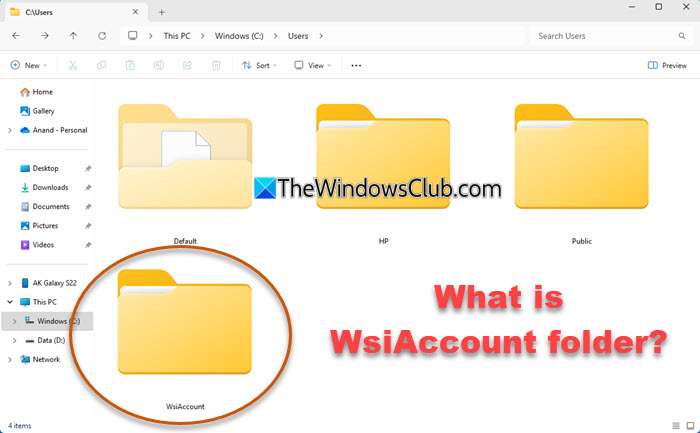
In this post, we will discuss what the WsiAccount folder you see inside the C:\Users folder on your Windows system is, whether it is legitimate and whether you can or should delete it. We also discuss what WsiAccount stands for, when the folder is created and how to disable it using GPEDIT or REGEDIT.
What is WsiAccount folder in Users in Windows 11?
The WsiAccount folder you see under C:\Users in Windows 11 is a legitimate system folder created by Windows for Web Sign‑In and passwordless authentication scenarios, like PIN, fingerprint, FIDO2 passkeys, Microsoft Authenticator, etc.
What does WsiAccount stand for?
WSI stands for Web Sign‑In and it is part of Microsoft’s modern identity system. This folder serves as a secure sandbox where Windows handles sign‑in flows such as MFA prompts, password resets, and cloud token exchanges.
When is the WsiAccount folder created?
The WsiAccount folder is created under the following circustances:
- When you use passwordless sign‑in like PIN, fingerprint or passkey.
- You click “Forgot password” or attempt recovery.
- Your PC is linked to a work account (Azure AD / Entra ID).
- Windows internally invokes Web Sign‑In after updates or login changes.
Can I delete WsiAccount folder?
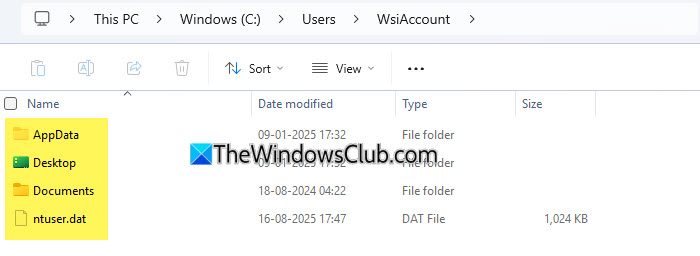
WsiAccount folder is a system folder created for a purpose. It is locked by design and you can’t browse or modify its contents as they store credential‑handling data. Permanent once created: Even if you don’t use Web Sign‑In again, the folder remains, as other sign‑in components rely on it. It is not recommended to delete this folder.
However, if you still wish to delete it, try doing so in Safe Mode or else use this command:
rmdir /s /q "C:\<PathToWsiAccountFolder>"
Can you disable Web Sign‑In in Windows 11?
You can disable Web Sign-in using the Group Policy Editor. Open GPEDIT and navigate to the following setting:
Computer Configuration > Administrative Templates > System > Logon.
If you are sure you don’t need modern sign‑in features, you can Turn off Web Sign‑In.
Click Apply, exit and restart your computer.
You can also use the Registry Editor. Open REGEDIT and navigate to this key:
HKEY_LOCAL_MACHINE\SOFTWARE\Policies\Microsoft\Windows\System
If the System key doesn’t exist, create it.
Now right-click on the System key > New > DWORD (32‑bit) Value.
Name the value as DisableWebSignIn and give it a value of 1 to disable Web Sign-In.
Web Sign‑In will be disabled. The WsiAccount folder will remain but won’t be used again.
I hope this helps.
Is it safe to delete a User folder in Windows 11?
Deleting a User Folder can cause profile corruption. Some folders, such as Default, Public, or WsiAccount, are system‑managed, and removing them can cause Windows features to malfunction. You may, however, delete the contents of the User folders if you wish.
