
Security is a major concern nowadays. Whether you are working on your home Windows PC or in an office, you always want to work on a virus-free system and prevent unauthorized access. External intrusions can occur when you are working online without an effective antivirus program, or through the USB port when an external drive is connected with the intention of transferring data. There are many cases of malware unknowingly infecting your computer via a USB. Hence, it’s important that you not only guard your PC online but also offline, where a major threat is the unauthorized use of USB ports.
We have seen how to restrict access to USB drives using the Windows Registry or Device Manager. Today we will talk about Windows USB Blocker, a simple USB security software that allows you to block and unblock your USB port to access. The USB port is one of the primary entry points for the virus to enter the system. So blocking and unblocking of storage devices on any Windows system can now be done very easily and effectively with a Windows USB Blocker.
Windows USB Blocker
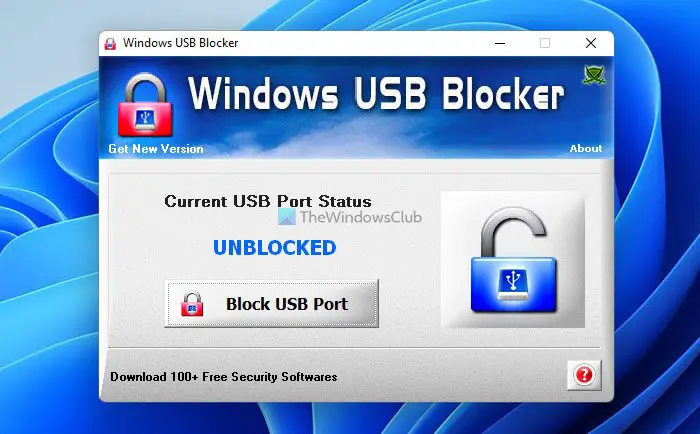
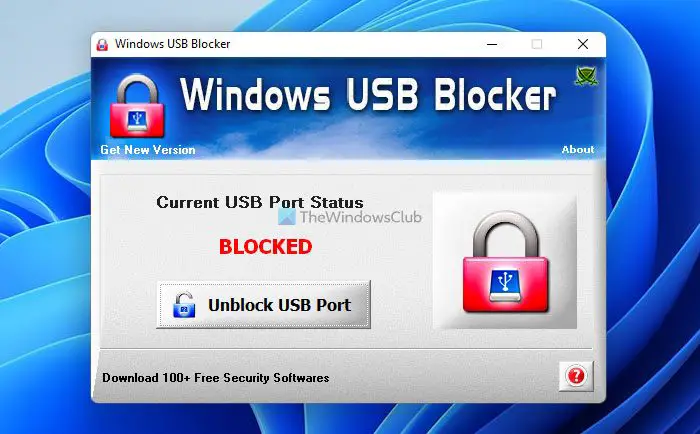
Once you have downloaded and installed this freeware, it will show you the Windows USB Blocker screen on which the Current USB Port Status in being given that is either UNBLOCKED or BLOCKED.
Whatever the current status is, you can change it easily by clicking the button just below the status.
There is also a help section that is provided to help you in case if you get stuck anywhere during the installation process or the operation of the tool.
Features of Windows USB Blocker
- Portable
- Simple GUI interface
- Blocks only USB Storage Device, other normal USB Devices like a wireless keyboard, mouse, etc. remain unaffected
- Does not need you to log off or restart the system
- For installation and uninstallation, a local installer is present
How do you lock down a USB port?
There are some tools that can lock down a USB port on a Windows computer. However, you can easily restrict users from using USB ports using various methods. On the other hand, if you want to block all the USB ports of your computer at once, you can use this tool called Windows USB Blocker.
How do I unblock a blocked USB port?
If you have used the Windows USB Blocker to block a USB port on your computer, it is very easy to unblock that port. All you need to do is to click on the Unblock USB Port button visible on the app. Following that, you will be able to use the USB ports without any problem.
Windows USB Blocker is a very handy tool that can prevent malware from infecting your PC and unauthorized people from copying your sensitive data. Windows USB Blocker is freeware, and you can find it on securityxploded.com. The software is just 1 MB.
You might also want to check out these USB related tools:
- Lock, secure, password protect your USB Drive with USB Safeguard
- Keep a track of who used a USB Device on your Windows PC with USBLogView
- Prevent unauthorized use of USB and other removable media with NetWrix’s USB Blocker
- USB Disabler: A Pendrive Security Tool for Your Windows Laptop.
