
When Windows performs System Restore, or when you opt to Reset This PC, the user is given a clear warning that the process should not be interrupted. If interrupted, the system files or registry backup restore could be incomplete. Sometimes, System Restore is stuck or Windows 11/10, Reset takes a lot of time, and one is forced to shut down the system. It can make the system unbootable.
What happens if you interrupt System Restore or Reset in Windows 11
Both Windows 11/10 Reset and System Restore have internal steps. Some are very crucial, and if not completed (or interrupted), can lead to system corruption, boot issues, data loss, and an unusable operating system. It’s crucial to avoid interruptions and be prepared with recovery options to mitigate the risks.
In this post, we take a look at:
- What happens during the Windows 11/10 Reset?
- What happens during System Restore?
- What if you have to interrupt Windows 11/10 Reset or System Restore?
Let us understand what happens during the process.
1] What happens during the Windows 11 Reset?
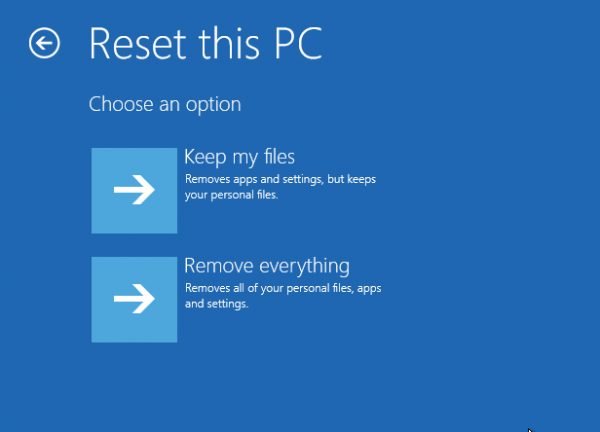
When you Reset Windows, System files are replaced with a fresh copy; Registry entries are set back to default, some of the installed software are removed, and the default apps are reinstalled.
2] What happens during System Restore?
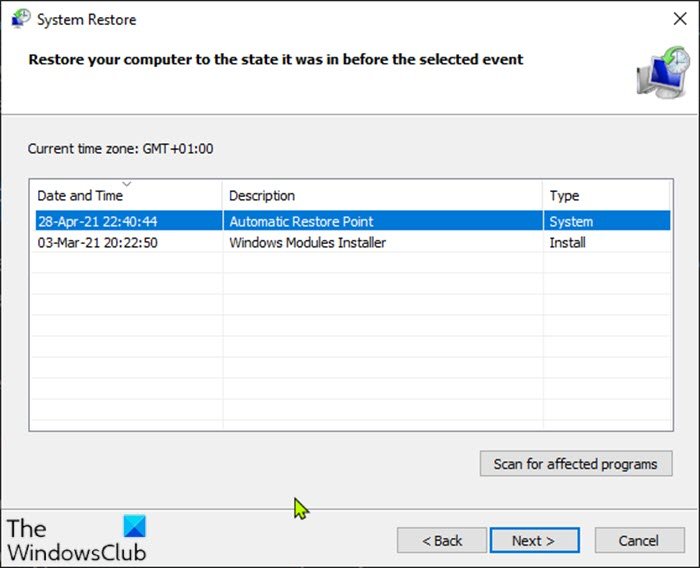
When Windows creates a System Restore point, it includes system files, registry files, and some user files. The complete list of the System Restore snapshot includes the Windows Registry, DLL Cache, Local user profiles, Drivers, COM/WMI databases, etc. They help restore the OS to working condition. System Restore can return a system to working condition when an install failure or data corruption occurs.
During Restore or Reset, all these files are restored. When the process is interrupted, there may not be any major issue if the restore of System files is interrupted, but if the Registry restore is in progress and it is interrupted, it could result in an unbootable system. The OS cannot work with half-baked registry entries.
So my advice to all those who see System Restore or Windows 11/10 Reset stuck is to give it as much time as possible – maybe even an hour. At least it will ensure that the Registry restore is complete. Core system files can be restored using any Windows ISO.
Read: Can you back up Restore Points or recover corrupt Restore Points in Windows?
3] What happens if you interrupt System Restore or Reset in Windows 11
If you have waited long enough, and you need to stop, then you can force reboot the system. It may result in an unbootable system. But the good news is that Windows 11/10 can initiate Automatic Startup Repair for situations like these.
When the computer boots up and the OS detects a problem with the files, it will trigger Automatic Repair mode. If it doesn’t, try interrupting the boot process three times—doing so will trigger Automatic Repair mode. If you use the power button, you might have to hold it down for at least 4 seconds to force the device to power off.
During Automatic Repair mode, part of the recovery system will try to fix itself, but in case it cannot, you can use the Advanced Recovery Mode to help you boot into the OS.
Read: Accidentally turned off computer during Factory Reset Windows 11
We hope that it is clear what happens when someone or a situation interrupts an ongoing Windows 11/10 Reset or System Restore process.
Read: System Restore stuck or hung up in Windows.
Will I lose Windows 11 if I reset?
When you reset your Windows 11 PC, the impact on your system depends on the reset method you choose. The ‘Keep my files’ option will reinstall Windows 11 while preserving your personal files, though it removes apps and resets settings. The ‘Remove everything’ option will completely reinstall Windows 11, deleting your personal files, apps, and settings. However, choosing the ‘Restore factory settings’ option, if available, will revert your system to its original factory state, reinstalling the original version of Windows that came with your PC (maybe an older version like Windows 10).
What is the difference between reset and restore on Windows 11?
Reset PC is essentially a way to start fresh with a clean Windows 11 installation while keeping some choices about what to keep. System Restore reverts system files, settings, and installed programs to the state they were in at the time the restore point was created. This process can help undo changes without a full reinstallation of the operating system.
Now read: What happens if you turn off computer during Windows Update?
