
ASMR content has become one of the most popular online trends, offering viewers a wide array of calming content that allows them to escape reality through sounds and visuals. However, creating high-quality ASMR videos is quite time-consuming and expensive, especially when it comes to filming, editing, and adding the right effects. However, this is where AI tools step in to make this process easier for creators. These tools simplify the process and make it enjoyable. In this article, we will explore the best ASMR AI video maker tools available in the market that can help creators produce more relaxing videos.
What is an ASMR video?
ASMR stands for Autonomous Sensory Meridian Response. It refers to a tingling sensation on the scalp that moves down the neck and spine, often triggered by specific audio or visual stimuli. ASMR videos are renowned for their calming effects and are frequently utilized to promote relaxation, improve sleep, or alleviate stress.
What are the best ASMR AI video maker tools?
If you are looking for the best ASMR AI video maker tools, check out our list below.
- Synthesia
- Google Veo 3
- Lumen5
- InVideo
- CapCut
Let’s get to know about these options in detail.
1] Synthesia
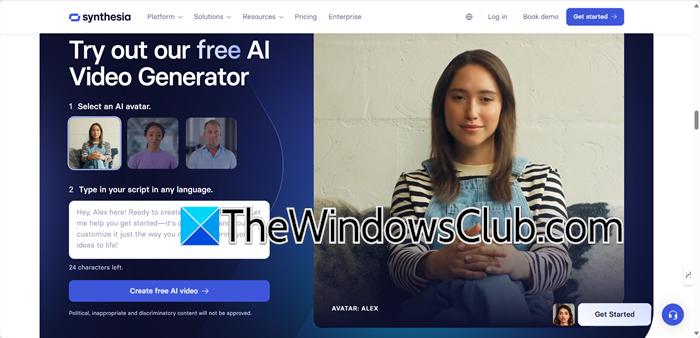
If you are looking for AI-generated ASMR with whispering digital avatars, Synthesia is one of the best options available. It creates hyper-realistic presenters who can whisper or narrate scripts in more than 140 languages with natural lip-sync and emotional voice tones. The price range for this option is suitable for creators who want professional-grade ASMR videos without the hassle of using cameras, microphones, or lengthy recording sessions.
Additionally, it features over 230 AI, selfie, and personal avatars, as well as voice cloning. However, for layered sound effects or tactile effects, users still need external editing tools for more complex sound designs. Apart from this, Synthesia excels in guided meditations, affirmations, and bedtime stories, making it perfect for multilingual ASMR channels or brands. You need to click on the hyperlink synthesia.io to go to the AI Video Generator.
TIP: Create ASMR videos using the world’s first AI design agent Lovart.ai
2] Google Veo 3
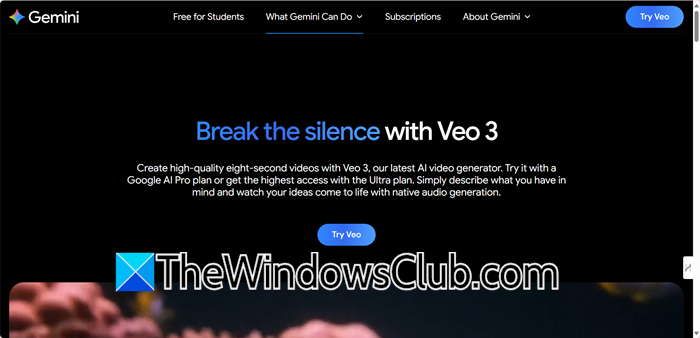
For creators who want to generate stunning ASMR visuals from scratch, Google’s Veo is an emerging powerhouse. This AI model can create high-quality video clips from text prompts, making it ideal for visualizing soothing textures like gentle sizzling, crackling fires, or flowing water. This makes it a powerful tool for oddly satisfying loops, food ASMR, or abstract nature scenes that require believable, calming textures.
As a very new and advanced model, Veo is currently in limited testing and is not yet widely available to the public through a direct website. Its strength lies in producing original, visual-heavy triggers and atmospheres without relying on stock libraries. Keep an eye on its official rollout for future ASMR possibilities.
3] Lumen5
Lumen5.com is a strong option for creators who want to add an ASMR-like, relaxing aesthetic to text-based content. It’s excellent for turning blog posts, scripts, or articles into calm, visually appealing videos. The platform auto-suggests serene stock footage and pairs it with gentle music and AI voice-overs.
Its intuitive drag-and-drop editor allows for easy personalization of layouts, colors, and fonts. It’s perfect for creating guided meditation videos, relaxing affirmations, or calm explainer content. You can check it out at Lumen5.com. It offers a free plan with a watermark and paid tiers for HD output and more features.
4] InVideo

InVideo.io is the ultimate shortcut and a versatile AI platform for ASMR-style content, as it offers far more than basic text-to-video. Apart from its AI video generator and Avatar creator, it also packs tools for TikTok, YouTube Shorts, memes, subtitles, and even UGC cards. Creators can add music, compress files, trim clips, or convert formats directly in the browser. It features a massive template library, covering intros, outros, slideshows, ads, real estate, and social media posts; you name it, they have it.
InVideo makes producing calming ASMRs calmer with its AI voiceover, subtitle generation, and even animation tools. There are multiple plans offered here for different tasks, varying from a free plan, Max for stock video, Generative for ads and films, to Enterprise for custom solutions for large organisations.
Read: How to convert Blog Posts into Videos using AI
5] Veed.IO
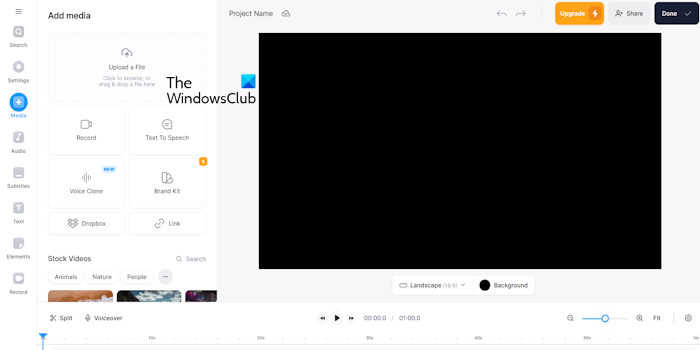
For creators who need a more all-in-one solution that includes voice and narrative elements, VEED.io stands out as a comprehensive web-based platform. It goes beyond visual triggers by offering AI-generated scripts, voice cloning for whispering narrations, and essential audio enhancement tools to remove background noise for crystal-clear audio. While it includes a free plan with a watermark, its paid tiers unlock full access to a rich library of sound effects, royalty-free music, and advanced features like green screen effects, making it a versatile tool for producing a wide range of ASMR content, from role-plays to satisfying triggers, all within your browser.
Hopefully, with the help of this post, you will be able to resolve your issue.
Read: How to download and use CapCut AI Video Maker for PC
What is the importance of a prompt while creating ASMR?
Prompts are very crucial in creating ASMR as they shape the tone, triggers, and atmosphere of the content. It helps the creator focus on specific sounds, scenarios, or role plays that contribute to the relaxation element of the ASMR. A well-crafted prompt is essential as it ensures consistency, personalization, and maximizes the tingling effect for the audience’s experience.
Read: How to use Google Vids AI Video Editor?
How to make high-quality ASMR videos?
To make high-quality ASMR videos, creators need to focus on clear audio, soothing visuals, and minimal background noise. More often than not, we see natural triggers like whispering or tapping; however, they must feel realistic, or else they can cause a reaction opposite to calmness. Here, good AI ASMR video maker tools play a key role in achieving that by refining sound, polishing edits, and adding creative touches to deliver a truly immersive and relaxing experience for the audience. To know more about these tools, check out the list we have curated above.
Also Read: Best Free AI Video Generators.
