
There is no dearth of tools that we can use to optimize our Windows PCs. But a few do their work perfectly. Fortect Repair Tool & PC Optimizer is a program that can scan your PC for errors, fix them automatically and optimize your PC to make it run faster! In this guide, we review Fortect and explain its features to you.
Fortect Review
Fortect Repair Tool and Windows Optimizer is a paid program that scans your PC and fixes the issues when you run it.
You need to download it from Fortect and install it on your PC to use it. When you install it, it runs automatically at startup and scans your PC. You will see the scan results and the issues that need to be fixed on your PC. When you choose to repair the issues and optimize your PC, Fortect will automatically fix them, making system resource use more efficient.
Fortect Features
Fortect not only detects when Windows isn’t running properly, but it also fixes the problem at its core. Any damaged or missing files are replaced with original copies from the Windows System File Checker, while your system is optimized and secured using the latest knowledge. Malware, Registry, Browser Cache, and Junk files modules can be accessed within the app.
The main features of Fortect, in short, are:
- Detect & Repair Stability Issues
- Browser Cleanup
- Optimize Windows Registry
- Junk Files and Privacy Traces Removal
- Malware and PUA/PUP Removal
- Real-Time Software monitoring.
Is Fortect free to use?
All items scanned can be repaired individually, free of charge during the trial period, but for automated optimization, a purchase is required.
What does Fortect Repair tool & PC Optimizer do?
Before getting into how Fortect works, there are some great features on Fortect that can help you optimize as well as protect your PC.
Fortect Repair Tool can do the following things:
- Fix Windows issues
- Fix Virus Damage
- Fix Computer Freezes and BSOD errors
- Fix Damaged or Missing DLL Files
- Restore the Windows OS
Fix Windows issues
We come across some Windows issues regularly and processes or programs may stop working due to damaged or corrupted files. Fortect can fix Windows issues by replacing damaged or corrupted files with new, legitimate ones from its up-to-date database.
Fix Virus Damage
It is well known that viruses and malware can damage our PCs and the data on them. Even after we get rid of malware, there might still be lingering issues on our PC caused by it. Fortect can detect and repair virus-related damage to help your PC run more efficiently.
Fix Computer Freezes and BSOD errors
We occasionally come across programs freezing or our PC crashing. They can occur due to a damaged registry or missing or corrupted files. Also, we see the Blue Screen of Death errors where our PCs become unusable until we fix them, or else we regularly see BSOD errors. These two are the major issues everyone faces, and Fortect is designed to fix them automatically, without you doing anything other than running the program.
Fix Damaged or Missing DLL Files
DLL files are essential for the smooth operation of our PC. We see issues like missing or damaged DLL files. In that case, Fortect can scan your PC to identify such issues, fetch the original files from its up-to-date database, and replace corrupted or missing files to help your PC run smoothly.
Restore OS
If you come across any issues with the Windows operating system on a whole on your PC, Fortect can restore the healthy version of your OS where there are no issues that hinder the performance and functioning of your PC. It does its tasks without harming your data.
In short, Fortect performs a comprehensive scan of Windows system files, such as the registry and compares them against our database of healthy configurations. It then verifies and preserves unaffected files and programs, while isolating and removing damaged or unnecessary files. Fortect’s primary function is to ensure the integrity and optimal performance of Windows systems.
How to use Fortect Repair tool & PC Optimizer
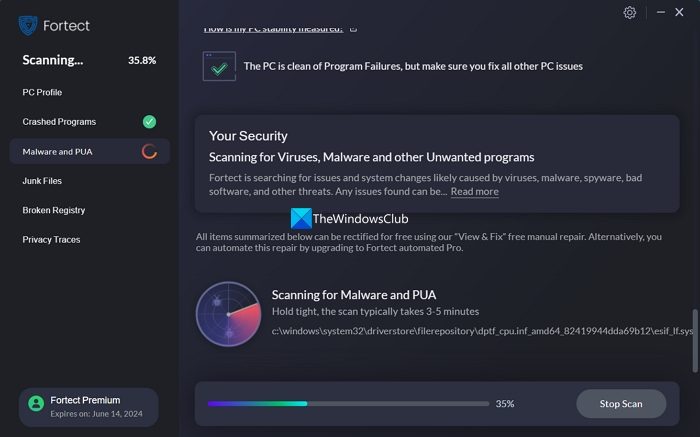
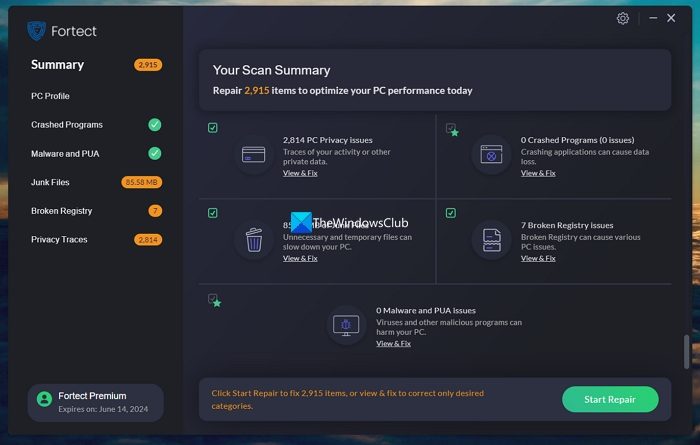
To use Fortect on your PC, download it from Fortect and install it on your PC. Once you have installed the program, run it. It will automatically scan your PC and identify issues that hinder its performance. The scan will be completed within 5 minutes or less, and you will see the scan summary.
To fix all the issues and optimize the performance of your PC using Fortect, create a system restore point first and then click on the Start Repair button at the bottom of the Scan Summary.
Note: To automatically repair all issues with one click, you need to buy Fortect by subscribing to one of its plans and activating Fortect Premium using the key you receive after buying a plan.
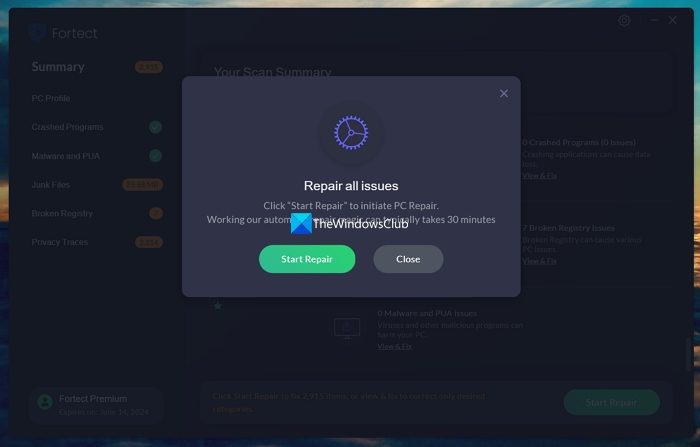
It will display a pop-up to Repair all issues. Click on Start Repair to proceed with the repair of issues on your PC.
You will now see the repair progress and the issues Fortect is fixing.
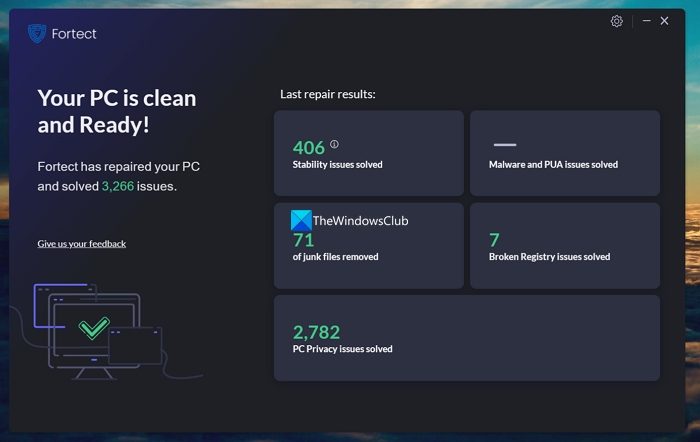
Once the repair is complete, you will see the results, which show the data for all issues fixed in the last scan and repair session in the Fortect software.
How much is Fortect?
Fortect has three PC Repair Plans for users. They are: One-Year Repair Plan for 1 PC, One-Year Repair Plan for 3 PCs, and One-Year Repair Plan for 5 PCs. You can scan and repair PCs an unlimited number of times with a plan. There is no limit on the number of repairs you can do. The pricing of each plan is as follows:
- One Year Unlimited repair for 1 PC: $69.95 (Available for a discount at $33.95)
- One Year Unlimited repair for 3 PCs: $99.95 (Available for a discount at $41.95)
- One Year Unlimited repair for 5 PCs: $129.95 (Available for a discount at $64.95)
Fortect is a great tool that can automatically scan and fix issues on your PC to optimize performance. The features Fortect offers are great for regular users. If you are looking for software for hardware issues, this program will not work for you. What Fortect does is fix issues at the Windows OS level automatically when you choose to repair them.
What are the Pros and Cons of Fortect?
Fortect offers strong malware detection through Avira’s certified engine and stands out with its unique Windows Repair tool that replaces corrupted system files, making it especially useful for stabilizing older PCs. It’s easy to install, user‑friendly, and includes extras like a VPN, Driver Updater, and Privacy Cleaner, all at an affordable first‑year price. However, its free plan is limited, and customer support is available only via email.
Is Fortect Safe?
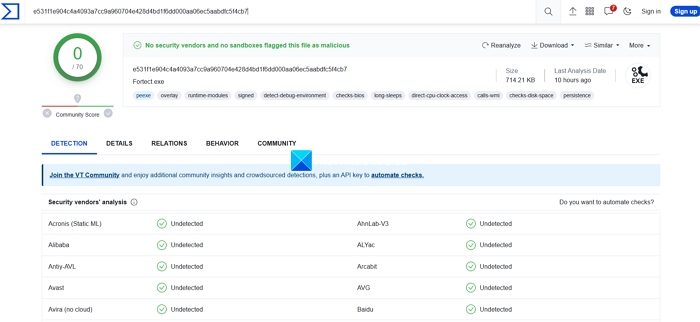
Fortect software is safe to install and use. I have tested the repair tool on my PC and found no issues. No security vendors and sandboxes have flagged the Fortect installer file as malicious. It is a legit tool to scan and repair your PC, and you can use it when you want just by installing and running it.
To be absolutely safe, you should always create a system restore point before installing and using it.
It is AppEsteem certified, and you can read its reviews on TrustPilot.
Where do I get Support for Fortect?
If you wish to contact Fortect for support regarding services, repair, or any other reason, you can email them at support at fortect dot com or fill out their form here at fortect.com.
How do I remove Fortect?
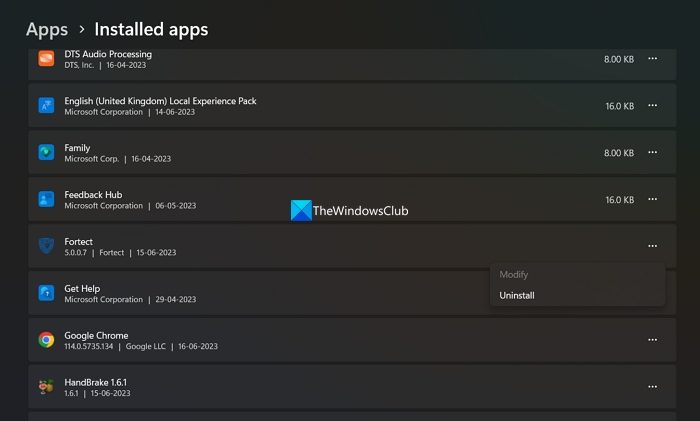
Fortect software can be easily removed or uninstalled from your PC as you do with any other program. Open the Settings app and select the Apps tab. Go to Installed Apps and find Fortect. Click on the three-dot button beside it and select Uninstall and follow the on-screen instructions to complete the process.
Read: Fortect Browsing Protection will secure your Browser free
How does Fortect work?
Fortect enhances your computer’s health by maintaining a comprehensive database of Windows files to repair system damage. It works by restoring or replacing corrupted files and optimizing system performance, ensuring your PC runs efficiently and effectively.
What does Fortect do?
Fortect replaces missing or corrupted Windows system files, cleans junk files, fixes registry issues, applies tweaks, and identifies and repairs damage caused by malware.
Is Fortect free to use?
It provides a basic OS repair service for free, which includes essential system comparison and repair functions. For users seeking enhanced features and full automation, Fortect also offers a premium, paid version of the software. Choose accordingly based on your repair needs and preferences.
How can I use Fortect for free?
You can use Fortect for free through its “Pick & Choose” Repair option. During a scan, you can repair specific categories individually and selectively at no cost.
Is Fortect repair tool legit?
Yes, Fortect is a legitimate repair tool designed to enhance and maintain your PC’s performance. Offering both protection and optimization at a competitive price, its user-friendly interface is popular among users. Fortect is widely recognized as a reliable solution for PC maintenance.
What is the difference between Fortect Free and Premium?
The difference between Fortect’s free and premium versions lies in the repair capabilities. The free trial offers limited, 24-hour granular repairs. After that you will have to manually select and repair. In contrast, the premium version offers unlimited repairs, featuring comprehensive repair capabilities that ensure optimal system optimization and protection.
What are the alternatives to Fortect?
There is no single software that can do all that Fortect can do. Among free software, you can use Glary, Wise, CCleaner, FixWin, Intel or AMD Driver Update Utilities, and the built-in Defender & SFC to perform the same tasks.
