
At times you may want to recover your Windows and Office product license keys along with keys of other software or games installed on your Windows computer. While you can always find your Windows Product Key using Command Prompt, PowerShell, VBS, etc, there are also some nice Software Key Finder tools available for download.
This post looks at some free ones. There may come a time when we want to recover lost passwords and license keys on your Windows PC. This can be a difficult affair, especially if some passwords and keys are old. The question is, how can we make the recovery of passwords and keys much easier than searching for them manually? Some programs do an awesome job at recovering passwords and keys, and it doesn’t matter if some of these passwords come from your web browserSoftware Product Key Finders that will reveal, recover, and save product keys & licenses of Windows, Office, Games & other installed software on your Windows computer.
Software Product Key Finder for Windows 11/10
Some of the best free Software Key Finders to help you recover and save Windows, Office, Software, Games serial, and license keys have been listed below:
- Magical Jelly Bean Keyfinder
- Belarc Advisor
- ProduKey
- Windows OEM Product Key Tool
- Windows Product KeyFinder
- Windows OEM Product Key Tool
- Windows Key Finder
- Keyfinder Thing
- ShowKeyPlus
- recALL will help you recover lost passwords as well as the product license keys.
- Professional Product Key Finder
- Product Key Decryptor & Windows License Key Dump
- Sterjo Key Finder
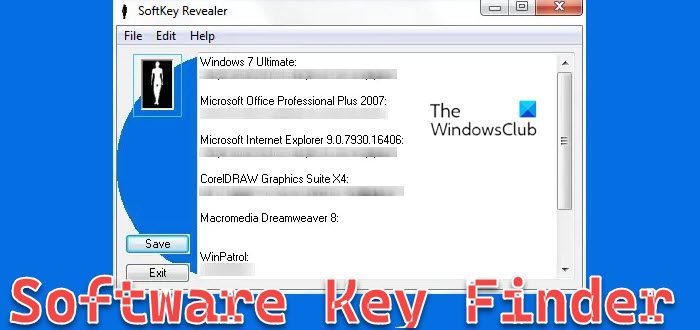
- SoftKey Revealer
- LicenseCrawler
- Game Key Revealer
SoftKey Revealer retrieves the CD-Key and Serial for installed software on a computer, including Windows and Microsoft Office. You can download SoftKey Revealer here.
LicenseCrawler is another free tool to retrieve Product Keys and Serial Numbers. You can download it here.
Game Key Revealer will reveal game keys.
It is always a good idea to save all your product keys on to a different location, just in case you misplace or lose the keys. It saves time rummaging through your mail or writing to the company.
Recover license keys using Product Key Decryptor & Windows License Key Dump
It usually happens with us that we install software on our Windows PC and misplace their license keys. This could create a problem when you need to install it again later, and you don’t have the product license key. Product Key Decryptor and Windows License Key Dump. Both utilities are amazing and support all the popular applications, including Microsoft software such as Windows, Exchange Server, and Office.
1] Product Key Decryptor
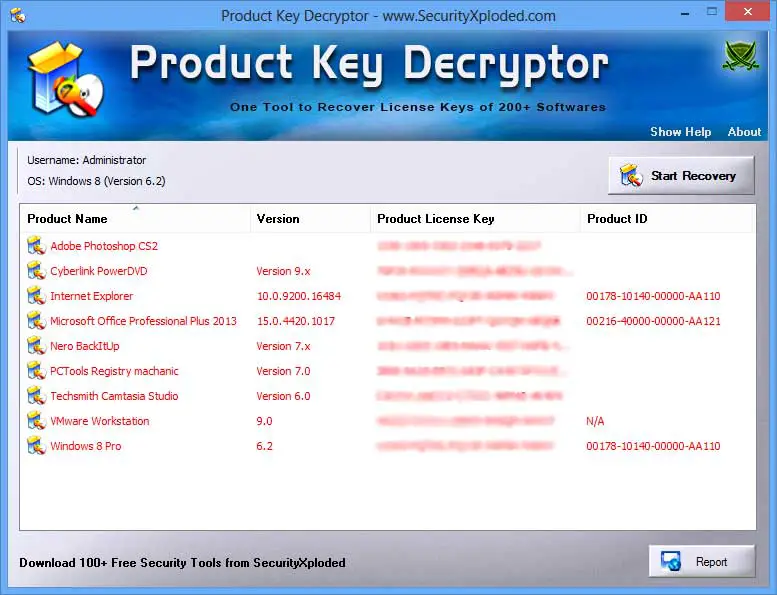
Product Key Decryptor is a free software that allows you to recover the license keys of installed applications. It performs an automatic scan to quickly recover the software license keys. To start the license key recovery, you simply need to click on the ‘Start Recovery’ button.
Product key Decryptor supports more than two hundred applications including most of the popular applications like Adobe Creative Studio, Camtasia Studio, Magic ISO, Norton Internet Security, Visual Studio, TuneUP Utilities, Autodesk 3ds Max, Avira Antivirus, Corel Draw, etc. It even supports license recovery of Windows OS itself and Microsoft software too, it can recover license keys for Microsoft Office, Exchange Server, SQL Server, Internet Explorer, etc.
So that you don’t lose them again, there is an option in the software, that lets you back up and save the license keys in a safer place. You can back up the recovered license key list as a TEXT, HTML or XML file and save it wherever you want. It is a very useful application and is easy to use.
Click here to download Product Key Decryptor.
2] Windows License Key Dump
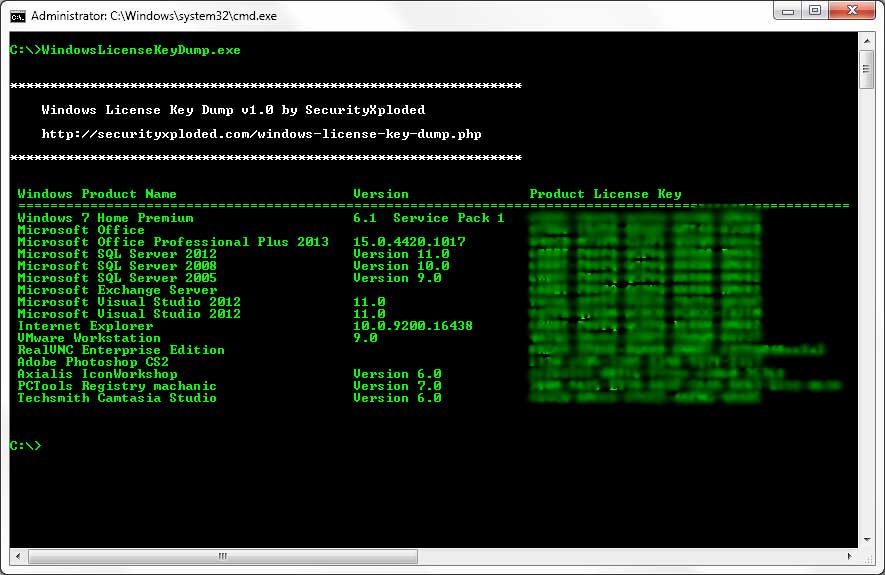
Windows License Key Dump is the command-line version of the Product Key Decryptor – from the same company. It is suitable for developers and tech-savvy users who understand how command-line applications work and can put this application to good use. As it is the command-line version of Product Key Decryptor, it supports the same applications. To use Windows License Key Dump, you need to launch the command prompt (cmd.exe) and then navigate to the directory where the files of Windows License Key Dump are located, then you need to open ‘WindowsLicenseKeyDump.exe’ using cmd itself.
Being a command-line tool, Windows License Key Dump lacks the backup feature and thus you cannot save the recovered license keys. It is again a useful application but if you are a non-geek user, I would suggest you use the GUI version of this application (Product Key Decryptor).
Click here to download Windows License Key Dump.
How do I recover my software product key?
There is no definitive guide to recovering your software product key, as companies use different methods to activate their products. However, some tools must be manually activated by entering a license key after installing the app. If you want the product key from such software, you can try the recALL app on your computer.
What if I lost my Microsoft product key?
If you have purchased Microsoft Office from an offline retailer, you can find the product key on the DVD that came with the purchase. However, if you have purchased Microsoft 365 from the official Microsoft website, you do not need to worry about losing the product key. Your email account serves as the activation key you need to license your product.
