
If you are looking for an application that can create, convert, and merge PDF files, then PDF24 Creator is a free PDF Editor software you may want to look at. PDF remains the most commonly used file format even today. Whether you are working at home or in the office, you often encounter PDF files, and it is at such times that PDF24 Creator comes in handy. It is a freeware tool that can help scan PDF documents and convert any printable document into PDF format.
PDF24 Creator for Windows PC
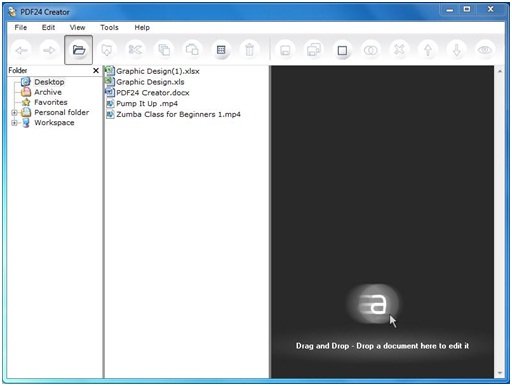
PDF24 Creator has so many features that, at the user level, you will always find this freeware handy. The software’s user interface is kept simple and attractive so that even a beginner does not find any difficulty while using it. Some of the main features can be described below.
- Multilingual – several languages are applicable for this application
- Free upgrades included
- Secure a PDF from unauthorized access
- Merge and split PDF files
- Extract and copy PDF pages from file to another
- Simple and attractive interface
Create, convert and merge PDF files
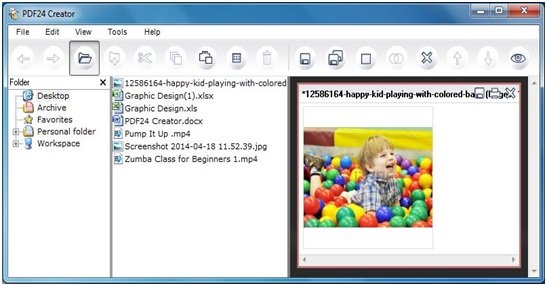
1. All you need to do is to drag and drop the file which you want to edit or you can also make use of Explorer-based layout to locate the files.

2. Once you have added the files, you can start using tabs in the upper part of the mail window. You can move forward or backward, cut, copy, save, and send all or selected files via email and fax. If you want, you can rotate the file in any direction and sort it as well, either in ascending or descending order.
3. There are five drop-down buttons on top of the main windows. You are not always required to visit these buttons to complete your task, as the shortcut icons are also present just below these buttons.
4. The left panel of the windows shows the folder from where you can select your desired file. After selecting your file, you just need to drag and drop it either to the rightmost panel or to the bottom panel, depending upon which type of layout you are using.
Making use of tabs
As shown below, there are five tabs containing useful options. You can select any one of them depending on your need. These buttons are as follows:
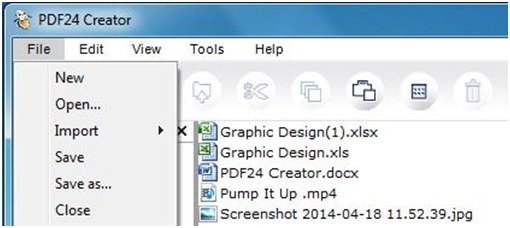
- File: Here in “File” you can select New, Open, Save, Save As, as well as you can import the file from either camera or scanner or from another file.
- Edit: In “Edit” there is an Explorer option where all copy-paste-related work can be done.
- View: in “View” you have the option related to the setting of window layout, Explorer, and document view settings option.
- Tools: Here you can perform various operations like you can convert your document to PDF, extract pages from the PDF files, create self-signed certificates, save profiles and preferences.
- Help: In the Help section, you can look for the latest updates, information about the software, etc.
PDF24 Creator is helpful if you often need to create, convert or merge PDF files. You can download the software from its home page.
The total size of the software is 15.5MB and it is supported by almost all versions of the Windows operating system.
You may want to also check out PDFCreator, BullZip PDF Printer and doPDF.
