
A few years ago, when eReading had not yet gained its popularity, Reading was still restricted to good-old paper books. Although book-based reading is an exclusive, irreplaceable, and awesome experience, eBook reading has some notable advantages, particularly in terms of convenience and portability. There are yet others who say that e-reading is, in many ways, better than conventional reading! You may or may not agree with this, but you need an essential thing to have such an awesome e-reading experience — an effective eBook Reader.
Although there are a lot of eBook readers available for Windows PCs, today, we will talk of Icecream eBook Reader. It is to be noted that Icecream eBook Reader, which comes from Icecream Apps, is a different eBook reader in a number of ways – such as the user interface.
Icecream eBook Reader for Windows PC
Simply put, Icecream eBook reader is one fine solution that lets you read your favorite books using your Windows PC. Let’s check out some of the noticeable aspects of Icecream eBook reader, such as its User Interface, supported formats, main features, etc.
User Interface
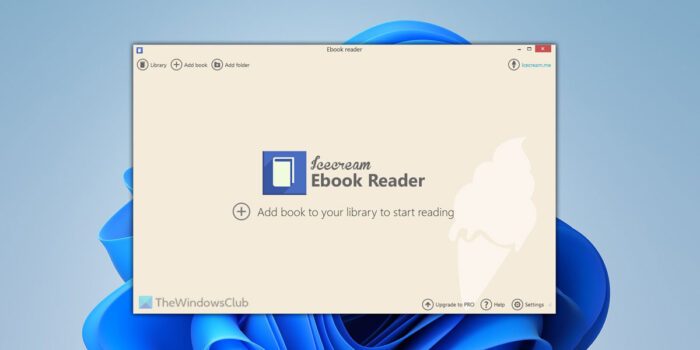
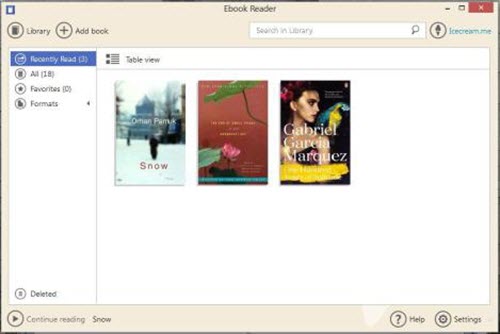
This is the section you will love most in Icecream eBook Reader, because the team has done its best in developing the UI of Icecream eBook Reader in such a way that you can install and get used to the tool in a few seconds. For instance, you can check out the dashboard of Icecream eBook Reader and you will be able to find your favourite books without any sort of glitch. In addition, there are options to change viewing style to suit your convenience; you will be able to toggle between list view and grid view, named Table View and Bookshelf View respectively. Plus, if you have chosen Table View, you can also know reading progress in books and there are options to favourite and delete books as well.
Supported Formats
Although commonly known as EPUB eBook reader, Icecream eBook Reader can be used to read books from a variety of eBook file formats. Those formats are:
- .epub
- .mobi
- .fb2
- .cbr
- .cbz
This means that you will be able to read books from almost every eBook format using this easy-to-use eBook reader. In addition, the freeware it has a relatively lower minimum system requirement. If you have a PC running on 1.33GHz+ processor, 512MB+ RAM and a minimum storage space of 30MB, you can go with Icecream eBook reader without a second thought.
Reading Experience & Other Features
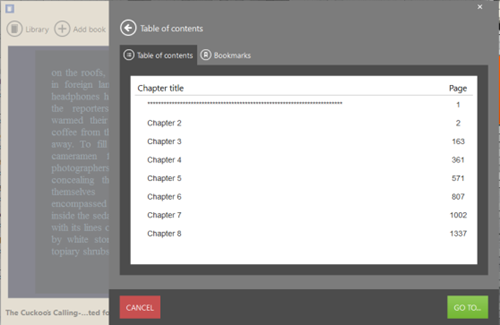
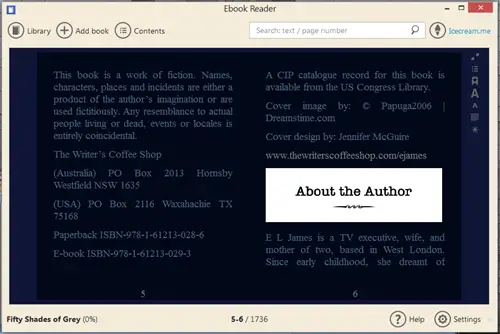
We must say reading experience from Icecream eBook Reader is something great, as it offers several options to suit your convenience. For instance, you can click on Contents section to know different sections of the book. If you click on these, you will be navigated to the specific part of book. Similarly, you can select between single-column & double-column view according to your wish. At the same time, to get rid of distractions, full screen mode of Icecream eBook Reader will be quite helpful.
Icecream eBook Reader free download
All said and done, Icecream eBook Reader can give you a great eBook reading experience on your PC. Being a free software, you can download Icecream eBook Reader from its official website. The file size of the installer is just 14.2MB, which is low enough, considering the reading experience offered by the app.
Do check it out and let us have your opinion about the free software.
Is Icecream eBook Reader good?
Yes, Icecream eBook Reader is quite good and works well on both Windows 11 and Windows 10 computers. Whether you need to read eBooks or organize them differently, you can do everything with the help of this application. It supports ePub, MOBI, fb2, PDF, CBR, CBZ, etc.
What is the best Windows eBook reader?
There are numerous apps available in the market that allow users to read eBooks on Windows 11/10 PCs. For example, you can use Icecream eBook Reader, which is one of the best options for readers. Whether you read for one hour or five hours straight, you can use this app according to your requirements.
Some of you might want to also check out Icecream Password Manager, Icecream Slideshow Maker, Icecream PDF Converter, Icecream Image Resizer and Icecream Media Converter from the same developer.
