
FxSound is one of the most popular sound-enhancing software for Windows. However, for a long time, it has been a paid application, but now, FxSound enhancer software is free and you can install it on your Windows 11/10 computer. In this article, we will see how to install and use FxSound to improve sound quality.
How to boost sound quality using FxSound on Windows PC
FxSound is a perfect application for someone who wants to customize the sound that’s coming out of their computer. Whether you’re customizing bass or clarity, this is what you need. However, you should know that it’s not revolutionary; sound quality enhancers, or audio enhancers, have been around for ages. But they have improved, made the UI easier on the eyes, and also, using it is not a hassle.
And now that it’s free, you can download and see for yourself how good the app is. There’s something you need to know, the app gives a lot of freedom to you, because of that, a lot of users tend to make their voice worse. Hereinafter, we will discuss everything in detail and show you how to use the app effectively.
Download and Install FxSound for free
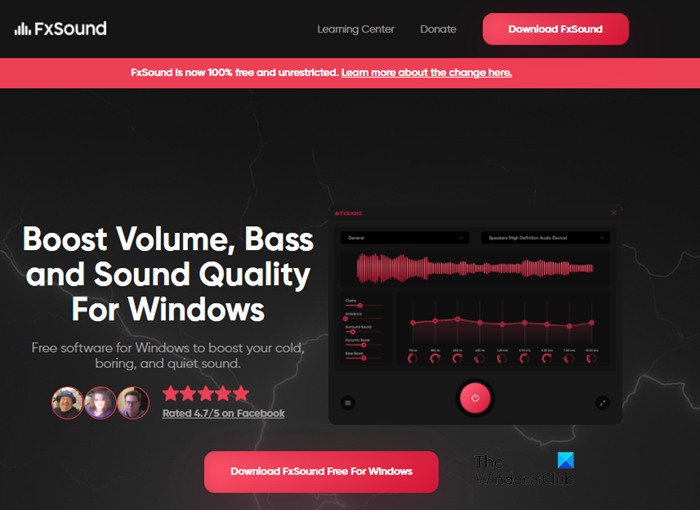
As mentioned earlier, FxSound was paid, but now it’s not. It’s free and you can easily download it from its official website. You need to click on the Download button and the executable file will be downloaded to your system. Now, click on the file and follow the on-screen instructions to install the app. It will take some time and will ask you to select the location where the files need to be stored.
How do I use FxSound Pro?
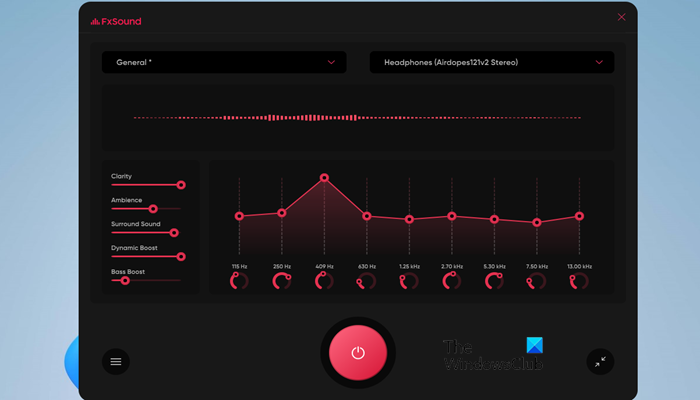
To use FxSound enhancer to boost sound quality, you need to, first of all, install the application. Once you do that, the FxSound utility will be launched. It has a beautiful, easy-to-use window. You will also notice that the sound coming out of your speaker is changed, even if you didn’t fiddle with the app, it automatically makes meaningful adjustments to the sound.
You have sliders to adjust the following sound components.
- Clarity
- Ambiance
- Surround Sound
- Dynamic Boost
- Bass Boost
You can easily customize them with the help of the slider. You need to make sure that you are not overdoing anything as it can be sound worse. The app gives you more options when it comes to altering the sound, you can change the magnitude of different frequencies as well, Pro-stuff!
Preset and Sound Profiles in FxSound
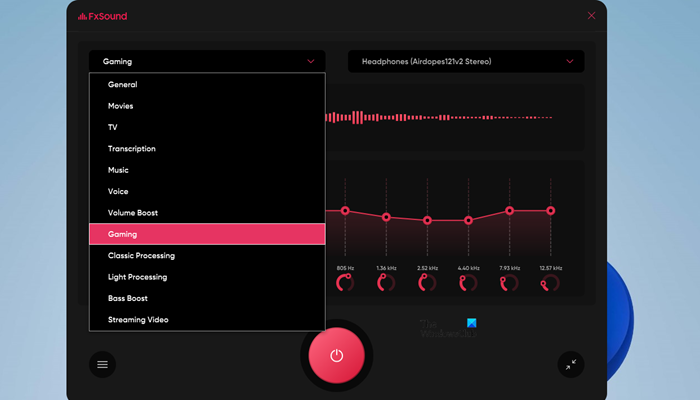
The app also has preset sound profiles for different things. The following are the sound profiles that you can try.
- Movies
- TV
- Transcription
- Music
- Voice
- Volume Boost
- Gaming
- Classic Processing
- Light Processing
- Bass Boost
- Streaming Video
You can click on General placed at the top-left corner of your screen and select those options. After selecting any of the options, you will see that the voice settings of FxSound will be changed. However, if you want, you can tinker with their settings as well.
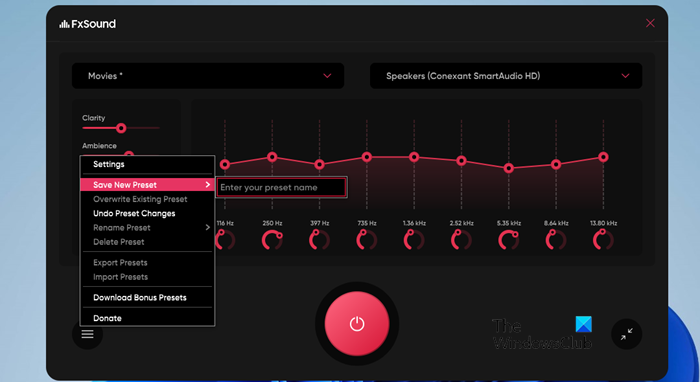
If you want to create your own preset, just select the preset you want to alter, customize it, click on the three horizontal lines, and hover your cursor over the Save New Preset option to name your newly created new sound profile.
You can also Import or Export Presets with the help of the FxSound app, just click on the three horizontal lines and you will see options to do the same. Select the task you want to do and just get on with it.
FxSound Enhancer Settings
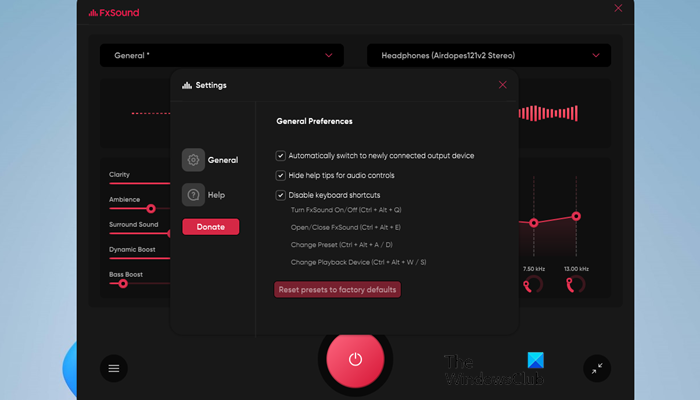
Now, let us take a quick look at the Settings you get in FxSound Enhancer. Since you are getting every customizable option on the front screen, the developers at FxSound were able to make the setting clutter-free.
To enter the settings, click on the three horizontal lines and then Settings. Once you are there, you can tick a few options. You can enable or disable the Keyboard shortcuts and/or the audio tips, make the app detect the output device automatically, and if you mess things up, you can click on Reset presets to factory default and you will be good to go.
If you like the application, download it from fxsound.com.
Related read: Free Sound and Volume Booster apps for Windows.
Is FX sound Enhancer good?
FxSound enhancer is a perfect application for those who want to make the sound coming out of their system pleasant. It has great options that you can use to alter the sound. Also, if at any time you feel like you have gone too far with the whole audio-enhancing thing, just reset the preset. You also get a bunch of presets that you can change depending on the task that you are doing. Everything is a recipe for a great Audio/Sound Enhancer, and FxSound is one of them.
Is FxSound safe?
FxSound is legitimate software created by a company that has been in business for quite some time and has a user base of almost a million worldwide. So, there is no need to worry about it being malicious or unsafe. It’s a great application and you should not refrain from trying it.
Also check:
